
Run every store with one connected retail system.
Give each location fast POS billing while keeping stock, customers and business visibility connected across your retail network.
- Store 1POS billing · Own stock · Own shifts
- Store 2POS billing · Own stock · Own shifts
- Store 3POS billing · Own stock · Own shifts
More locations should not mean more disconnected systems.
Separate store data
Each outlet keeps its own records, and nobody sees the whole picture.
Difficult stock visibility
What one store has, another store cannot see.
Inconsistent pricing or operations
Products, prices and processes drift from store to store.
Slow consolidated reporting
Business numbers arrive only after someone combines them by hand.
Local selling. Central visibility.
Each outlet can sell independently while authorised users see connected business information across locations.
-
Store 1
Bills on its own registers.
-
Store 2
Sells from its own stock.
-
Store 3
Runs its own shifts.
-
Central PeppyBooks view
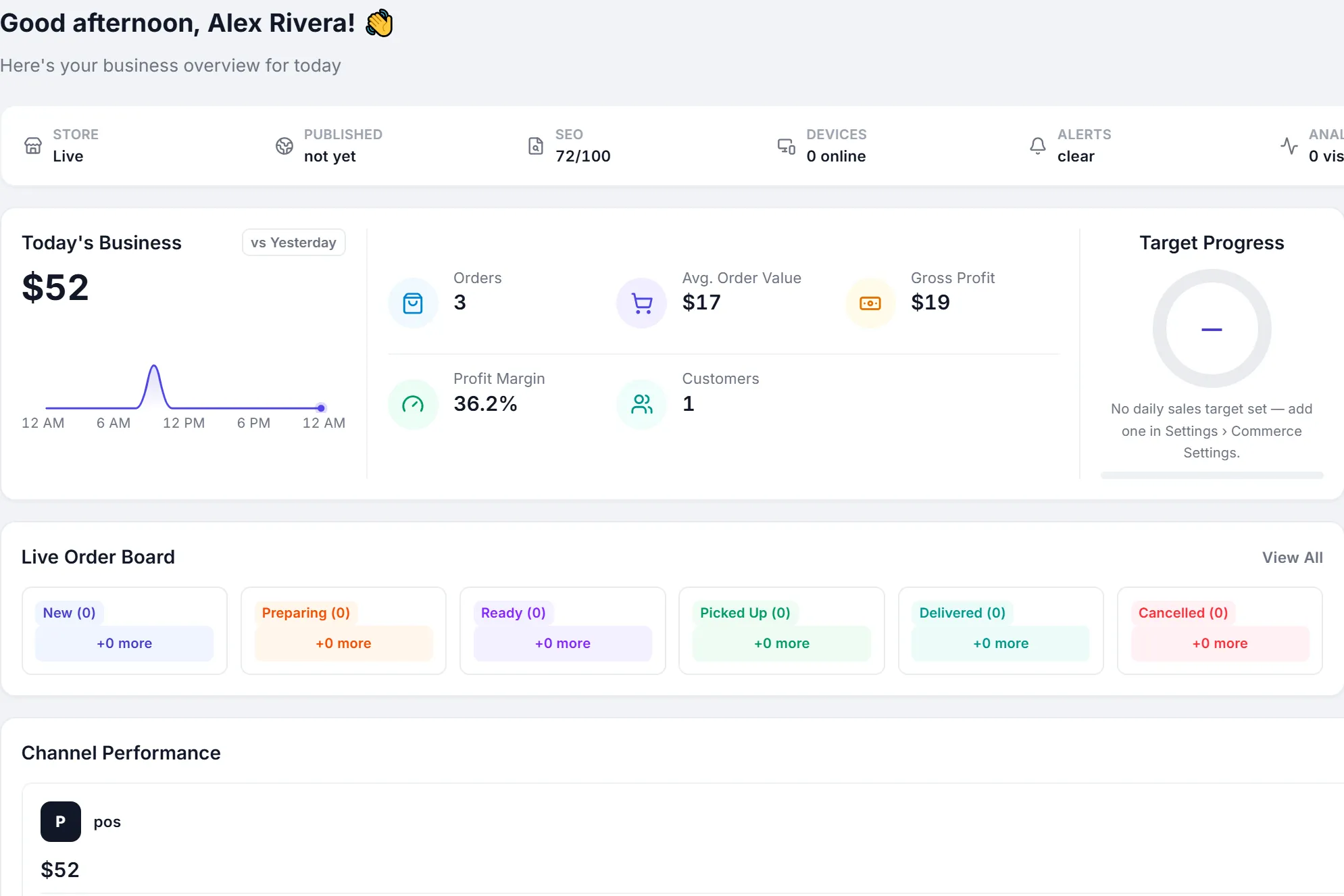
Sales, stock and accounts across every store.
Designed for growing retail networks.
Outlet-wise POS
Registers, cashiers and shifts per outlet.
Location-wise stock
On hand, reserved and available by outlet, with transfers between them.
Central product catalog
One product master for every store, with the barcodes your counters scan.
Price levels
Standard prices plus price levels for customers and channels.
User and role controls
Roles and permissions decide what each person can see and do.
Consolidated business visibility
Sales by outlet, stock by outlet and one company dashboard.
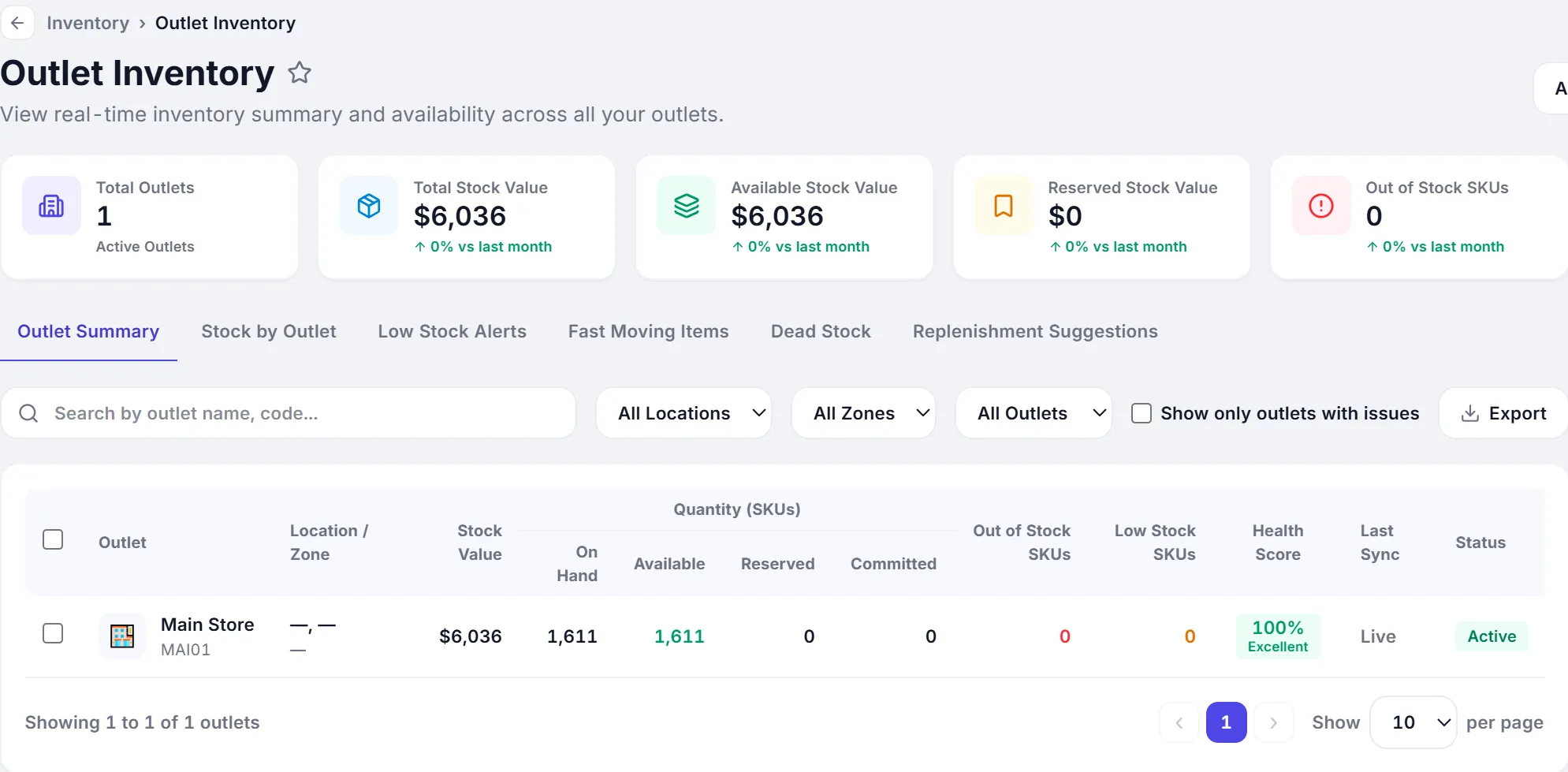
Know where your stock is.
See inventory by outlet and reduce the guesswork involved in managing stock across multiple stores.
- Stock value and quantity per outlet
- Out-of-stock and low-stock SKUs by location
- Transfers between outlets and warehouses
- One stock summary for the whole business
Give each team access to what they need.
Users
Every person signs in with their own account.
Roles and permissions
Owners, managers and cashiers see what their role allows.
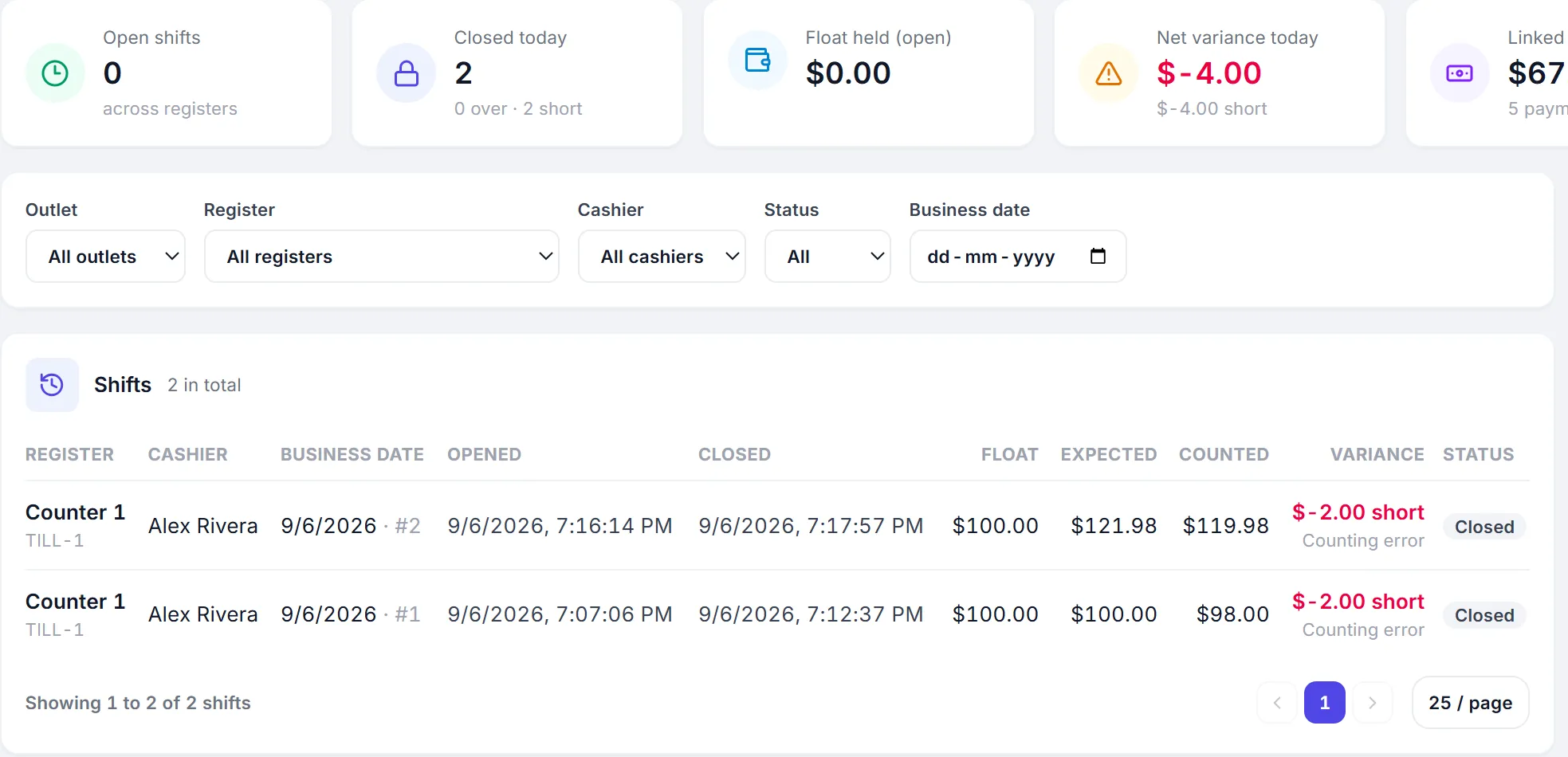
Shift-based POS operations
Each register opens with a float and closes against expected cash.
Outlet context
Cashiers bill from their own outlet; managers switch views.
Add locations without rebuilding your software stack.
PeppyBooks gives growing retailers a common system for sales, inventory, customers and accounting instead of introducing a new tool for every new store.
Built for retail networks
- Retail chains
- Franchise operations
- Supermarkets
- Apparel stores
- Pharmacy chains
- Multi-branch businesses
One system for every store, now and as you grow.
- Cloud-basedSign in from any browser. Nothing to install at the counter.
- Multi-userRoles and permissions for owners, managers and cashiers.
- Multi-location readyAdd outlets, registers and shifts as you grow.
- Connected accounting and inventoryOne record from the sale to the ledger.
- Built for growing SMBsStart on one plan and move up when you need more.
- 14-day free trialThe full product, with sample data. No credit card.
Common questions
Short, factual answers before you start.
Can each store use its own POS?
Yes. Each outlet bills on its own registers, with its own cashiers and shifts, from the same PeppyBooks account.
Can I view stock by location?
Yes. Outlet inventory shows stock value, on hand, available and reserved quantities for every outlet.
Can I control user access by role?
Yes. Roles and permissions decide what each user can see and do, from billing to reports and settings.
Can I manage multiple branches in one PeppyBooks account?
Yes. Outlets belong to one company, so one sign-in shows every branch together or one at a time.
Can sales from different locations remain connected to accounting?
Yes. Sales from every outlet post to the same accounts as they happen, with stock and customer balances updated alongside.
Grow to more locations without losing visibility.
Start with PeppyBooks and run every store from one connected system.