POS software

POS software that runs the counter and the business behind it

Fast billing at every counter, with stock, customers, payments and accounts updated from the same sale. For one shop or many, on Windows, Android or any browser.

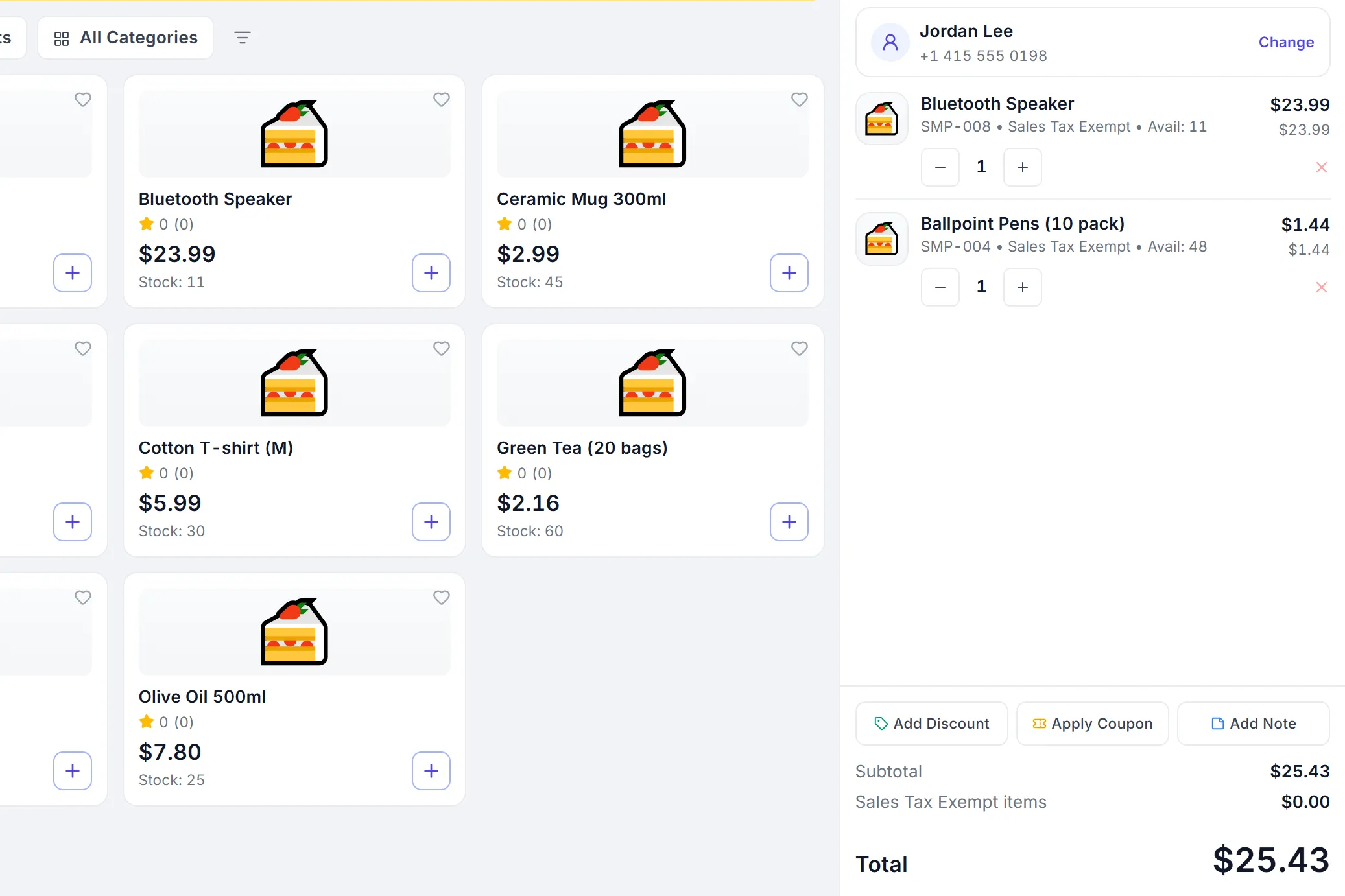
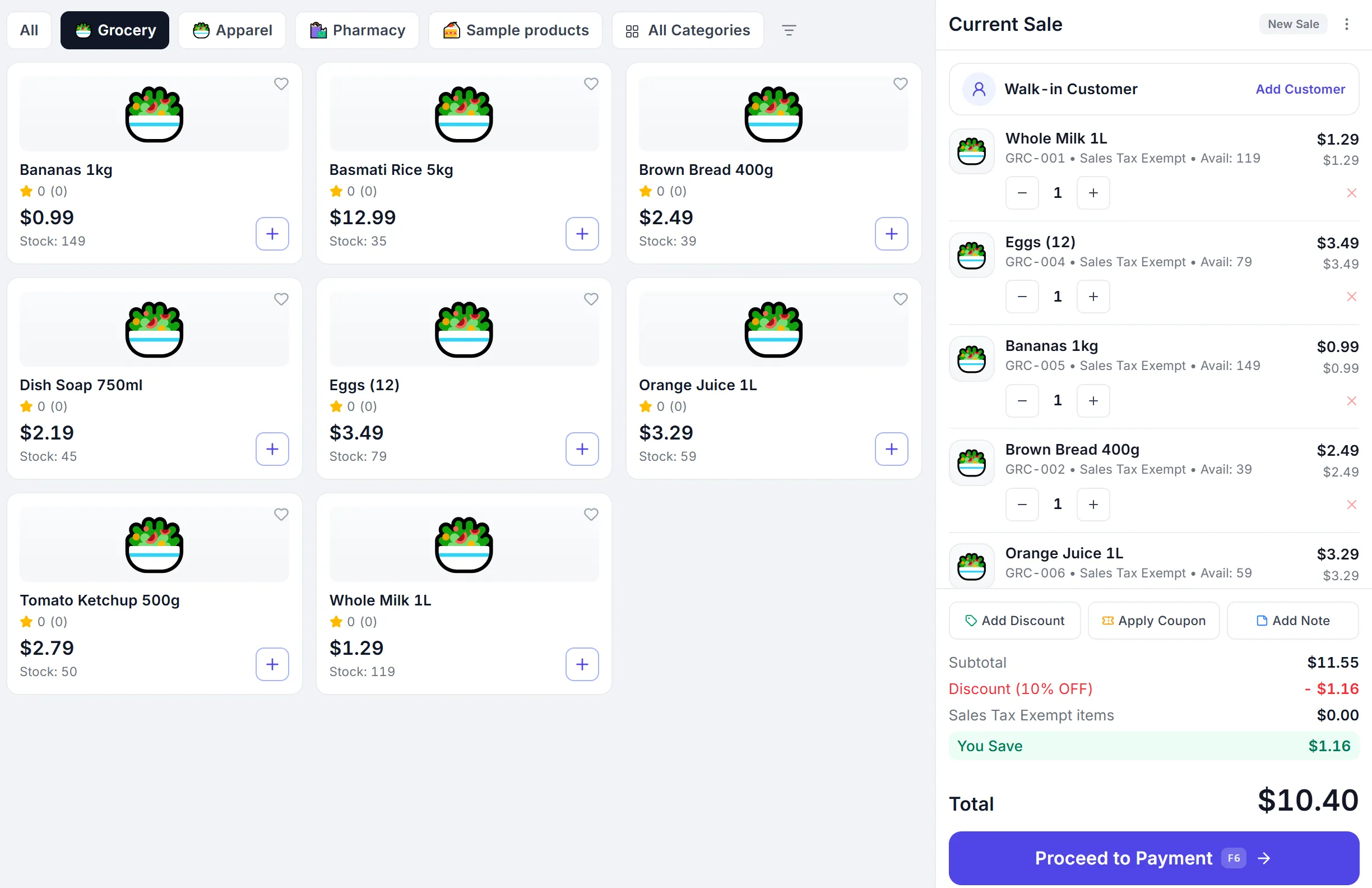
The PeppyBooks POS mid-sale: a basket of items, the customer and the running total on the right, and the Proceed to Payment button.
  1. Sale
  2. Stock
  3. Customer
  4. Accounts
Sales (POS) · app.peppybooks.com
One sale, everything connected

What happens when you complete a sale

The same sale moves stock, updates the customer and posts to the books. Nothing is entered twice.

  1. Sales Created
    Sale completed
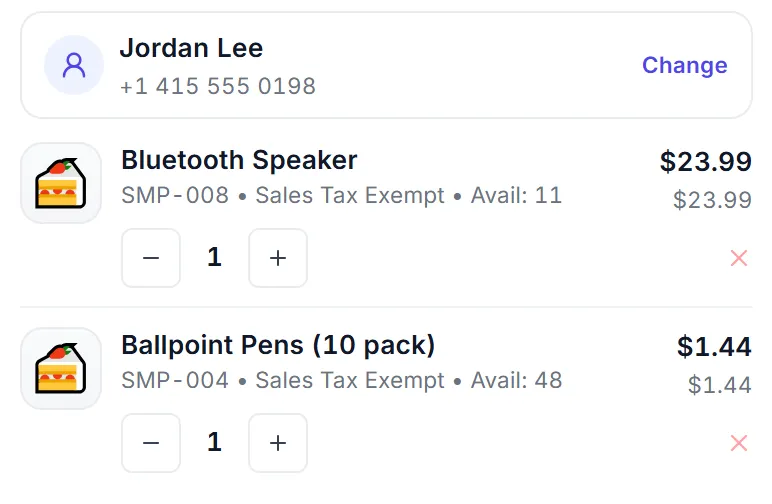
    Jordan Lee · 2 items · Total $25.43
    The current sale in the PeppyBooks POS: Jordan Lee, a Bluetooth speaker at $23.99 and ballpoint pens at $1.44, total $25.43. The current sale in the PeppyBooks POS: Jordan Lee, a Bluetooth speaker at $23.99 and ballpoint pens at $1.44, total $25.43.
    Sales · app.peppybooks.com
  2. Inventory Stock updated
    Stock updated
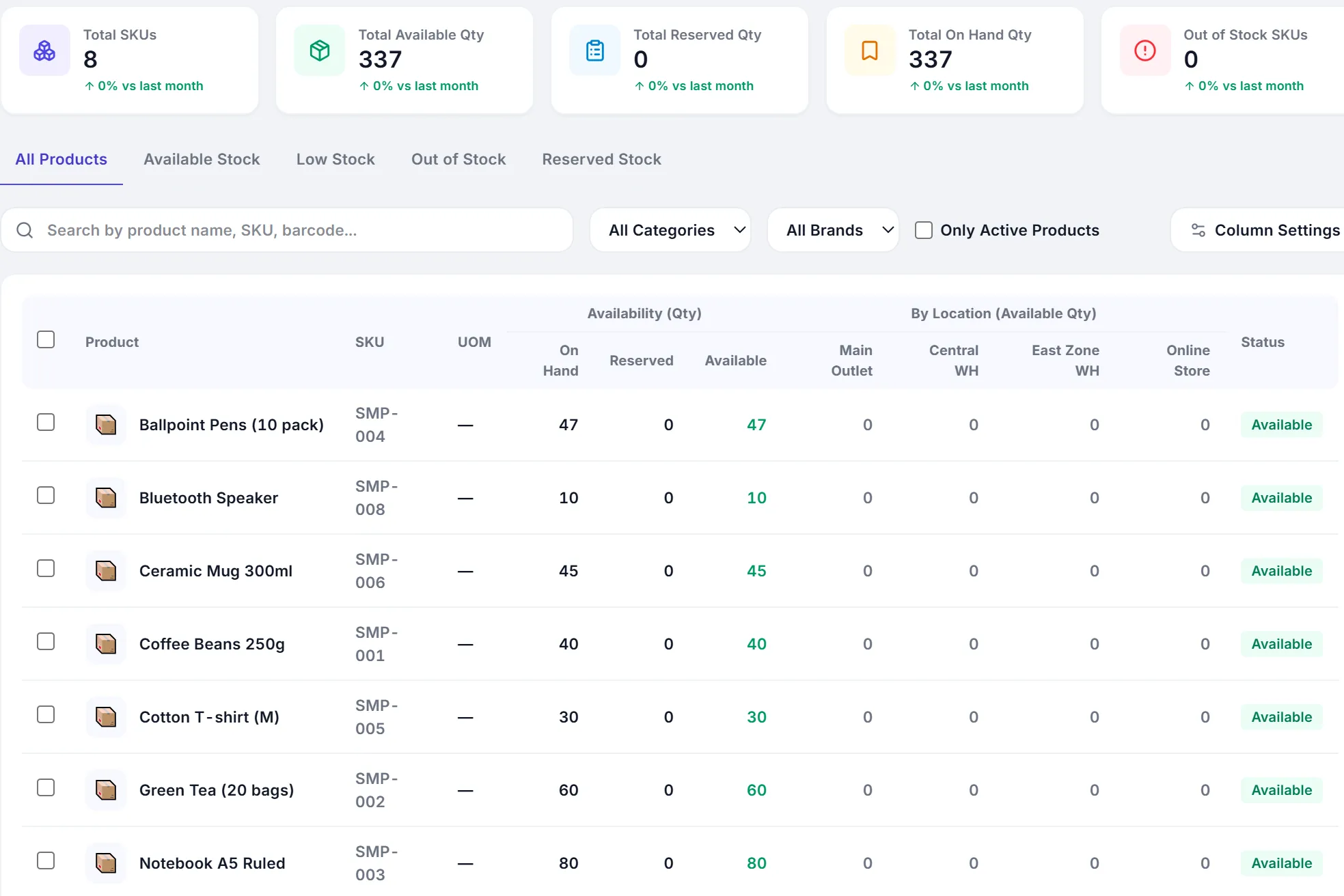
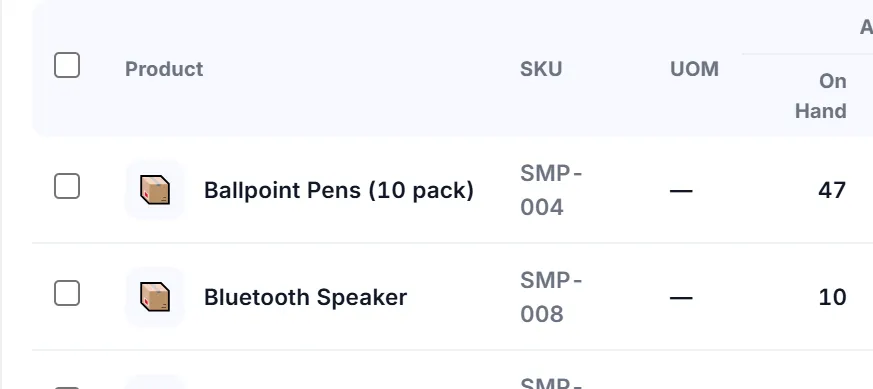
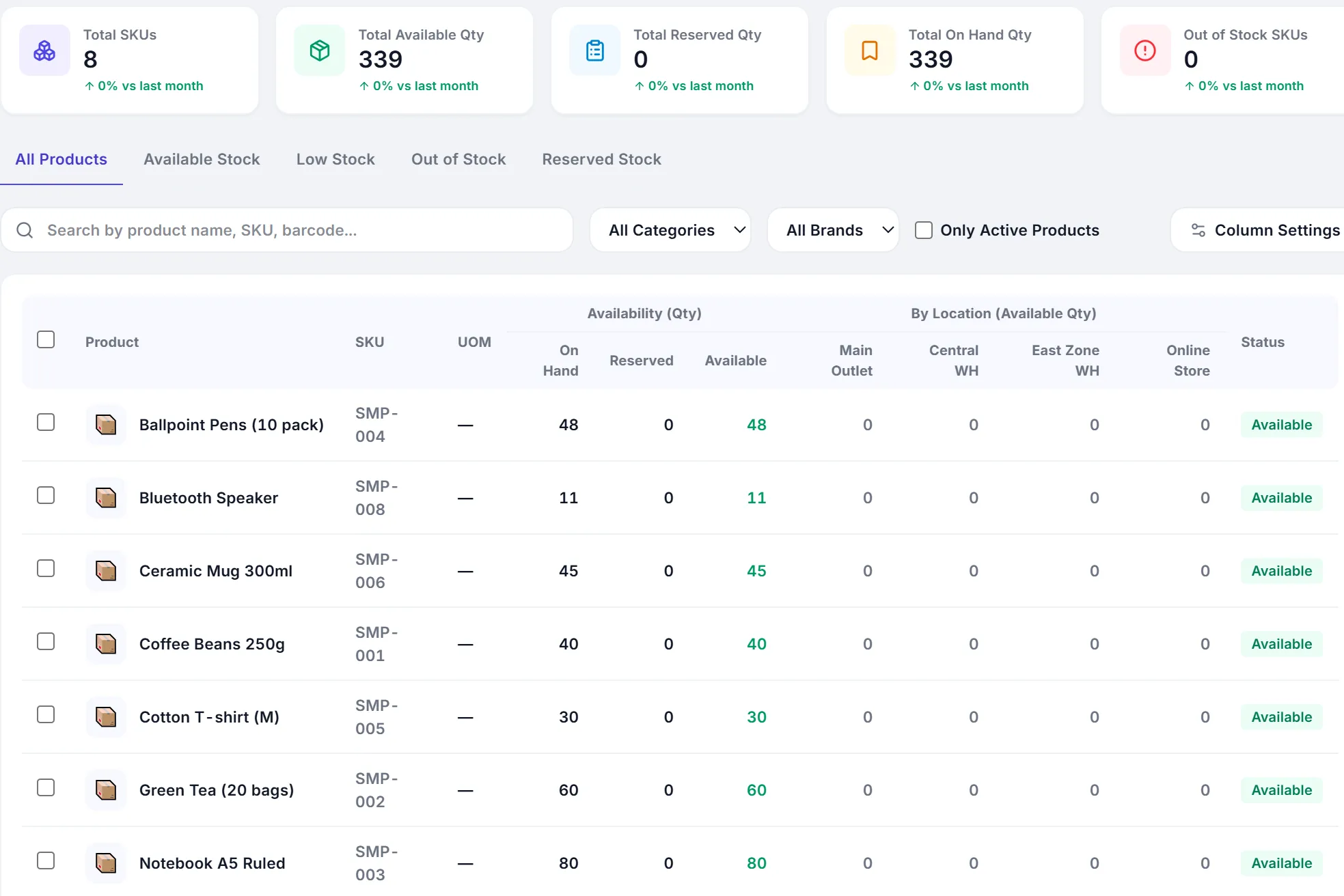
    Ballpoint Pens (10 pack) · In stock 48 47
    The stock availability list: Ballpoint Pens (10 pack) on hand 47, Bluetooth Speaker 10, every other product unchanged. The stock availability list: Ballpoint Pens (10 pack) on hand 47, Bluetooth Speaker 10, every other product unchanged.
    Inventory · app.peppybooks.com
  3. Customers History updated
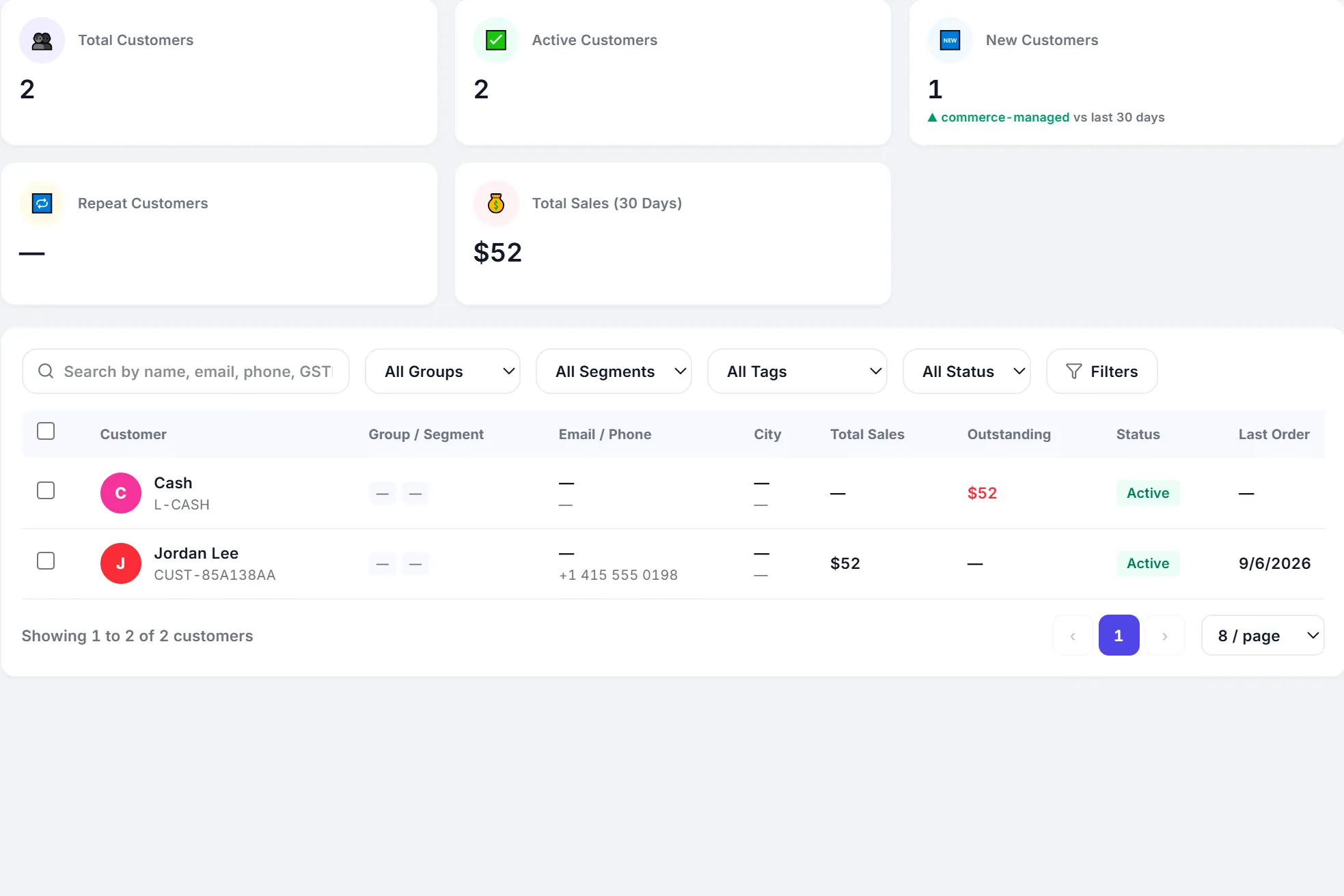
    Customer history updated
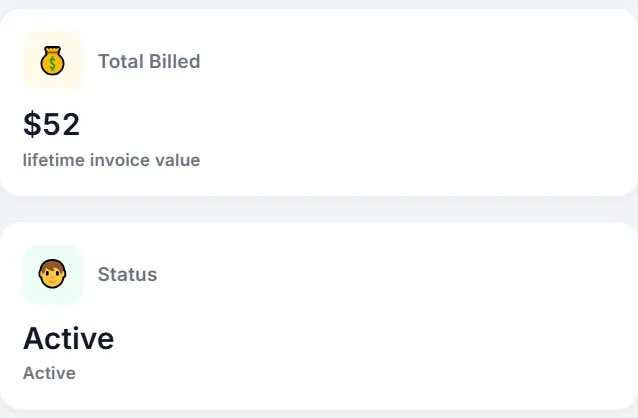
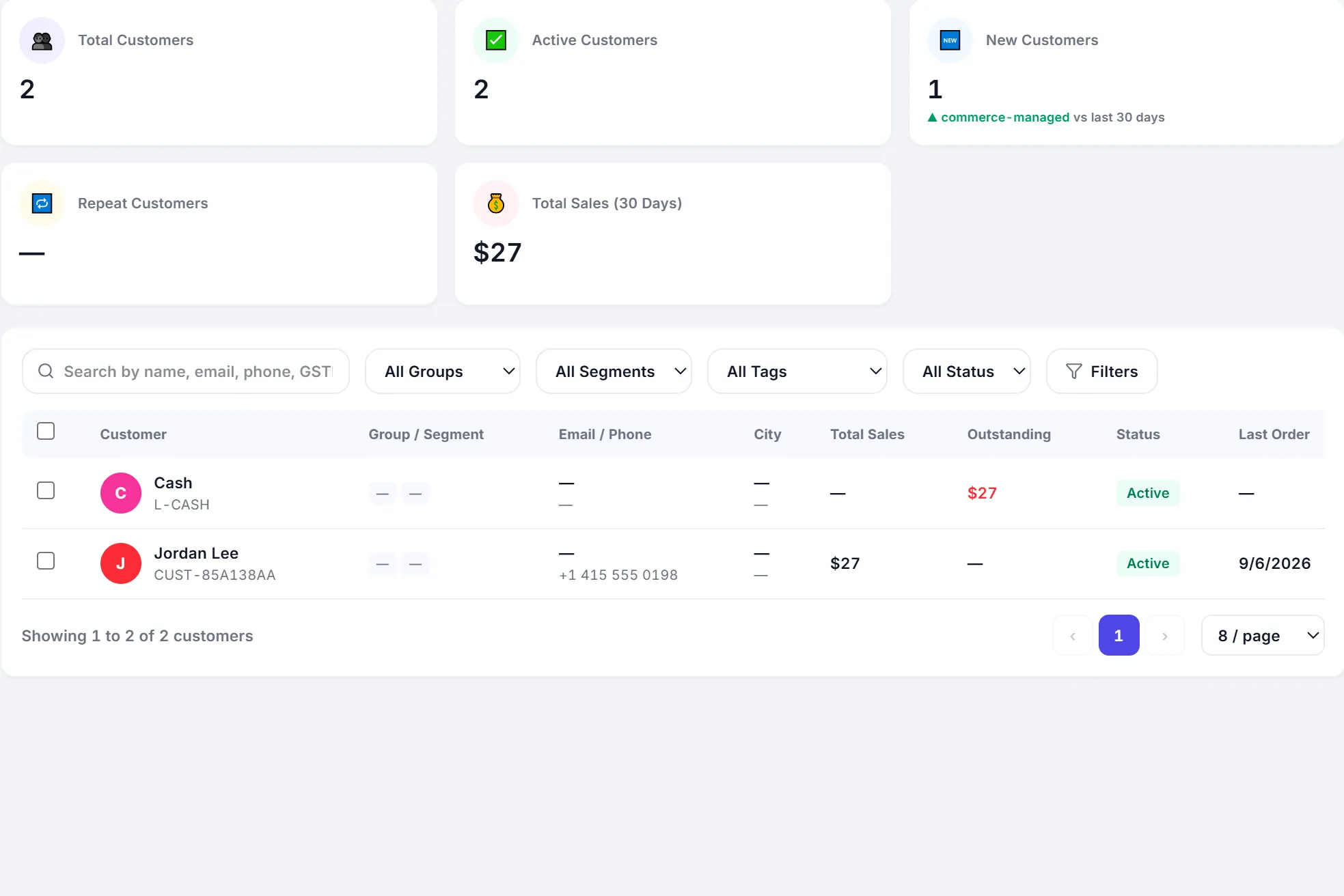
    Jordan Lee · Total sales $27 $52
    The customers list: Jordan Lee, total sales $52, last order today. The customers list: Jordan Lee, total sales $52, last order today.
    Customers · app.peppybooks.com
  4. Payment Recorded
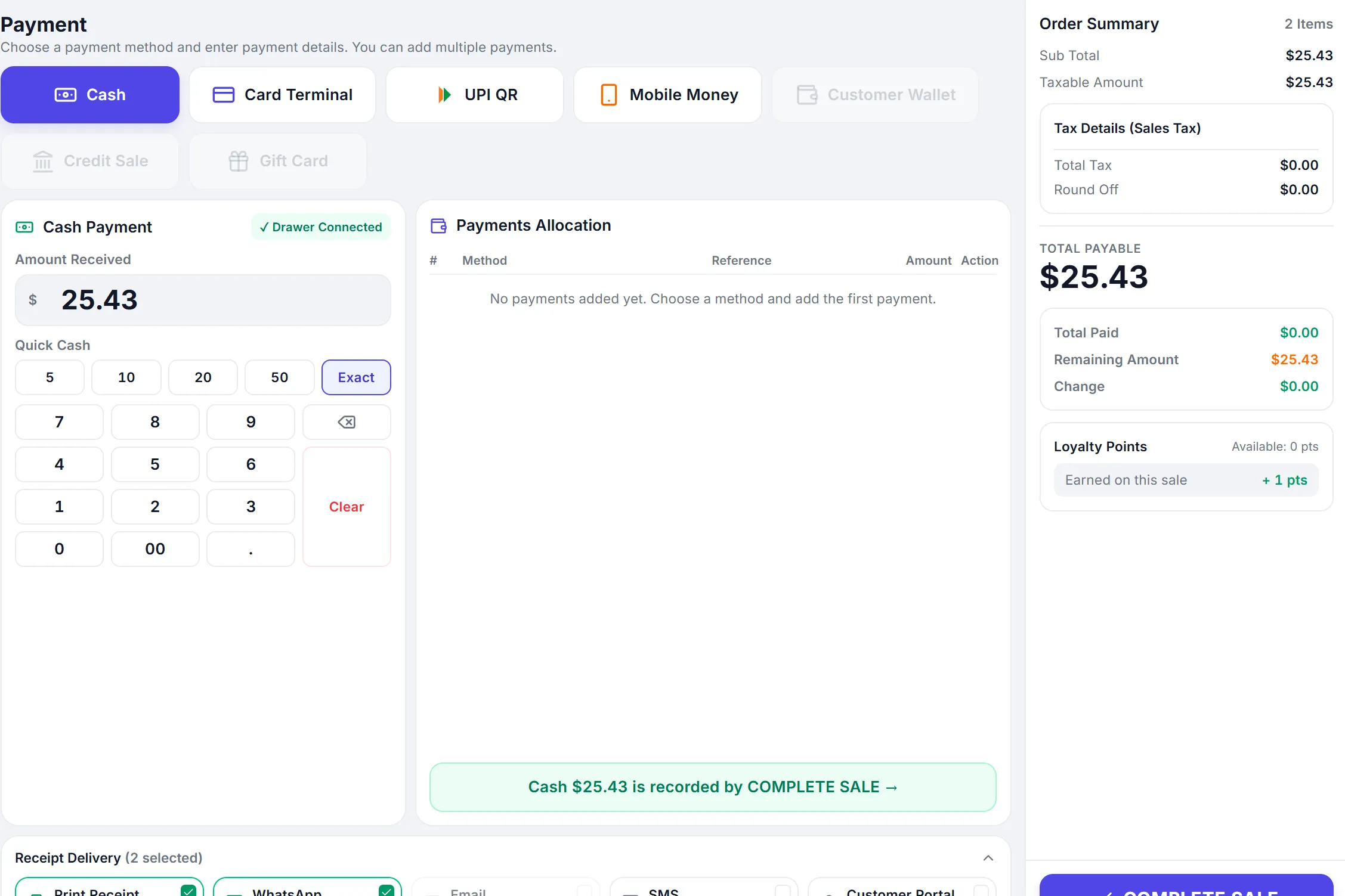
    Payment recorded
    Cash · Received $25.43
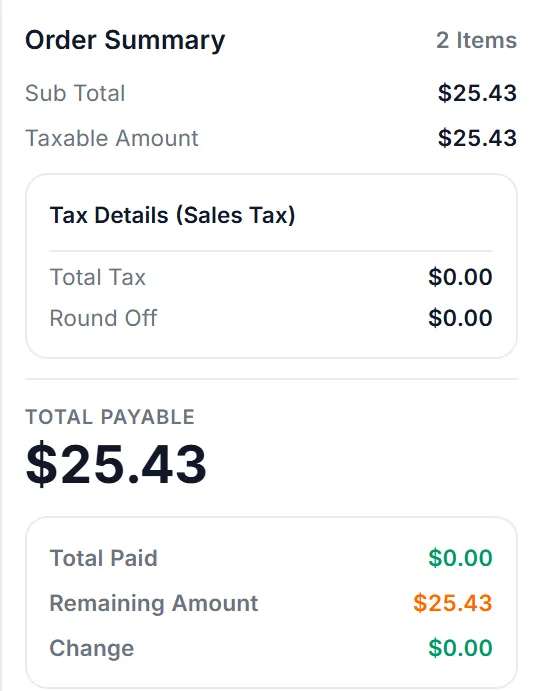
    The payment screen: cash selected, amount received $25.43, total payable $25.43, complete sale. The payment screen: cash selected, amount received $25.43, total payable $25.43, complete sale.
    Payment · app.peppybooks.com
  5. Accounting Posted
    Accounting posted
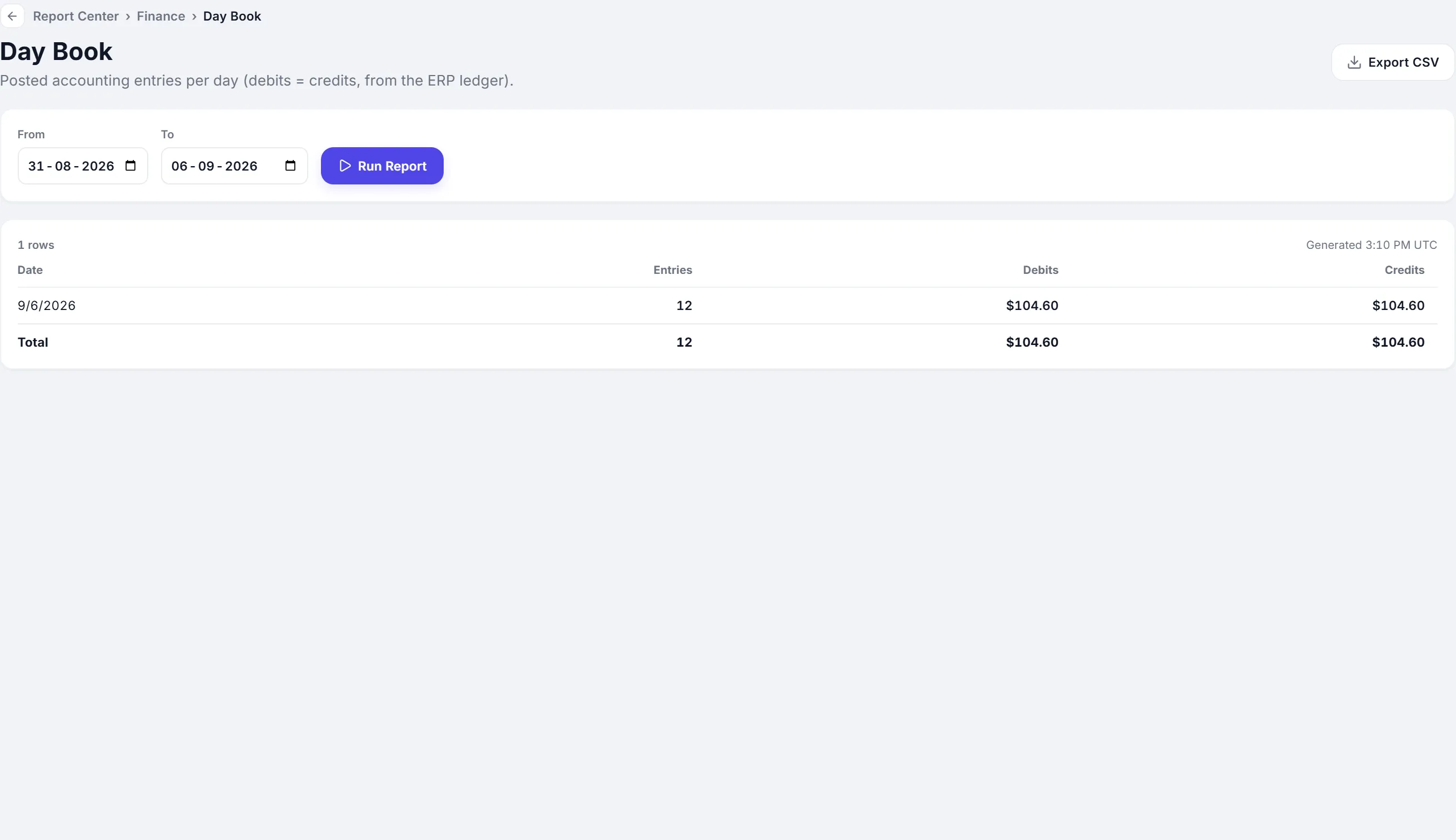
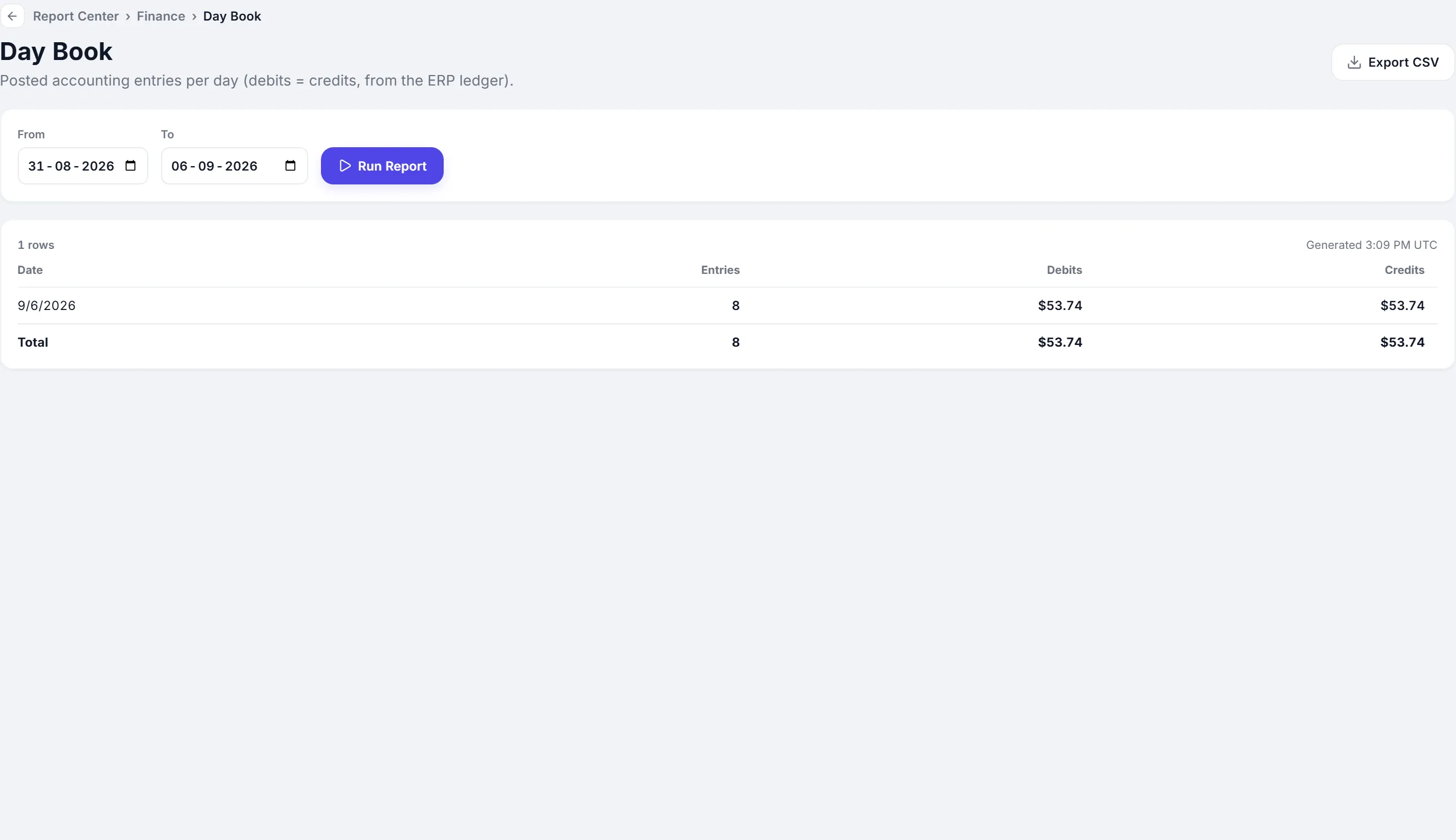
    Day book · Entries today 8 12
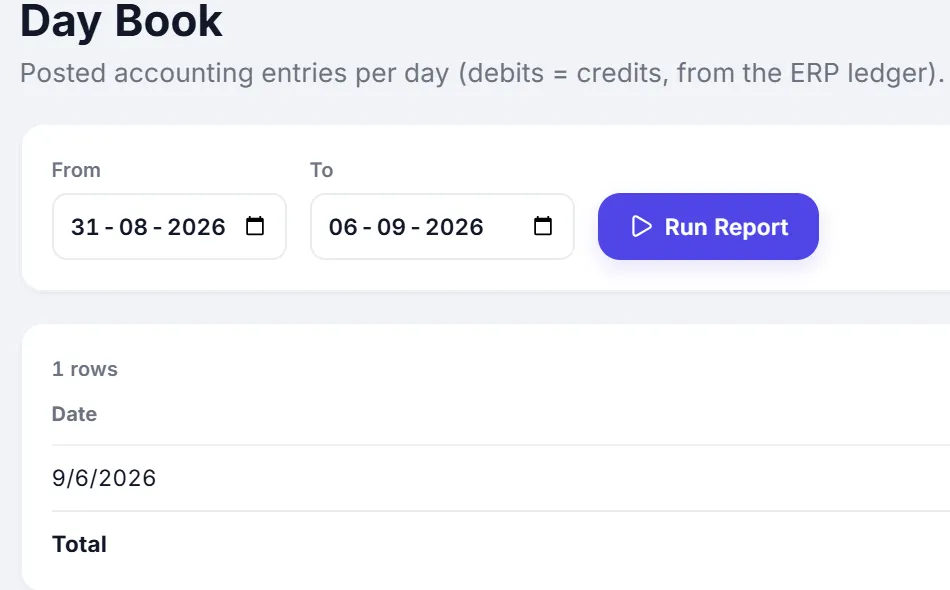
    The Day Book report: posted accounting entries for today, 12 entries, debits $104.60, credits $104.60. The Day Book report: posted accounting entries for today, 12 entries, debits $104.60, credits $104.60.
    Accounting · app.peppybooks.com
  6. Dashboard Updated
    Dashboard updated
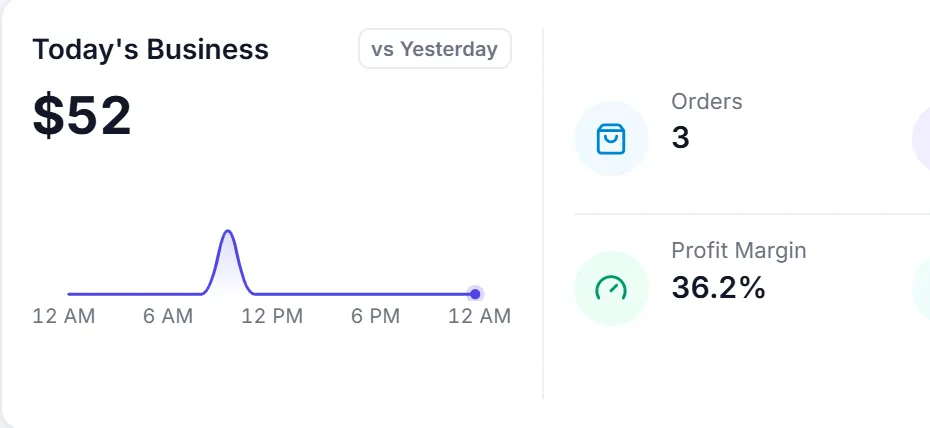
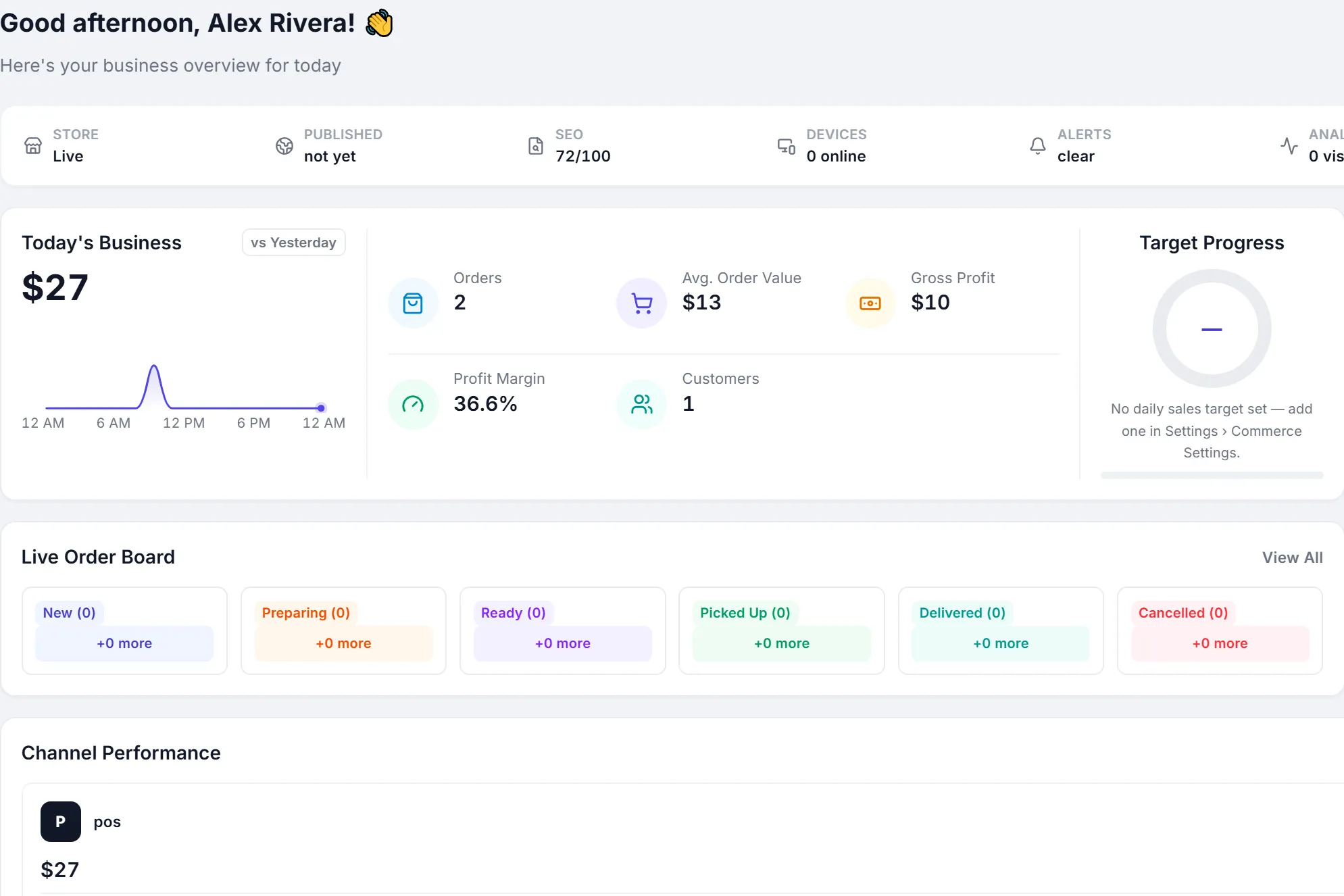
    Today's business · Revenue $27 $52
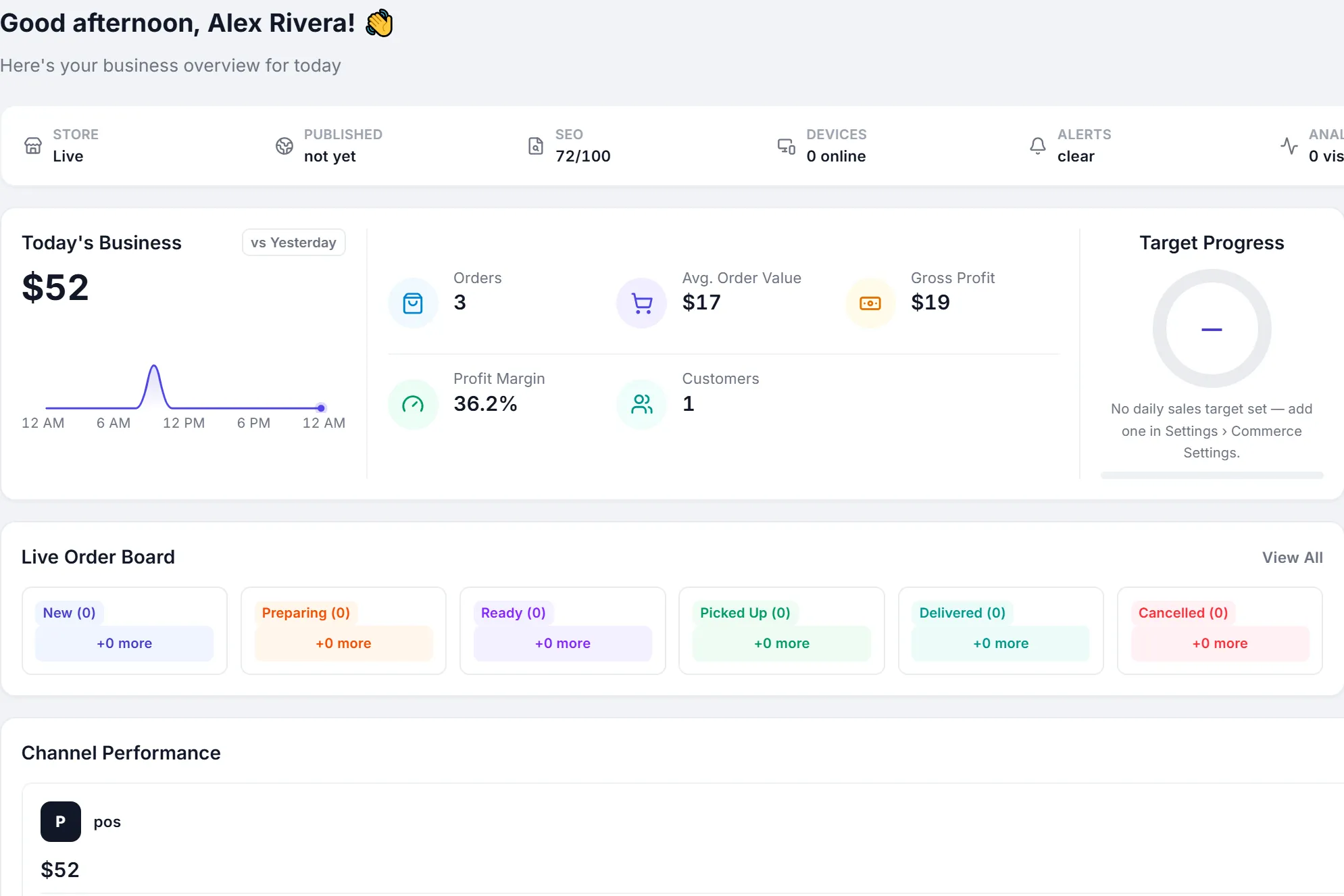
    The dashboard: today's business $52, 3 orders, cash $52, one customer. The dashboard: today's business $52, 3 orders, cash $52, one customer.
    Dashboard · app.peppybooks.com

You make the sale. PeppyBooks keeps the rest in sync.

What is included

More than a billing screen

  • Fast billing

    Barcode scanning, search, hold and recall, and a one-tap cash bill for busy hours.

  • Every way to pay

    Cash, card, UPI and mobile money, split across one bill.

  • Inventory

    Stock by outlet and warehouse, batches and expiry, and low-stock and expiry warnings.

  • Customers

    Customer records, price levels, credit limits and purchase history.

  • Promotions

    Coupons, percentage and flat offers, and buy-x-get-y.

  • Accounting built in

    Sales, tax and payments post to the ledger as they happen.

  • Restaurants and cafés

    Kitchen order tickets, a kitchen display and an order queue.

  • Multi-store

    Every outlet, counter and shift in one company, with access by user.

  • Reports and dashboard

    Sales by day, hour, product, outlet and payment method.

Built for your business

POS software for every counter

  • Retail shops

    Fast billing, stock that stays right and counted cash at every close.

  • Supermarkets and grocery

    Barcode scanning, offers and a quick cash bill for long queues.

  • Pharmacies

    Batch and expiry at billing, earliest expiry first.

  • Restaurants and cafés

    KOT with the bill, a kitchen display and an order queue.

  • Fashion and footwear

    Products, offers and stock across outlets.

  • Wholesale counters

    Customer price levels, credit and receivables on every bill.

  • Multi-store chains

    Central products and prices, local billing, one dashboard.

  • Online and in-store

    Add your own online store on the same stock and customers.

Know the business

See today’s sales the moment they happen

  • Sales, orders and average bill for today
  • Gross profit and margin from real costs
  • Sales by outlet, channel and payment method
  • Live order board for counter and online orders
Dashboard
The PeppyBooks dashboard: today’s sales, orders, average order value, gross profit and the live order board.
Dashboard · app.peppybooks.com
Getting started

Start billing on day one

  1. Sign up free

    Explore with sample data, no card needed.

  2. Import products

    Bring products and opening stock in from Excel.

  3. Set up counters

    Add printers, scanners and your payment methods.

  4. Start billing

    Open a shift and ring your first sale.

The difference

Standalone POS or connected POS

CapabilityPeppyBooksA standalone POS
Stock Updated by every sale, purchase and transfer Often kept in a separate inventory tool
Accounts Sales and tax post to the ledger automatically Exported to accounting software
Customers One record with prices, credit and history Customer data split across tools
Branches Every outlet in one system One setup per store
Online store Same products, stock and customers A separate shop platform
Why businesses choose PeppyBooks

One system from the first counter to the last branch.

  • Cloud-basedSign in from any browser. Nothing to install at the counter.
  • Multi-userRoles and permissions for owners, managers and cashiers.
  • Multi-location readyAdd outlets, registers and shifts as you grow.
  • Connected accounting and inventoryOne record from the sale to the ledger.
  • Built for growing SMBsStart on one plan and move up when you need more.
  • 14-day free trialThe full product, with sample data. No credit card.
FAQ

Common questions

Short, factual answers before you start.

What is POS software?

POS (point of sale) software runs the counter: it creates bills, takes payments and prints receipts. PeppyBooks POS also updates inventory, customer balances and accounting with every sale.

What hardware do I need?

A Windows PC, an Android device or any computer with a browser. Thermal receipt printers, USB or Bluetooth barcode scanners and a cash drawer work with the counter apps.

Is PeppyBooks suitable for restaurants?

Yes. Restaurants can print kitchen order tickets with the bill and use the kitchen display and order queue, alongside billing, stock and accounts.

Can I manage more than one store?

Yes. Every outlet, counter and shift belongs to one company, with sales and stock for each store and the whole business together.

Does it handle GST and VAT?

Yes. Bills carry GST, VAT or sales tax according to your company’s country, and the tax posts to your accounts with the sale.

Does it work without internet?

No. PeppyBooks is cloud POS, so completing a sale needs an internet connection. That keeps prices, stock and accounts exact across every counter.

How much does it cost?

Plans are priced per user. POS is included from the Business plan, and every plan starts with a 14-day free trial. See the pricing page for current prices.

Run every counter from one connected system

Start free with sample data and ring your first sale today.