
Retail billing software for fast, accurate counter billing
Scan, bill and take any payment in seconds. Every bill applies the right price and tax, prints or goes to the customer on WhatsApp, and updates your stock and accounts the moment it is paid.
- Bill
- Stock
- Accounts
Billing problems cost more than time at the counter
Queues at busy hours
Slow searches and manual totals keep customers waiting and walking out.
Wrong prices and tax
A rate typed by hand or a tax worked out on a calculator ends up on the bill.
Stock that never matches
When billing and stock are separate, the shelf and the system drift apart.
Cash that does not add up
Without a counted close for every shift, a short drawer is found too late.
From scan to receipt in a few seconds
-
Scan or search
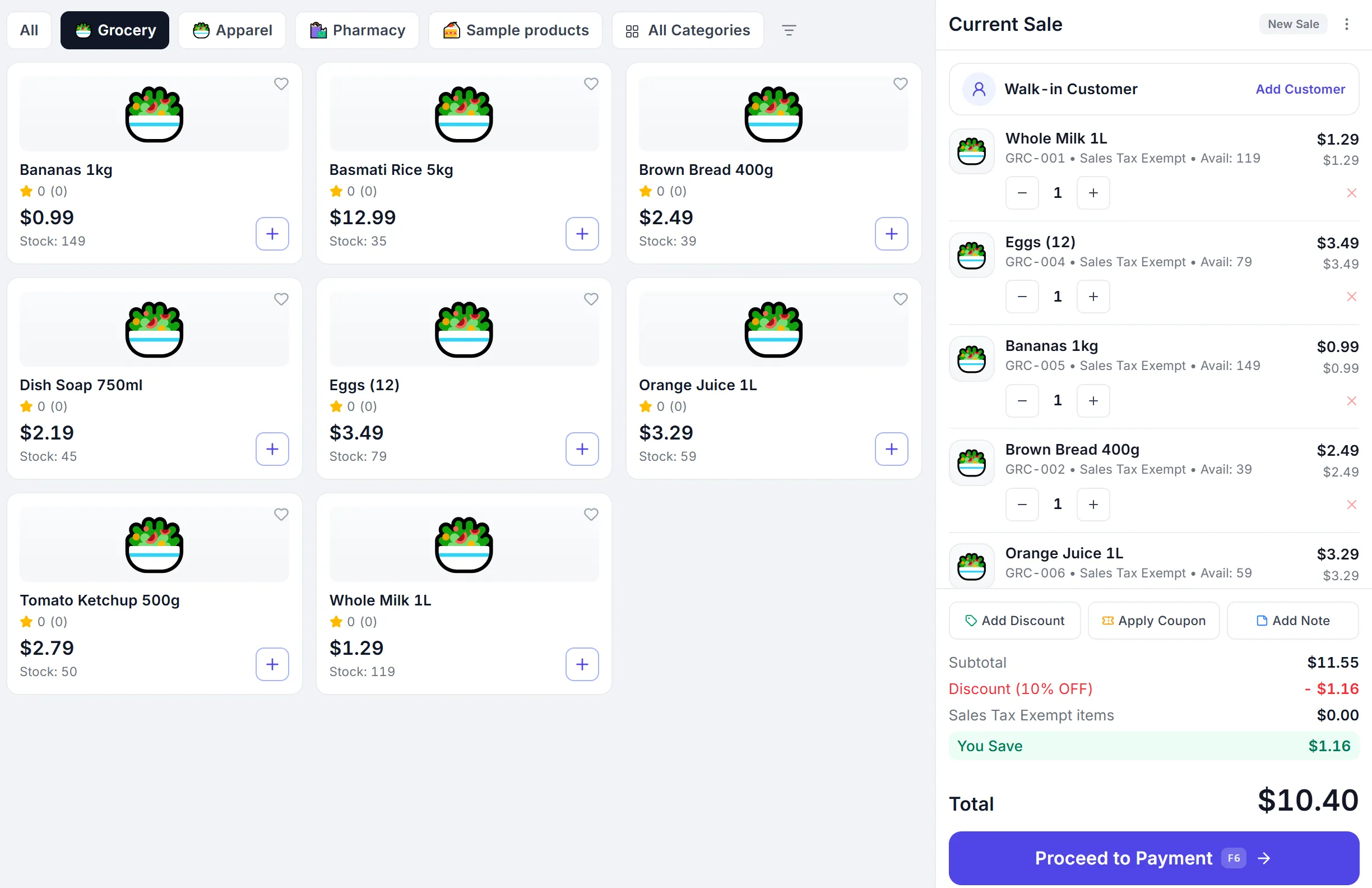
Barcode scan adds the item; search finds it by name or code.
-
Price and tax applied
Customer prices, offers and GST or VAT are worked out for you.
-
Take any payment
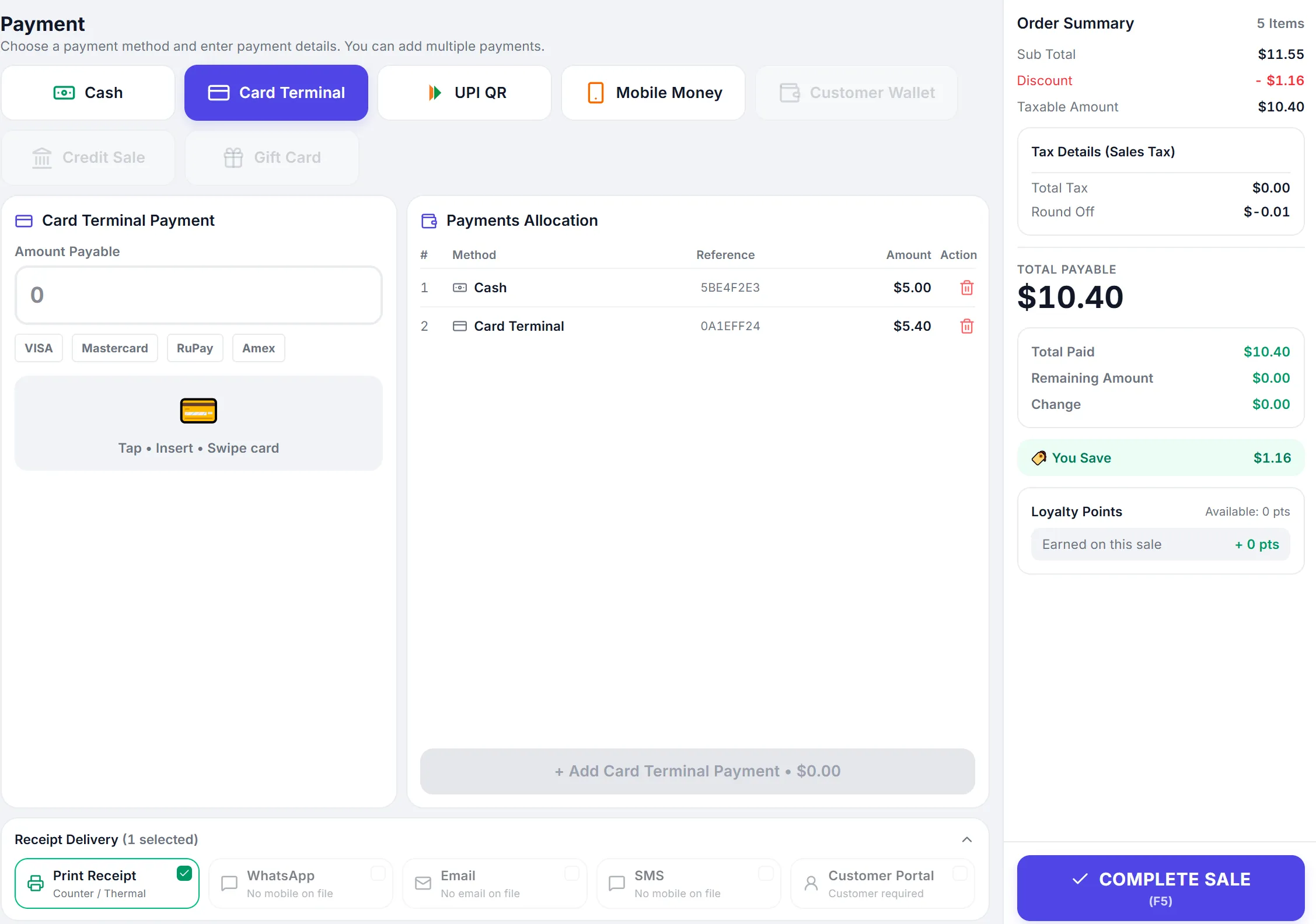
Cash with change, card, UPI or mobile money, or split across them.
-
Receipt and records
Print or send the receipt; stock and accounts update at once.
Everything the counter needs
Barcode billing
Scan to add items, or search by name, code or barcode.
GST and VAT bills
CGST, SGST and IGST, VAT or sales tax calculated on every bill.
Split payments
Cash with change, card, UPI and mobile money on one bill.
One-tap cash bill
For peak hours: complete a cash sale and print without the payment screen.
Hold and recall
Park a bill while the customer fetches one more item, then pick it up again.
Offers and customer prices
Coupons, buy-x-get-y offers and price levels for trade customers apply by themselves.
Discount approvals
A discount above the cashier’s limit needs a manager’s PIN.
Batch and expiry
Pick the batch at billing, earliest expiry first.
Customer details
Capture a walk-in’s name and mobile, or bill a business customer with their tax number.
Print it, or send it to the customer’s phone
Receipts print on thermal or A4 printers in your own format, or go to the customer on WhatsApp or email straight from the bill.
- Thermal and A4 printingUse the built-in receipt or import your existing invoice format.
- WhatsApp and email receiptsSent automatically when the customer’s number or email is on the bill.
- Kitchen order ticketsRestaurants can print the KOT with the bill.
- Tax details on the receiptTax registration numbers and the tax breakdown your country expects.

Every shift opens and closes against the drawer
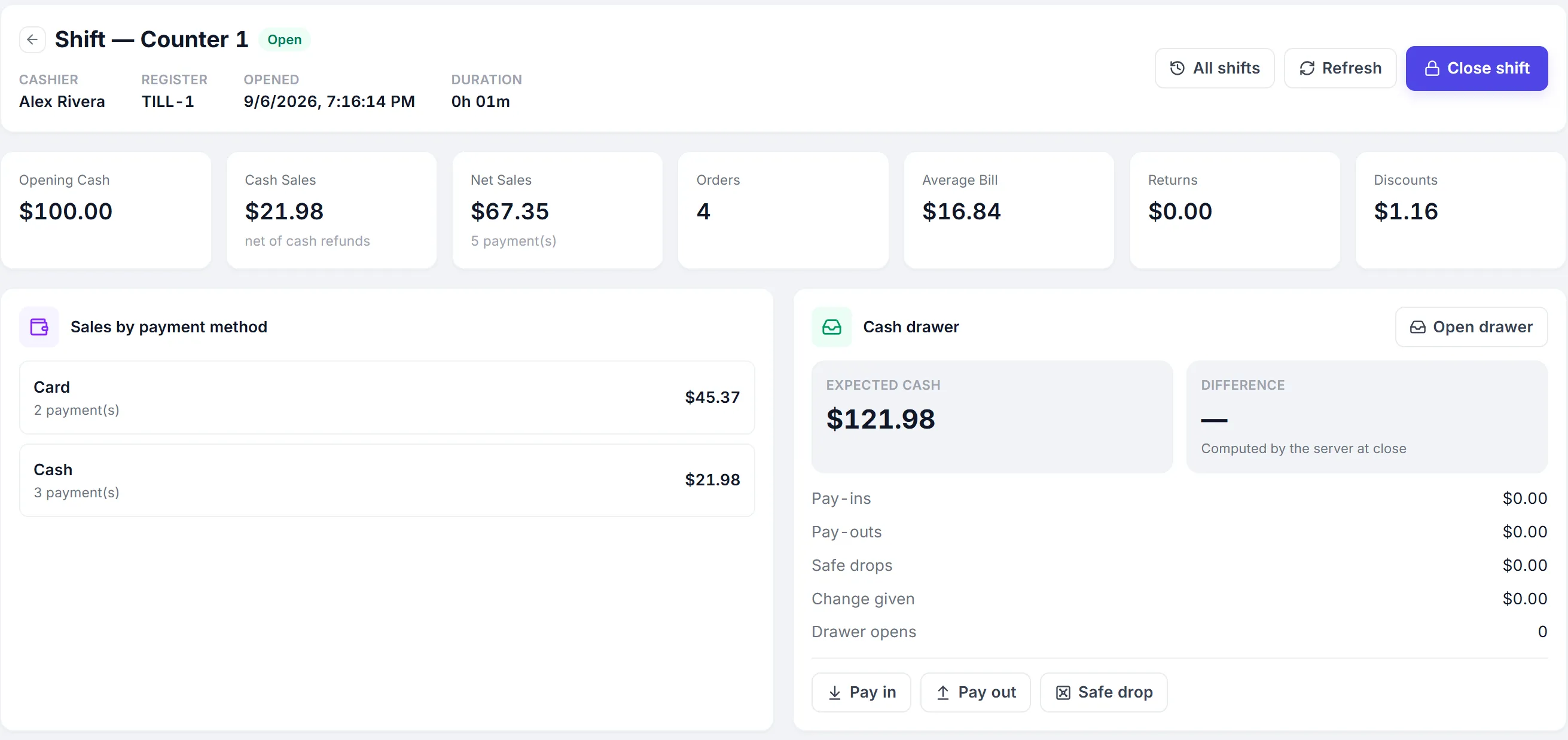
Opening float
Each counter opens its shift with the cash in the drawer.
Expected cash
Sales, refunds, pay-ins and pay-outs give the expected figure.
Counted close
The cashier counts, and any difference is recorded with a reason.
Z-report
Print the day’s summary for every shift.
Works with the hardware at your counter
Windows and Android apps
Install PeppyBooks on a counter PC or an Android device, or use any browser.
Thermal printers
The apps print straight to the receipt printer, with no print dialog.
Barcode scanners
USB and Bluetooth scanners, or the Android camera.
Cash drawer
The drawer opens on cash sales from the Windows app.
A billing app, or billing that runs the shop
| Capability | PeppyBooks | Basic billing software |
|---|---|---|
| Stock | Goes down with every bill, by outlet | Kept in another register or app |
| Accounts | Every bill posts to the books | Entered again by the accountant |
| Cash | Counted shift close with expected cash | Checked by hand at the end of the day |
| Prices and offers | Customer prices and offers applied automatically | Remembered by the cashier |
| More counters and outlets | One system for every counter and branch | A separate copy per counter |
Billing software for every kind of shop
- Supermarkets and grocery
- Pharmacies
- Fashion and footwear
- Electronics and mobiles
- Hardware and building materials
- Stationery and books
- Bakeries and sweet shops
- Restaurants and cafés
Start with one counter. Add more as you grow.
- Cloud-basedSign in from any browser. Nothing to install at the counter.
- Multi-userRoles and permissions for owners, managers and cashiers.
- Multi-location readyAdd outlets, registers and shifts as you grow.
- Connected accounting and inventoryOne record from the sale to the ledger.
- Built for growing SMBsStart on one plan and move up when you need more.
- 14-day free trialThe full product, with sample data. No credit card.
Common questions
Short, factual answers before you start.
What is retail billing software?
Retail billing software creates bills at the counter: it adds items by barcode or search, applies prices, offers and tax, takes payment and prints or sends the receipt. PeppyBooks also updates stock and accounts with every bill.
Does PeppyBooks work with a barcode scanner?
Yes. USB and Bluetooth barcode scanners work at the billing screen, and the Android app can scan with the camera.
Can I create GST bills?
Yes. For Indian businesses, bills carry CGST and SGST, or IGST for interstate sales, from the GST rate on each product. Businesses in other countries bill with VAT or sales tax.
Can a customer pay part in cash and part by card or UPI?
Yes. A bill can be split across cash, card, UPI and mobile money, and the change on cash is worked out for you.
Can I send the bill on WhatsApp?
Yes. When the customer’s mobile number is on the bill, the receipt can be sent on WhatsApp as the sale completes. Email receipts work the same way.
Does it work on Android and Windows?
Yes. PeppyBooks has a Windows app and an Android app for the counter, and also runs in any browser.
Does it work without internet?
No. PeppyBooks is cloud software, and completing a bill needs an internet connection. That is what keeps prices, stock and accounts exact across every counter and branch.
Is there a free trial?
Yes. The 14-day trial includes the full product with sample data, and no credit card is needed.
Bill faster with stock and accounts that stay right
Start free with sample products and try your first bill in minutes.