
PeppyBooks Start for free
POS + Inventory

Sell faster. Keep stock and business numbers in sync.

Every sale reduces stock as it happens. See what is on hand, reserved and available by product and by outlet, with the books already updated.

  • Live stock on hand, reserved, available
  • Stock by outlet
  • Batches and expiry dates
  • Purchases, receipts and transfers
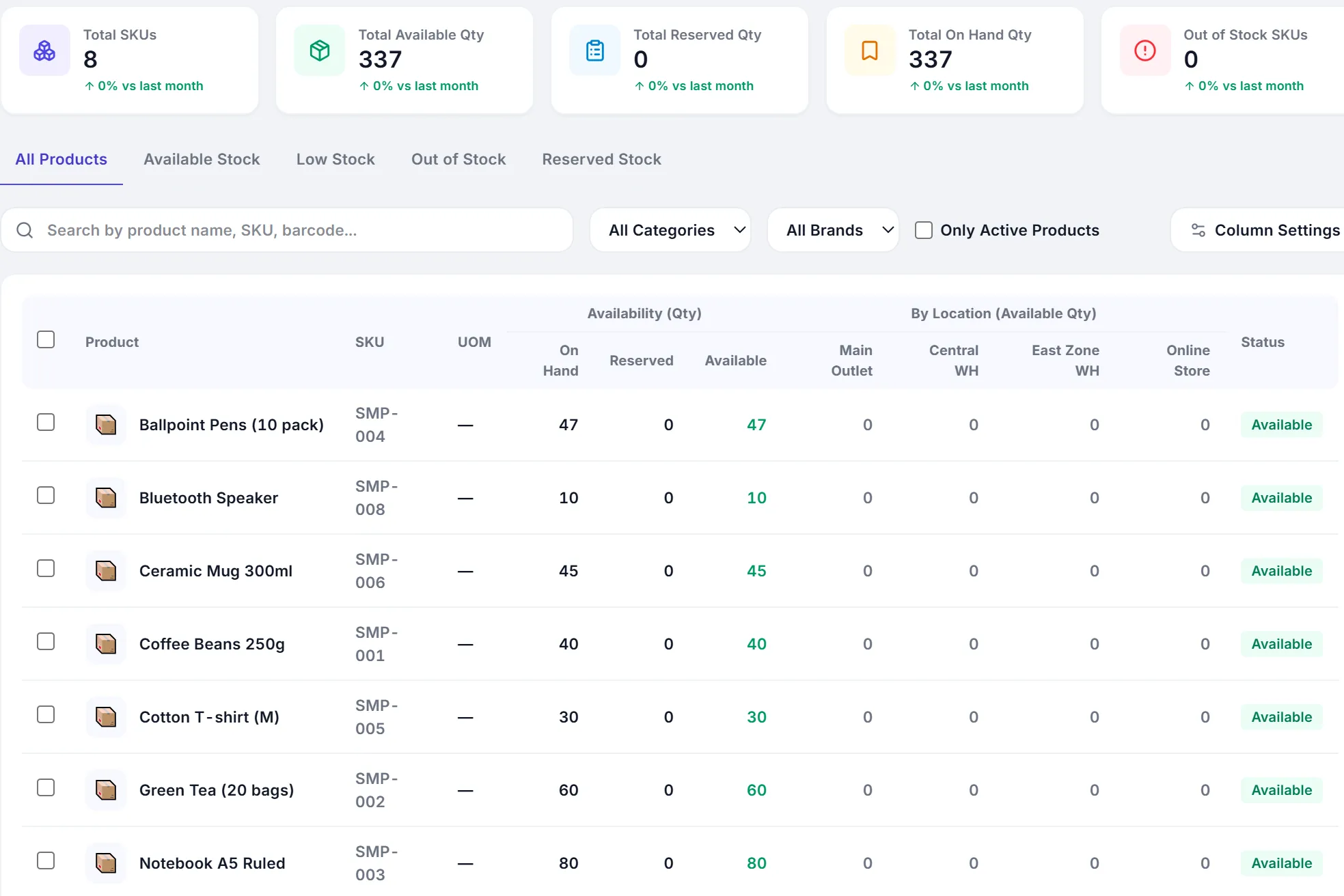
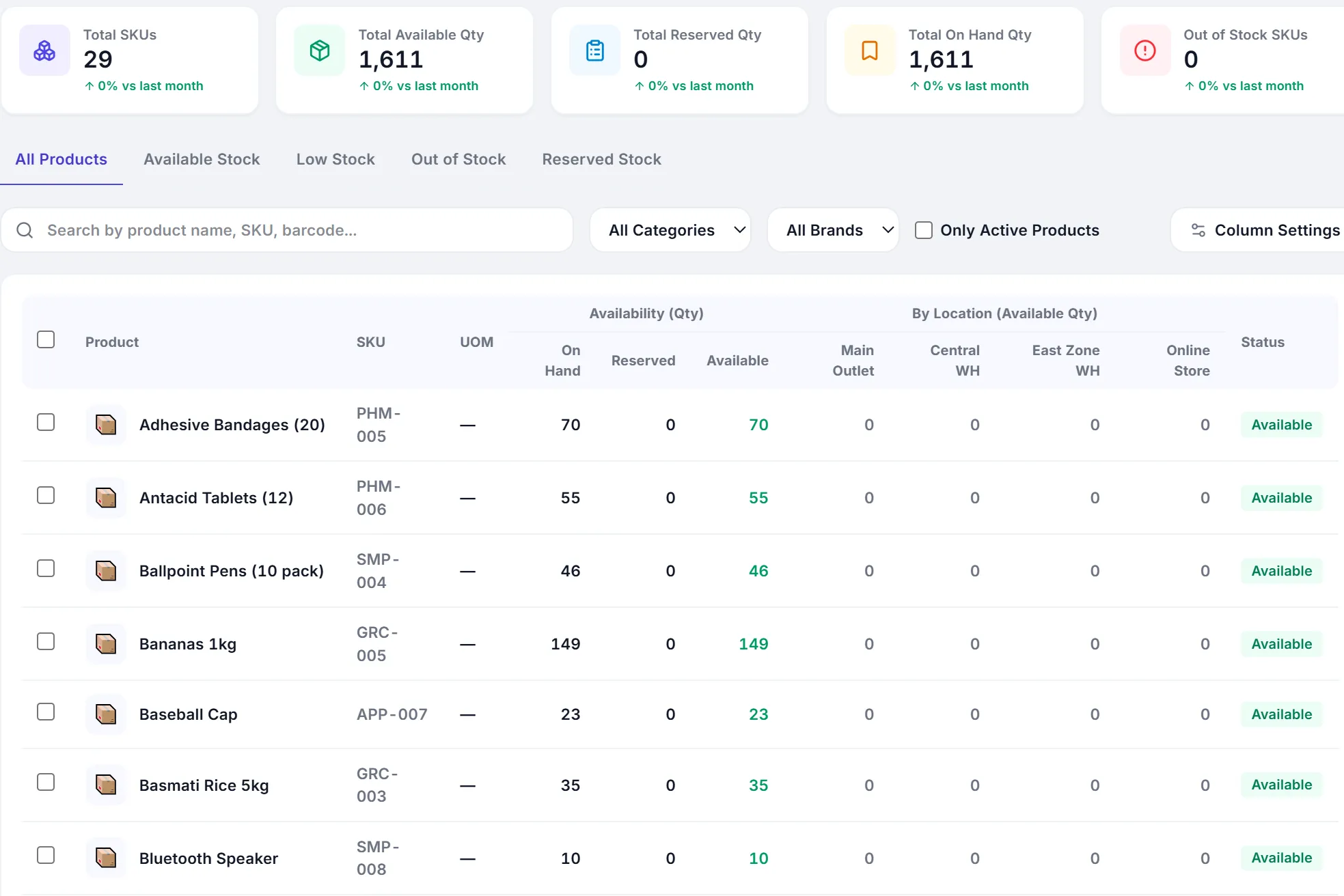
Stock availability by product after a sale: on hand, reserved and available quantities per item.
Stock availability · app.peppybooks.com · demo company (USD)
  • Stock updates itself

    The counter and the stock ledger are the same system. A sale, a purchase receipt or a transfer moves stock the moment it is saved.

  • Know before you run out

    Stock health, low and out-of-stock lists, negative-stock alerts and reorder levels, by product and by outlet.

  • Numbers you can trust

    Stock value, cost and margin come from the same records as your accounts, so the stock summary and the balance sheet agree.

Inventory

Stock you can trust, by product and by location.

Included from Essential

Opening, inward, outward and closing stock, valued the way you choose, in every outlet.

  • Live stock on hand, reserved and available
  • Stock value, low stock and out of stock at a glance
  • Batch numbers and expiry dates where you need them
  • Stock summary and valuation reports
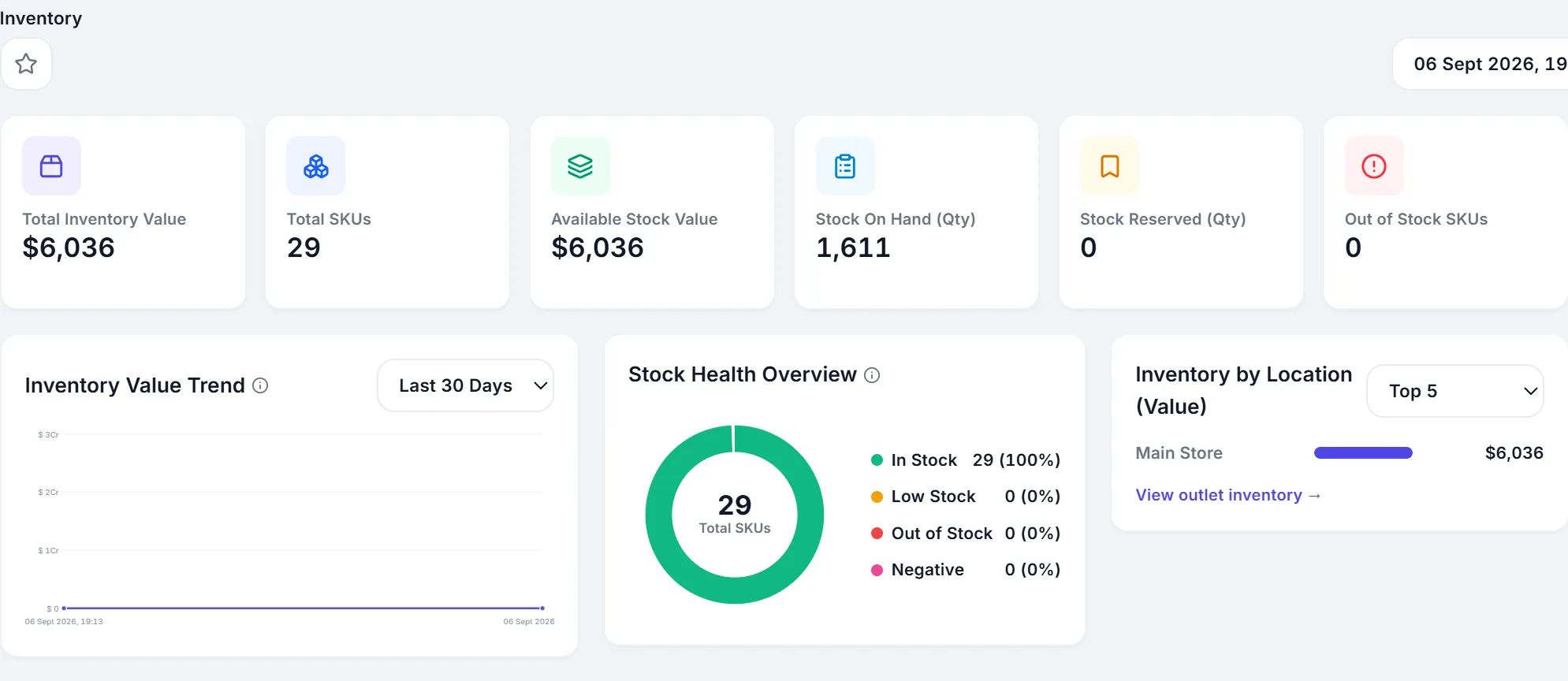
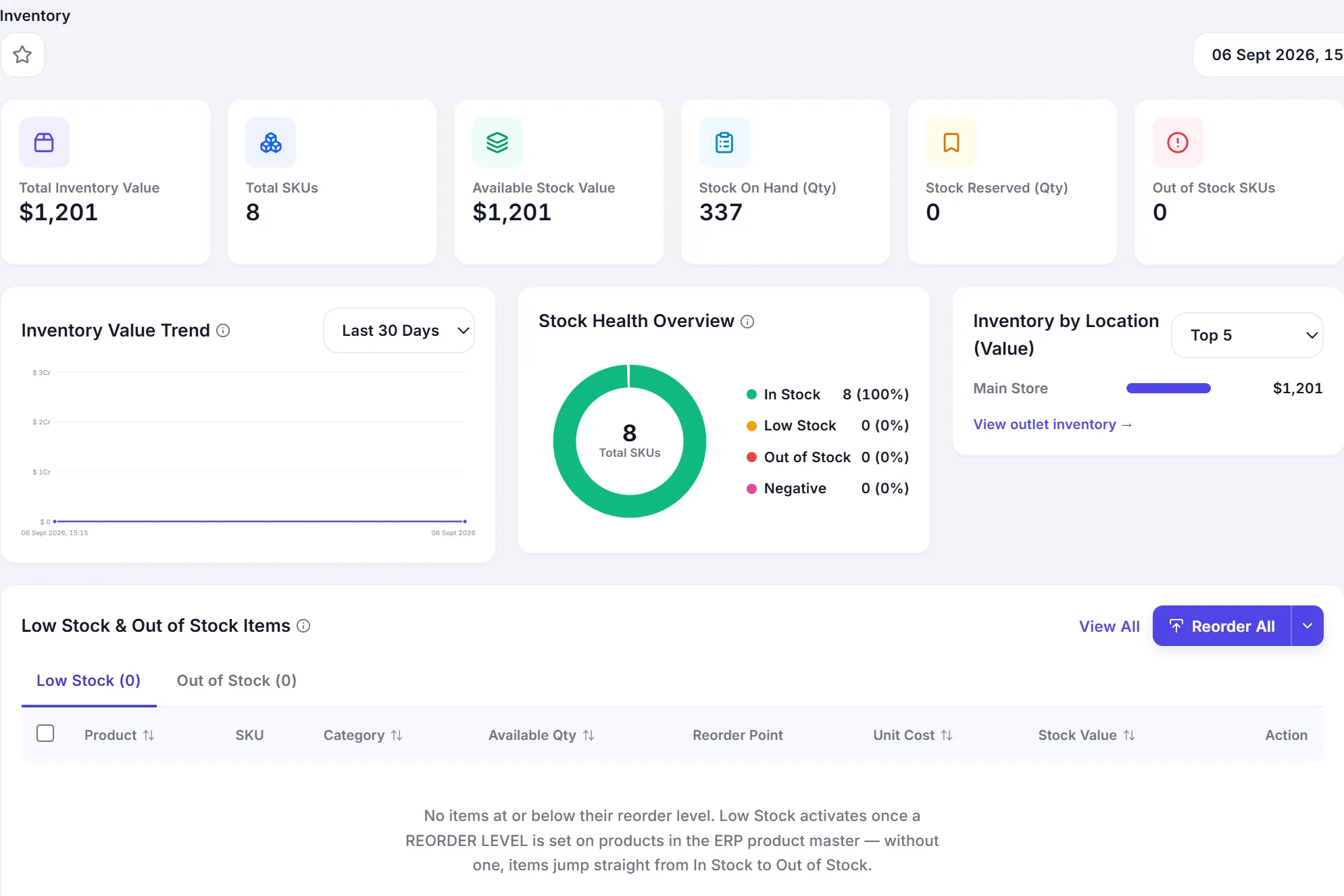
The inventory overview: total inventory value, SKUs, stock on hand and stock health.
Inventory · app.peppybooks.com · demo company (USD)
Stock availability by product with on hand, reserved and available columns.
Stock availability · app.peppybooks.com · demo company (USD)
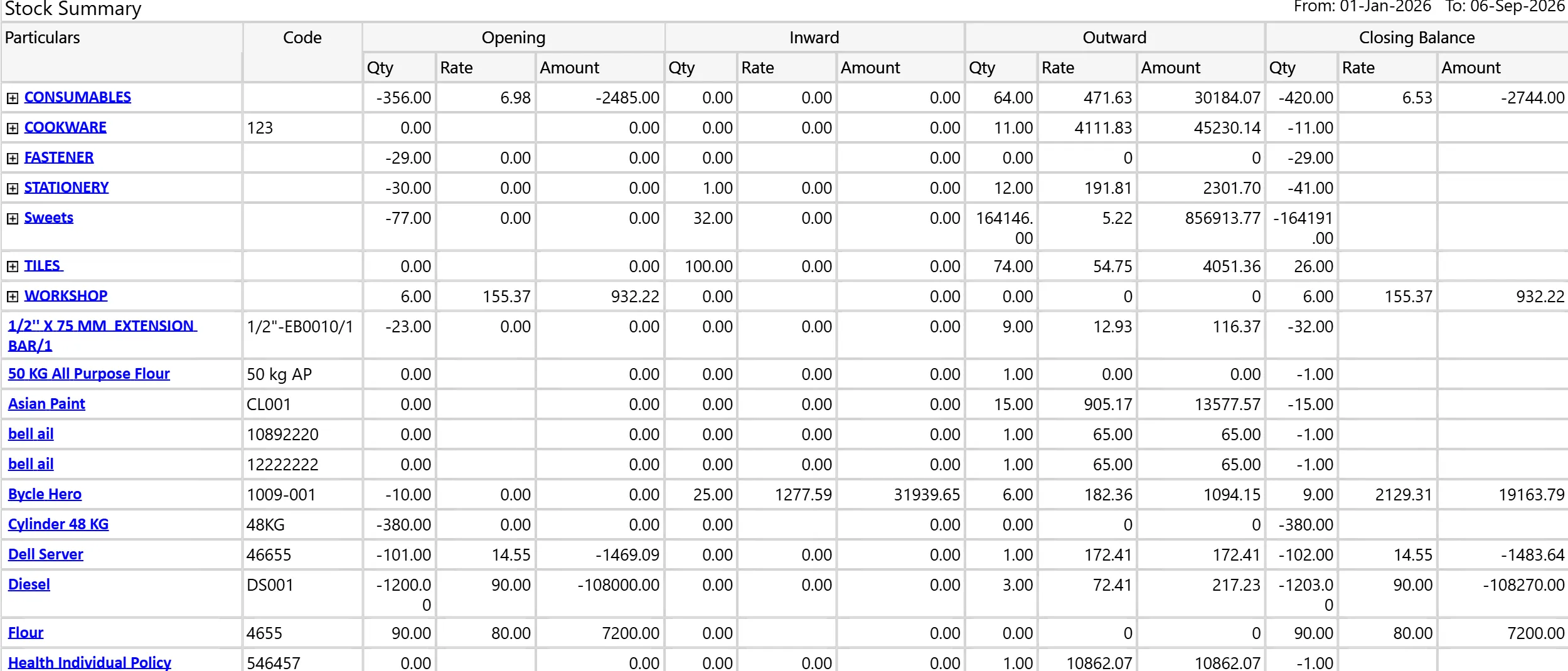
Stock Summary: opening, inward, outward and closing quantity, rate and amount per product group and product.
Stock Summary · PeppyBooks accounts workspace · demo company
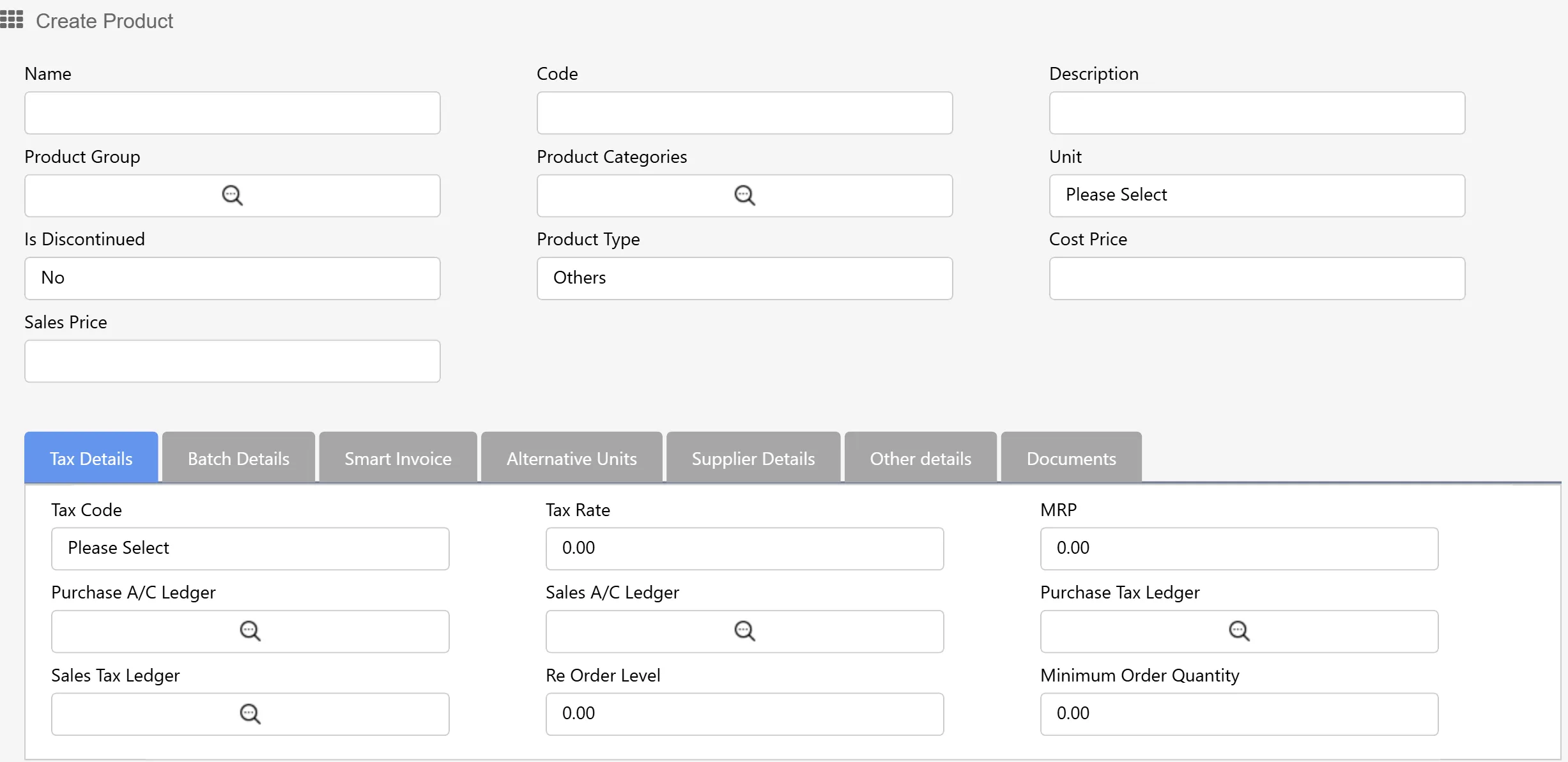
Create Product: name, code, group, unit, cost and sales price, with tax, batch, alternative units and supplier details.
Product master · PeppyBooks accounts workspace · demo company
Purchases and transfers

Stock in, stock moved, stock out.

Included from Essential

Raise the purchase order, receive the goods, move stock between outlets. Every step posts to stock and to the books.

  • Purchase orders and goods receipts
  • Stock transfers between outlets
  • Supplier bills and payables on the same record
  • Purchase reports by supplier and by product
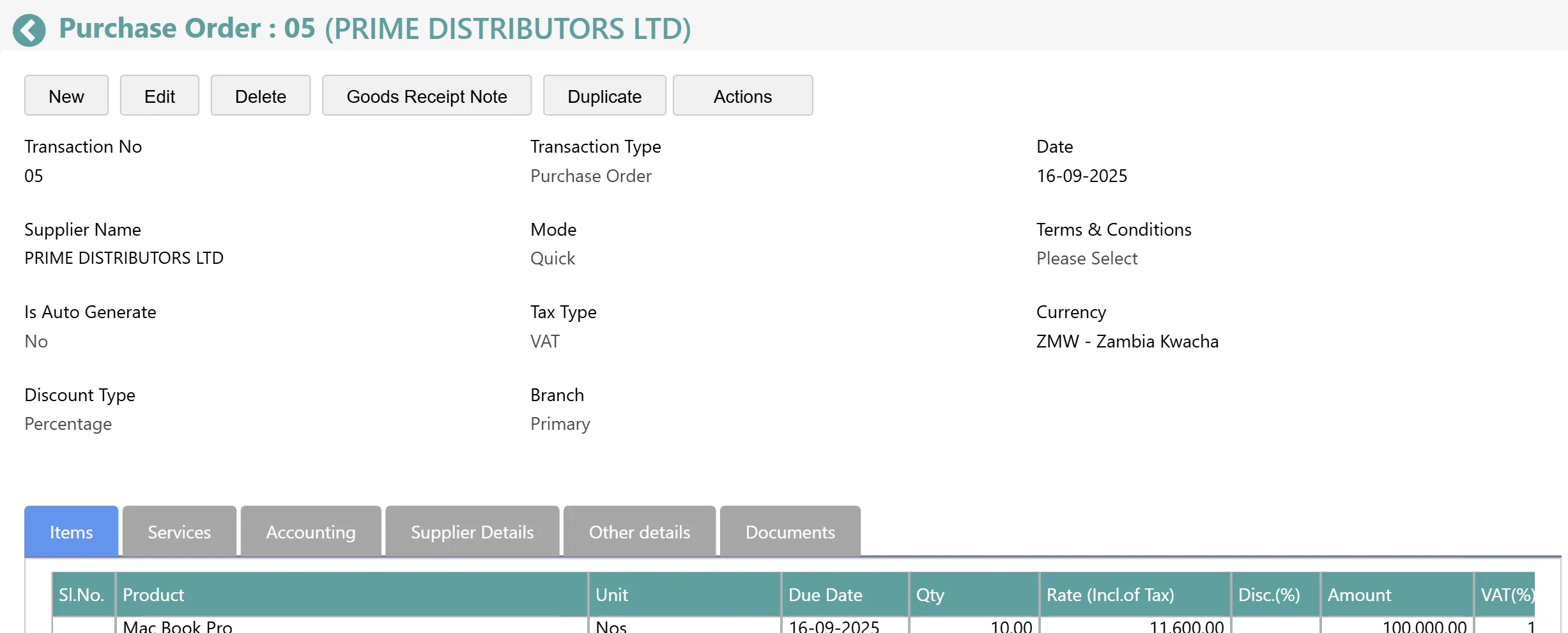
A purchase order to a supplier with items, quantities and rates.
Purchase Order · PeppyBooks accounts workspace · demo company
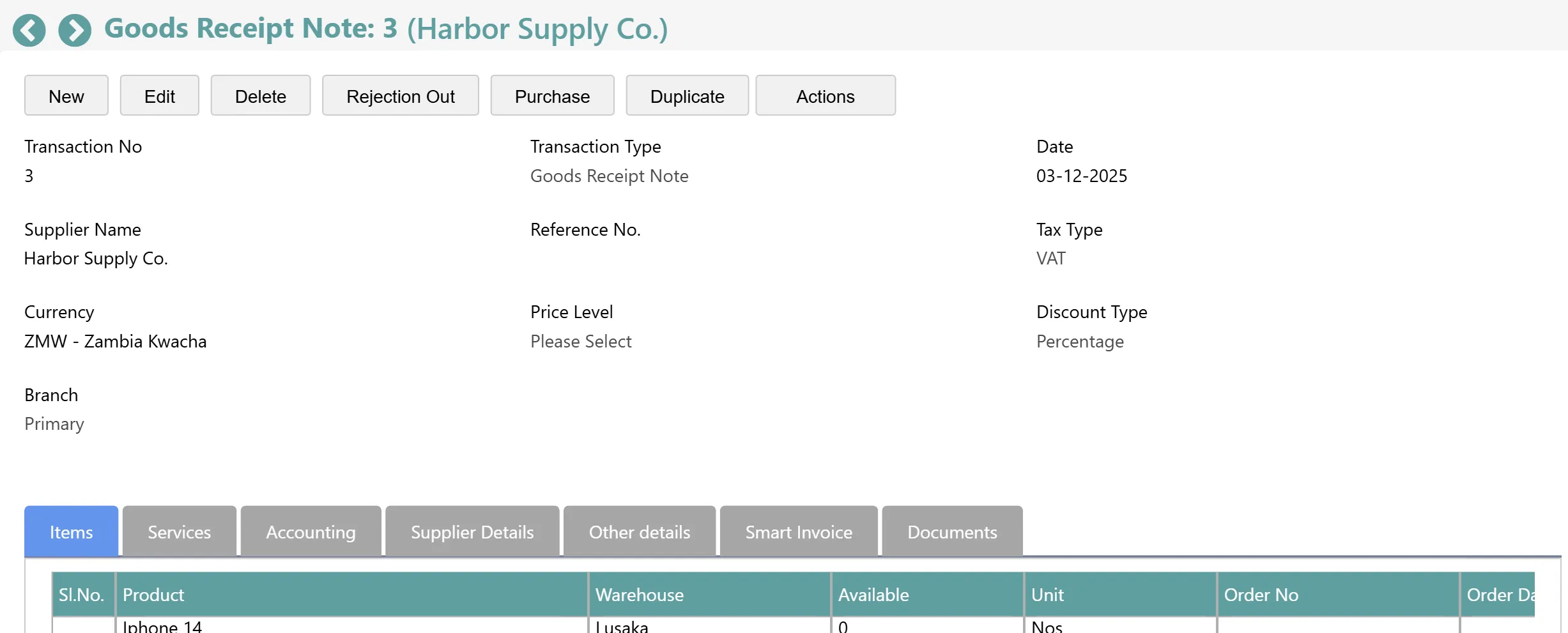
A goods receipt note recording stock received against a purchase order.
Goods Receipt · PeppyBooks accounts workspace · demo company
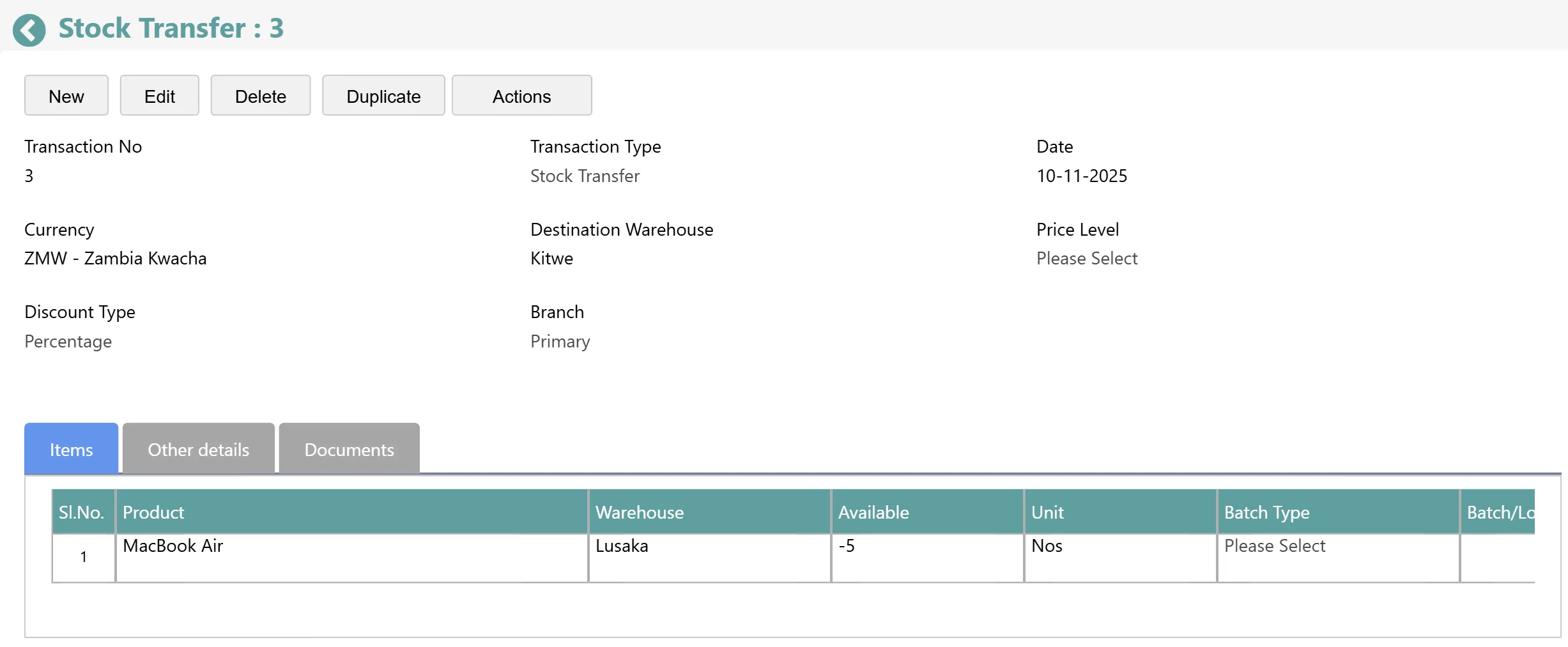
A stock transfer moving items from one warehouse to another.
Stock Transfer · PeppyBooks accounts workspace · demo company
Multi-outlet

One shop or many, one stock picture.

Included from Business

Stock value, quantity and health per outlet, and the whole business together.

  • Stock by outlet with health per location
  • Availability shown at the counter for the outlet you are in
  • Registers and shifts per outlet
  • One consolidated view of the business
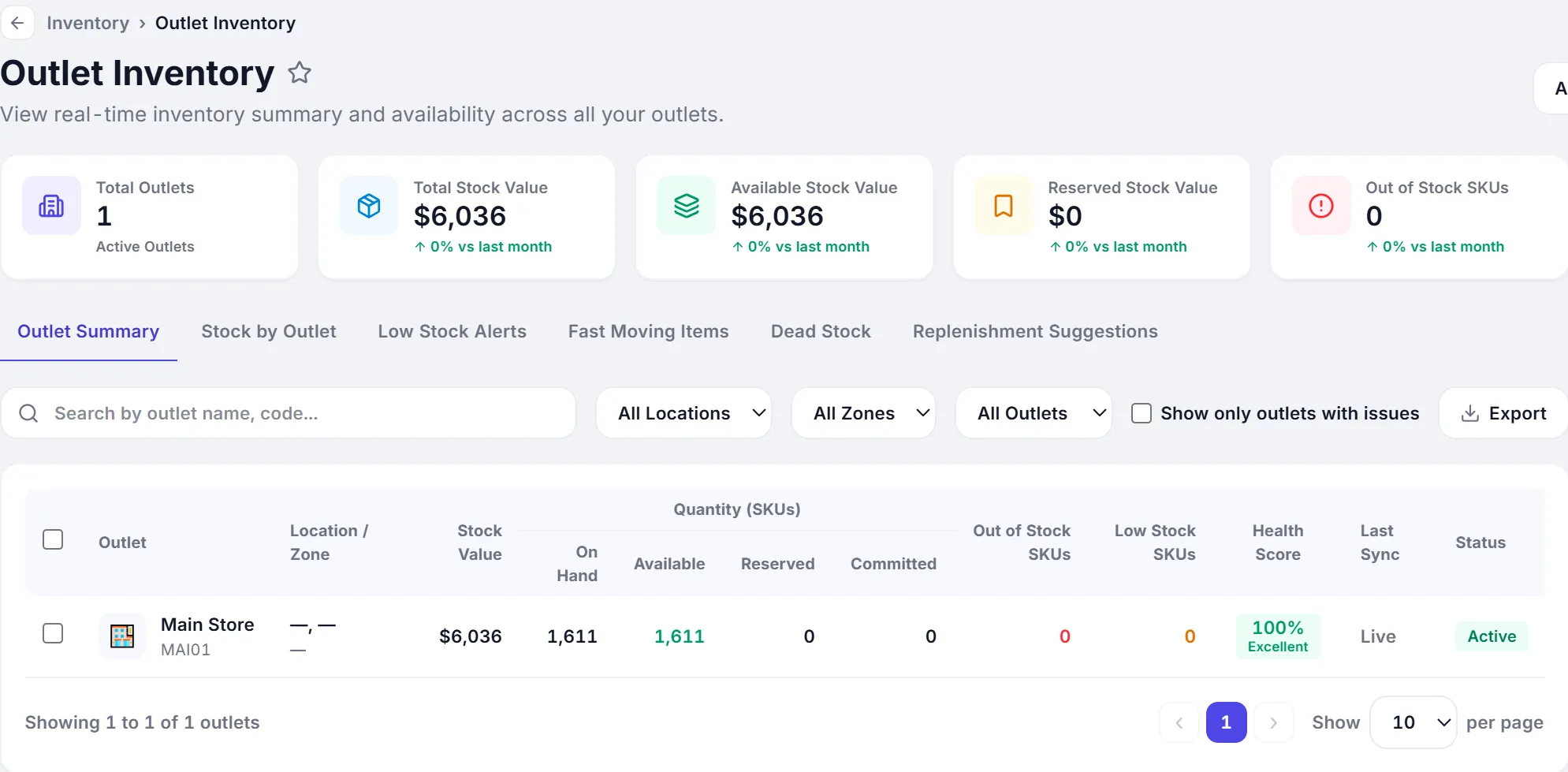
Outlet inventory: stock value, quantity and health per outlet.
Outlet inventory · app.peppybooks.com · demo company (USD)
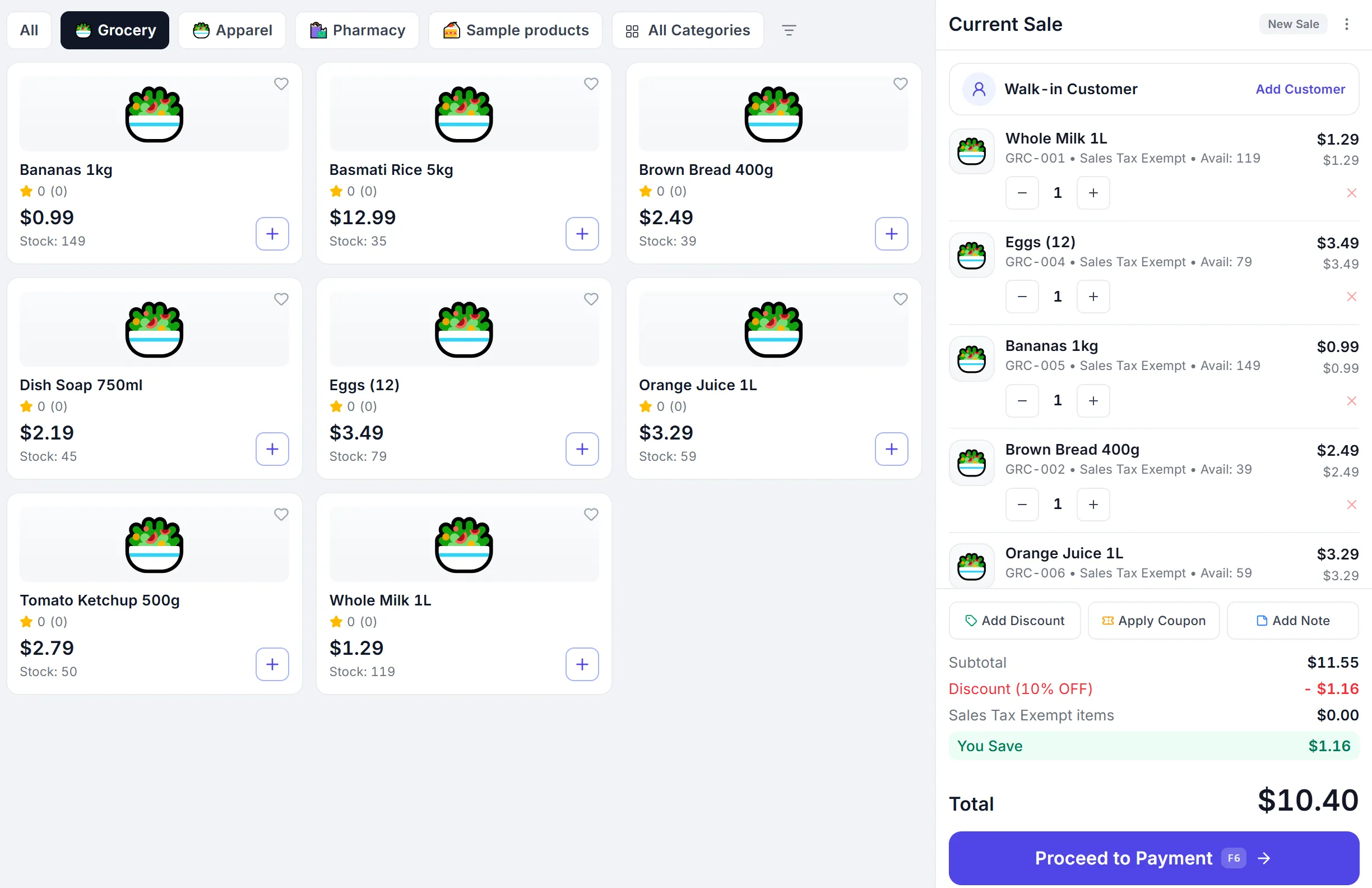
Available stock shown on the product cards while billing.
Stock at the counter · app.peppybooks.com · demo company (USD)
Billing

And the counter stays fast.

Included from Business

Search or scan, take any payment, print or send the receipt. Stock is already updated when the receipt prints.

  • Product search and barcode scanning
  • Cash, card, UPI, mobile money and split payments
  • Print, WhatsApp, SMS or email the receipt
  • Shift open, expected cash, count and close
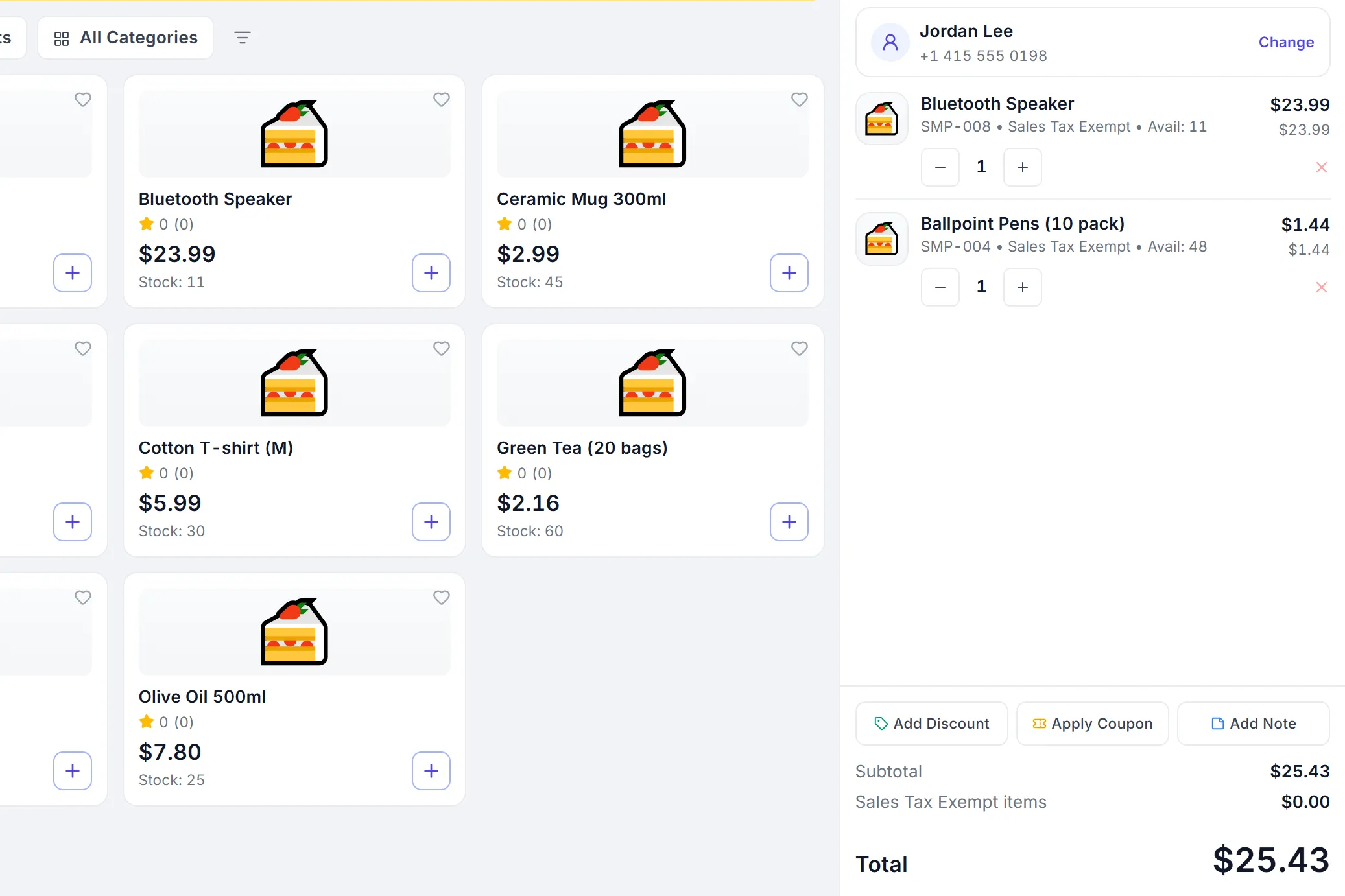
The PeppyBooks POS mid-sale with items in the cart, the customer and the running total.
Sales (POS) · app.peppybooks.com · demo company (USD)
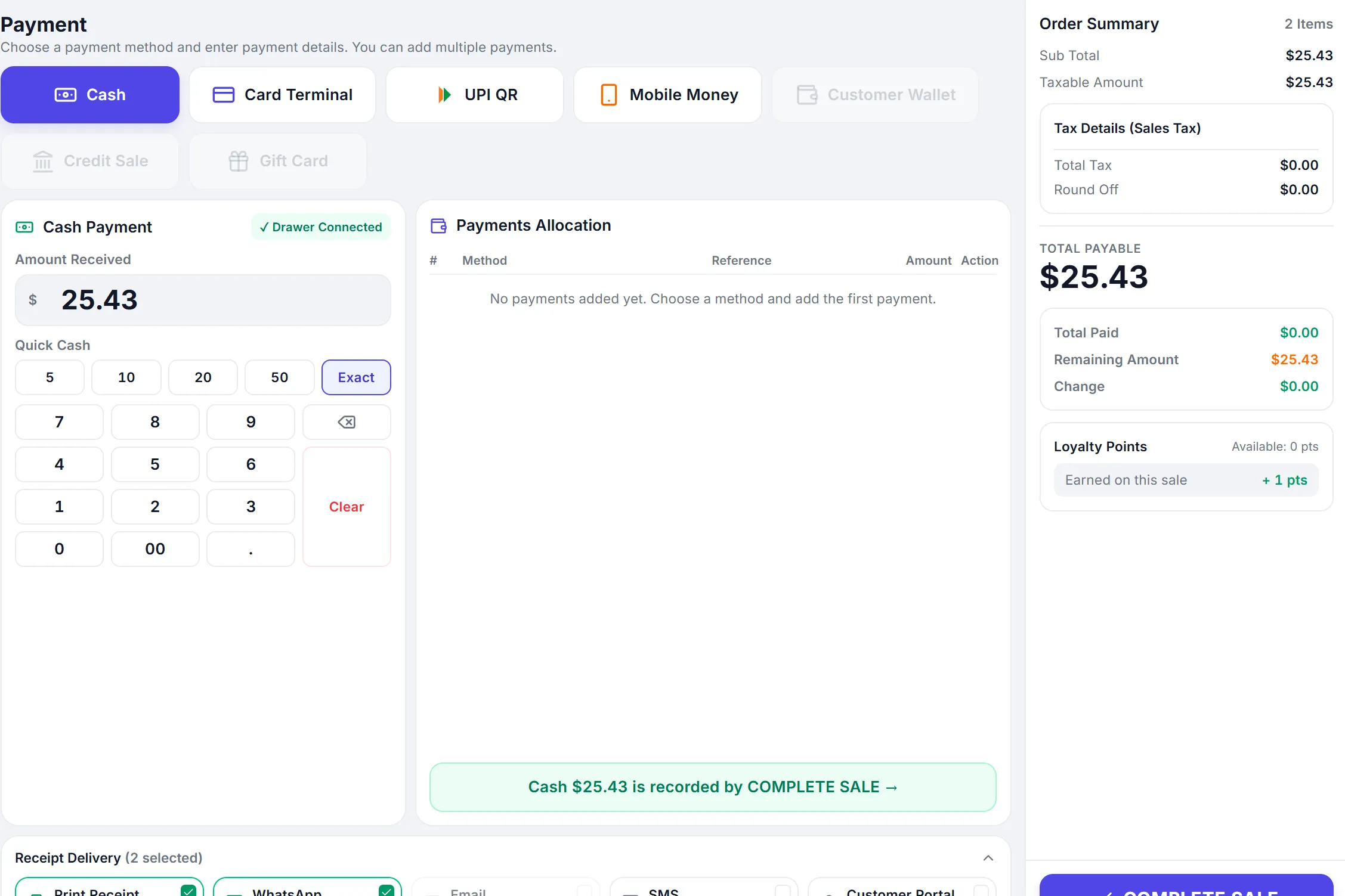
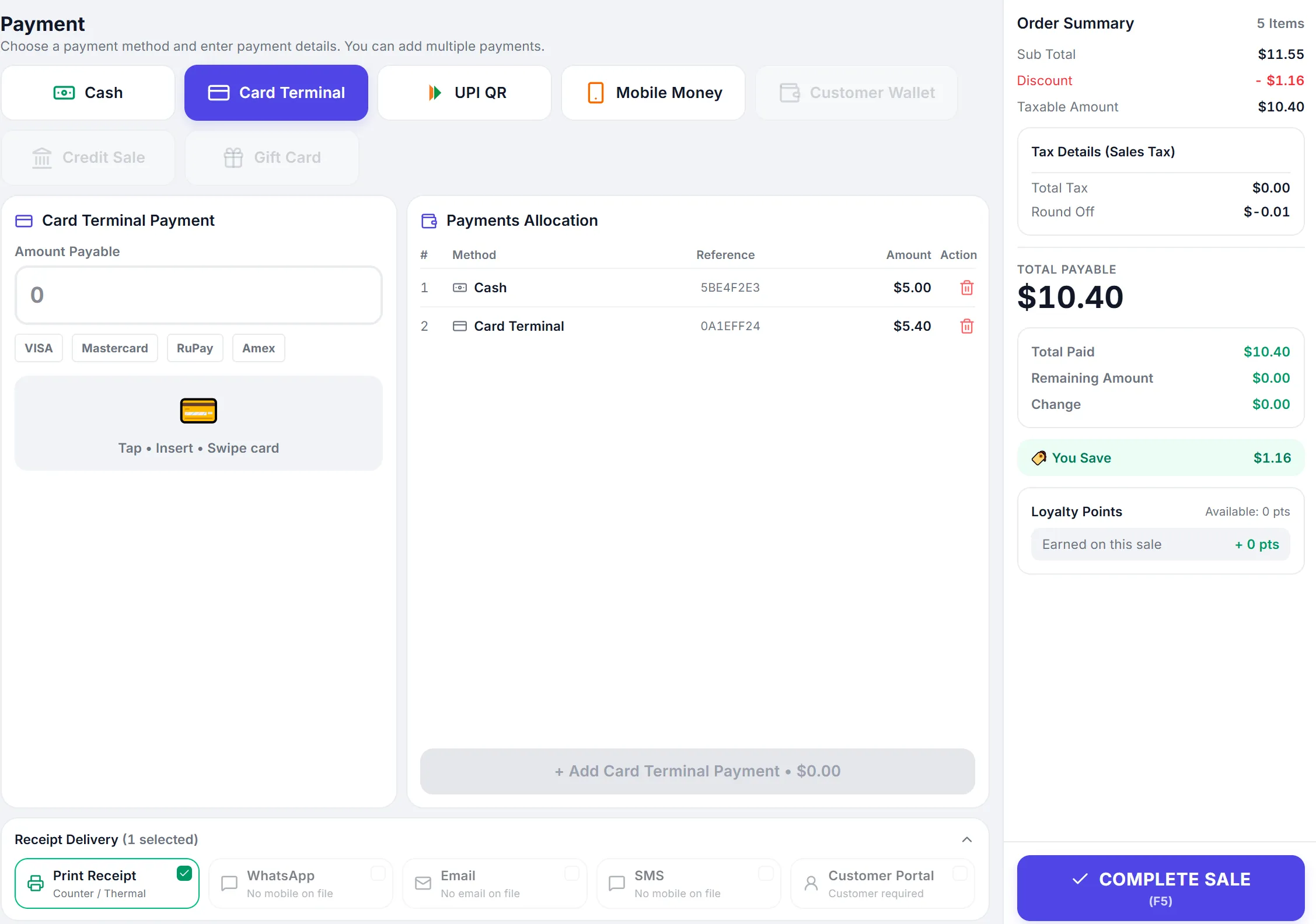
The payment screen: cash, card, UPI and mobile money tiles, the amount tendered and change due.
Payment · app.peppybooks.com · demo company (USD)
The printed receipt for the sale with items, tax and the total.
Receipt · app.peppybooks.com · demo company (USD)
Connected by default

One sale. Everything else follows.

One real sale in PeppyBooks, and what the rest of the system did the moment it was paid. Every screen is the product.

  1. Sales Created
    Sale completed
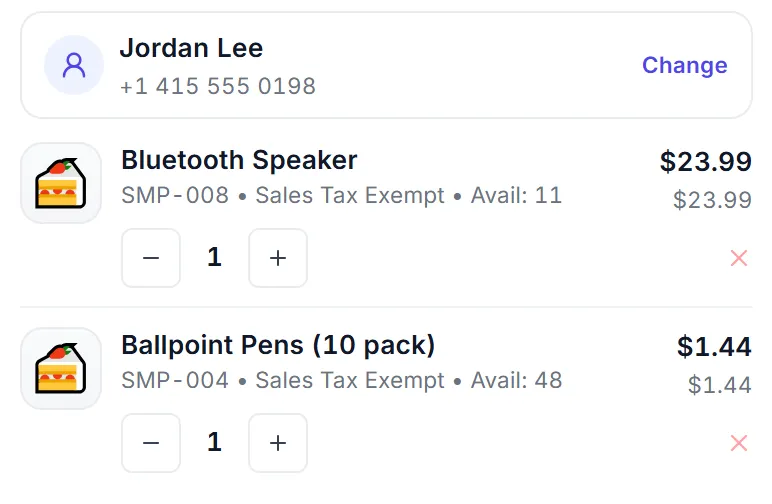
    Jordan Lee · 2 items · Total $25.43
    The current sale in the PeppyBooks POS: Jordan Lee, a Bluetooth speaker at $23.99 and ballpoint pens at $1.44, total $25.43. The current sale in the PeppyBooks POS: Jordan Lee, a Bluetooth speaker at $23.99 and ballpoint pens at $1.44, total $25.43.
    Sales · app.peppybooks.com
  2. Inventory Stock updated
    Stock updated
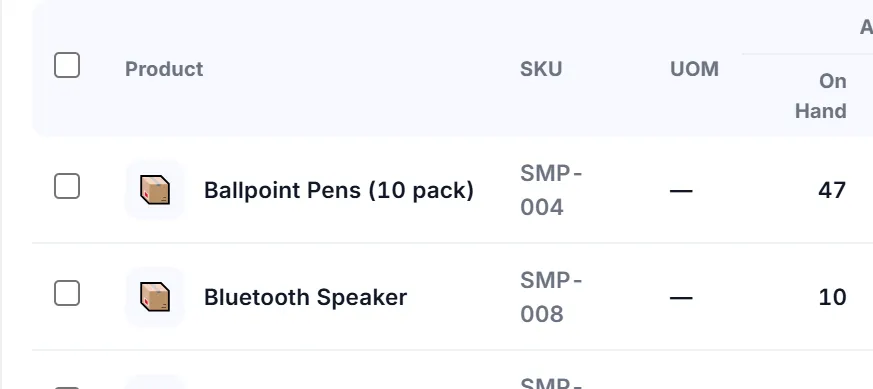
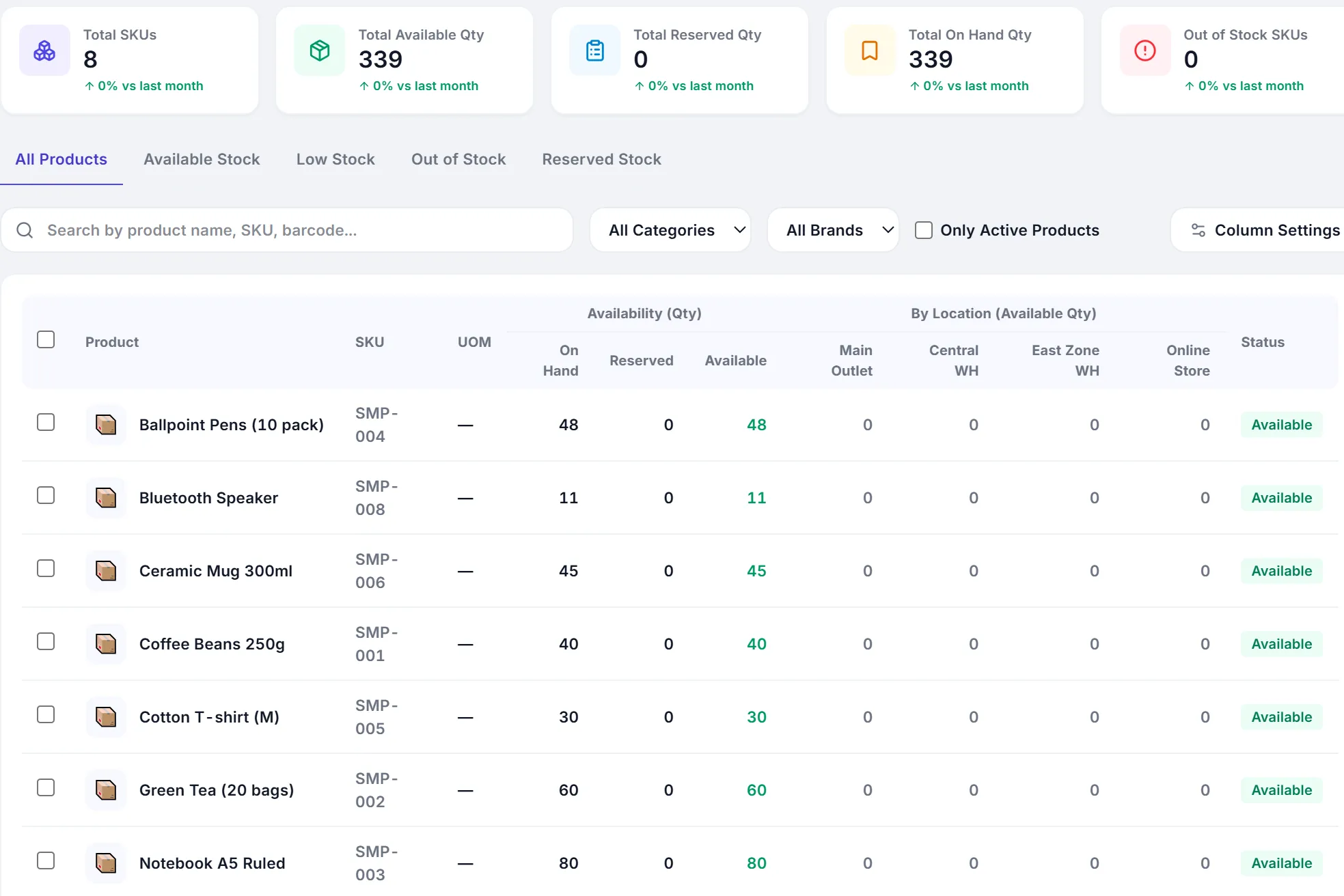
    Ballpoint Pens (10 pack) · In stock 48 47
    The stock availability list: Ballpoint Pens (10 pack) on hand 47, Bluetooth Speaker 10, every other product unchanged. The stock availability list: Ballpoint Pens (10 pack) on hand 47, Bluetooth Speaker 10, every other product unchanged.
    Inventory · app.peppybooks.com
  3. Customers History updated
    Customer history updated
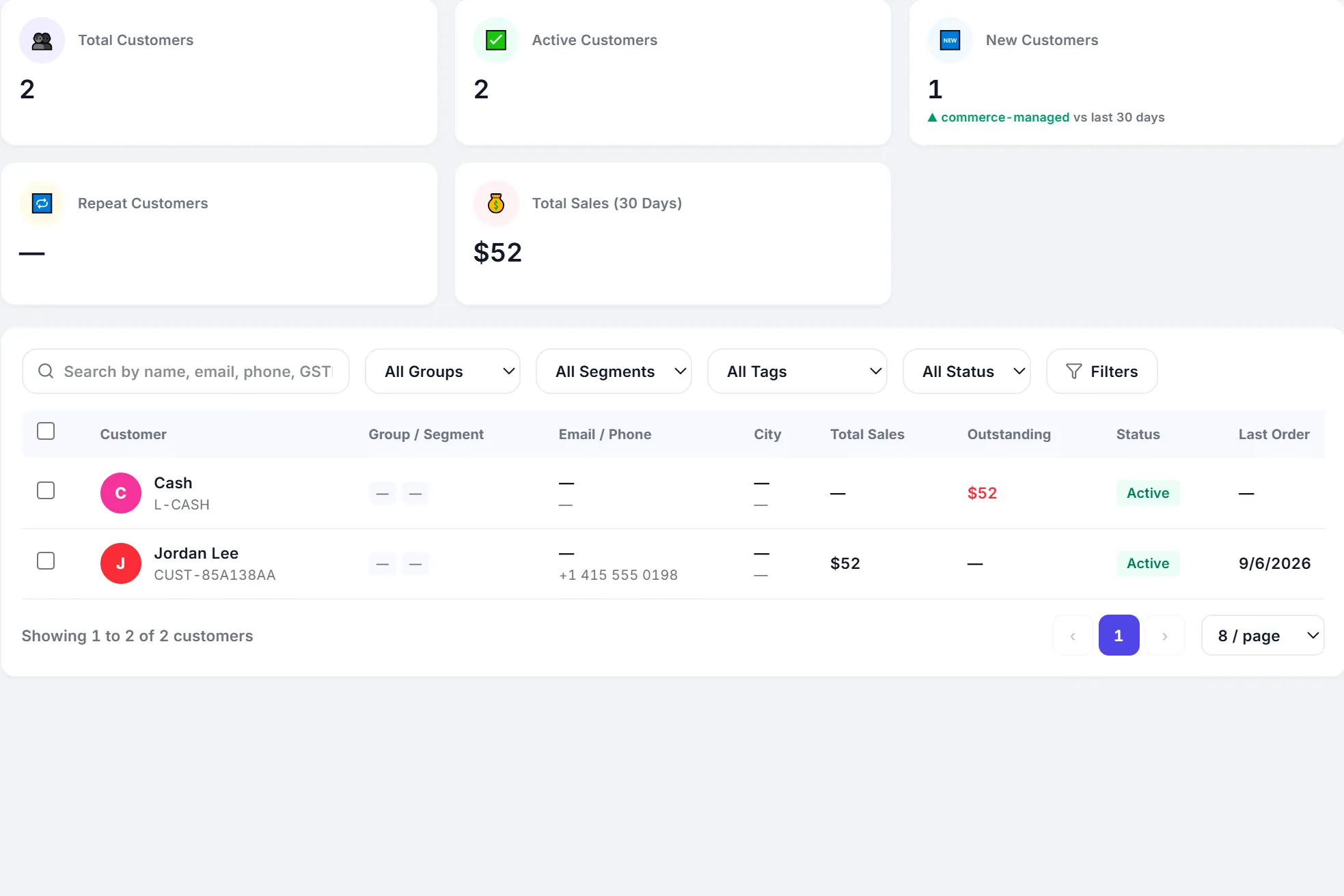
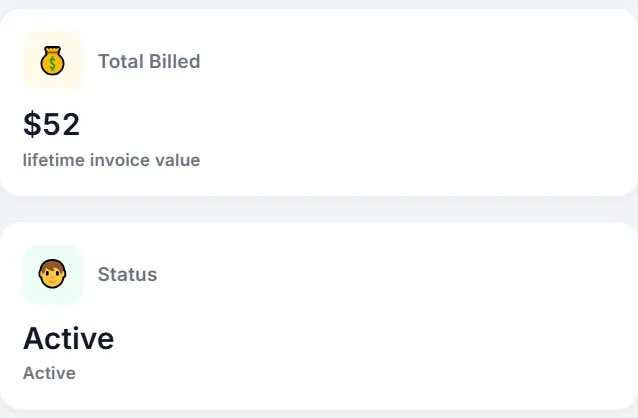
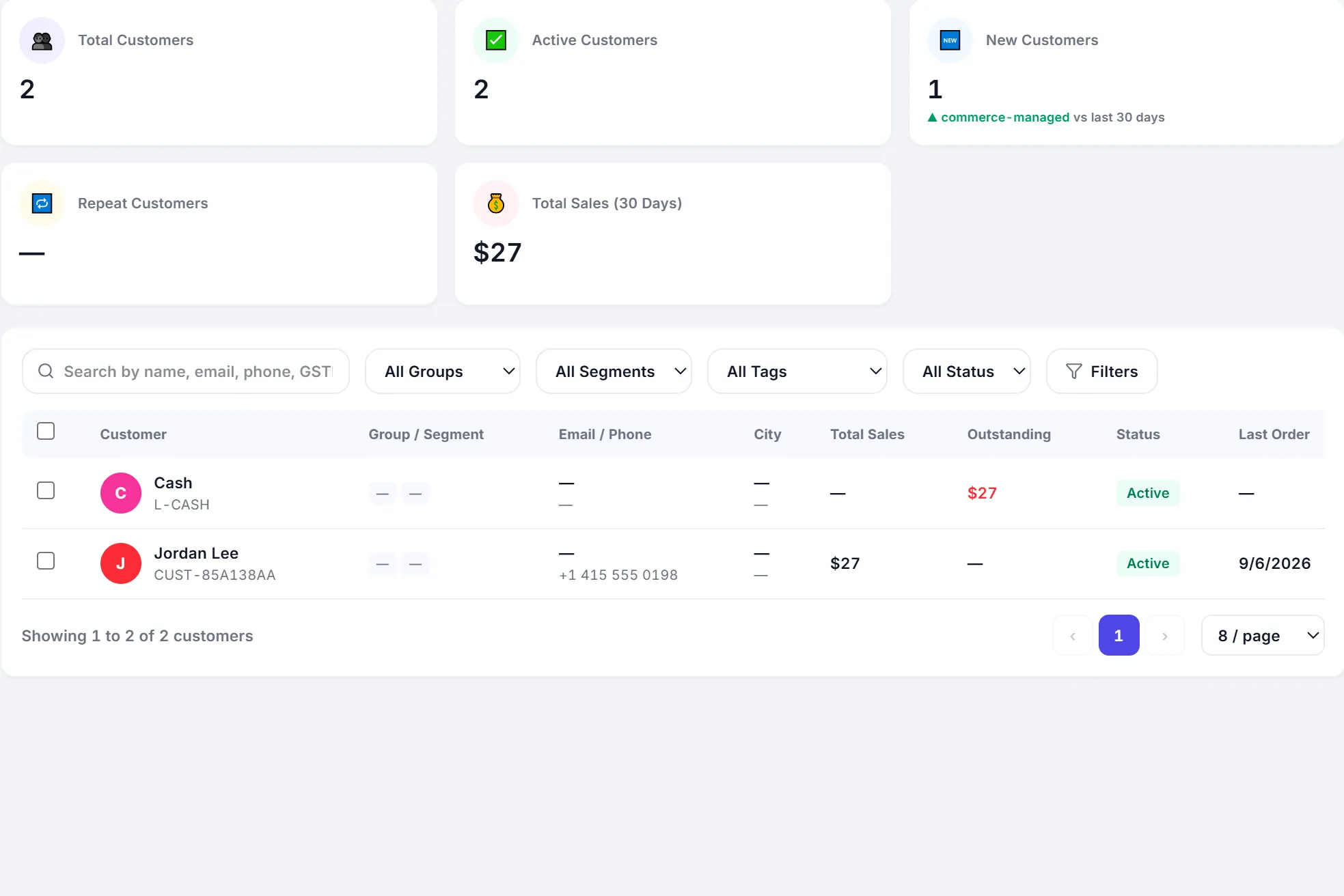
    Jordan Lee · Total sales $27 $52
    The customers list: Jordan Lee, total sales $52, last order today. The customers list: Jordan Lee, total sales $52, last order today.
    Customers · app.peppybooks.com
  4. Payment Recorded
    Payment recorded
    Cash · Received $25.43
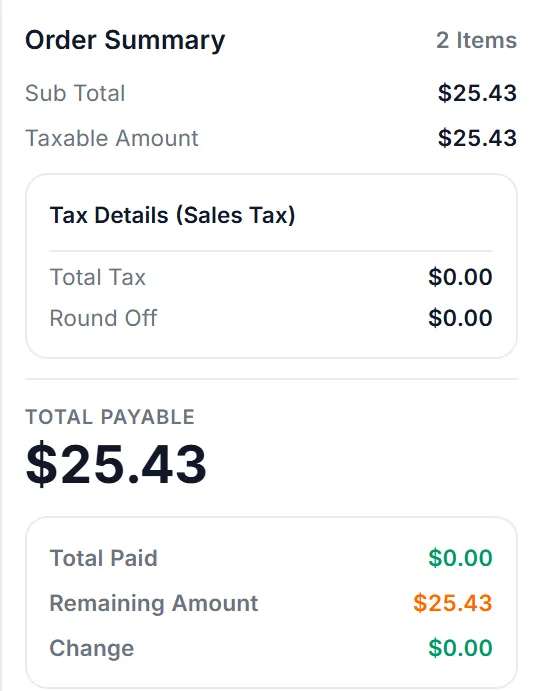
    The payment screen: cash selected, amount received $25.43, total payable $25.43, complete sale. The payment screen: cash selected, amount received $25.43, total payable $25.43, complete sale.
    Payment · app.peppybooks.com
  5. Accounting Posted
    Accounting posted
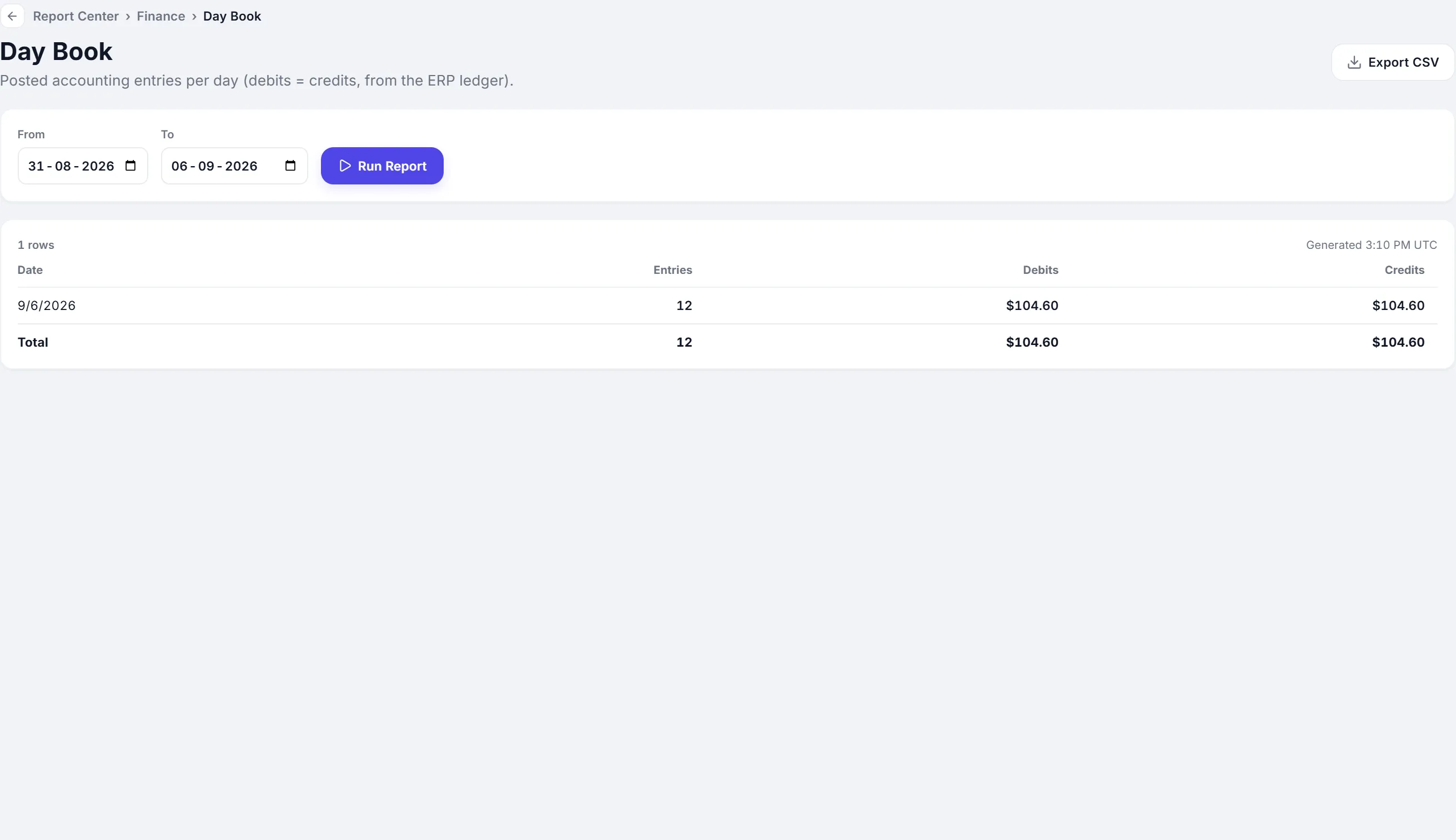
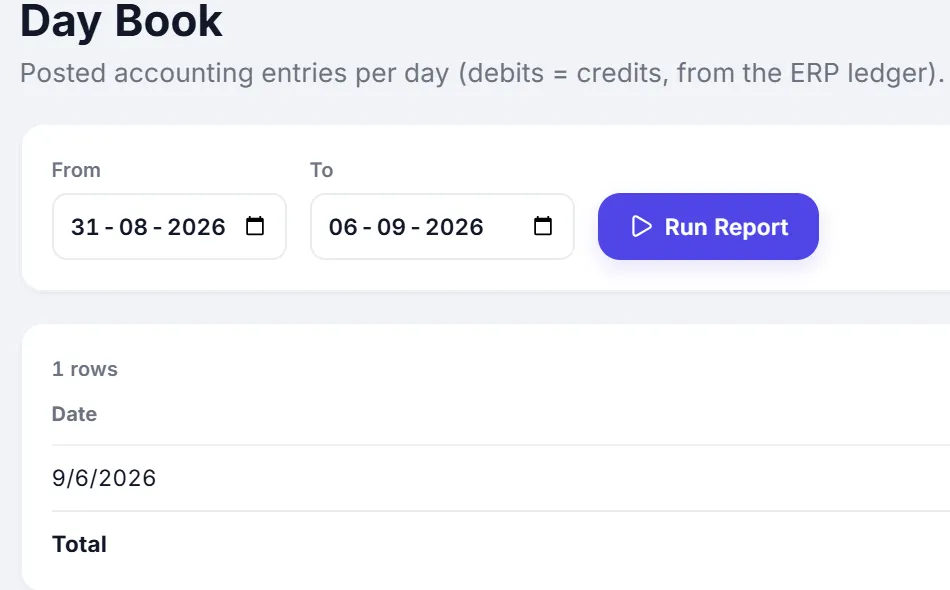
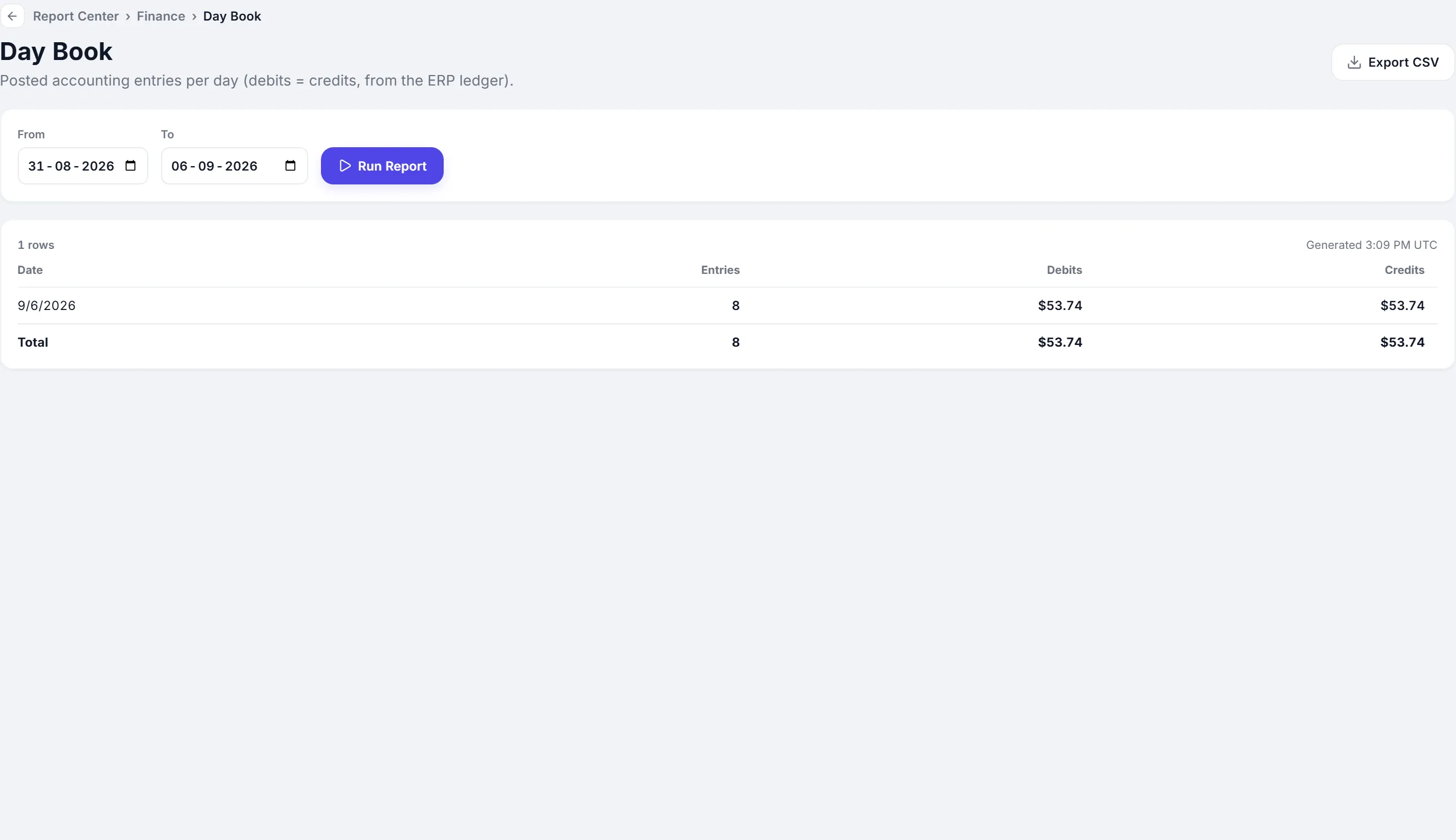
    Day book · Entries today 8 12
    The Day Book report: posted accounting entries for today, 12 entries, debits $104.60, credits $104.60. The Day Book report: posted accounting entries for today, 12 entries, debits $104.60, credits $104.60.
    Accounting · app.peppybooks.com
  6. Dashboard Updated
    Dashboard updated
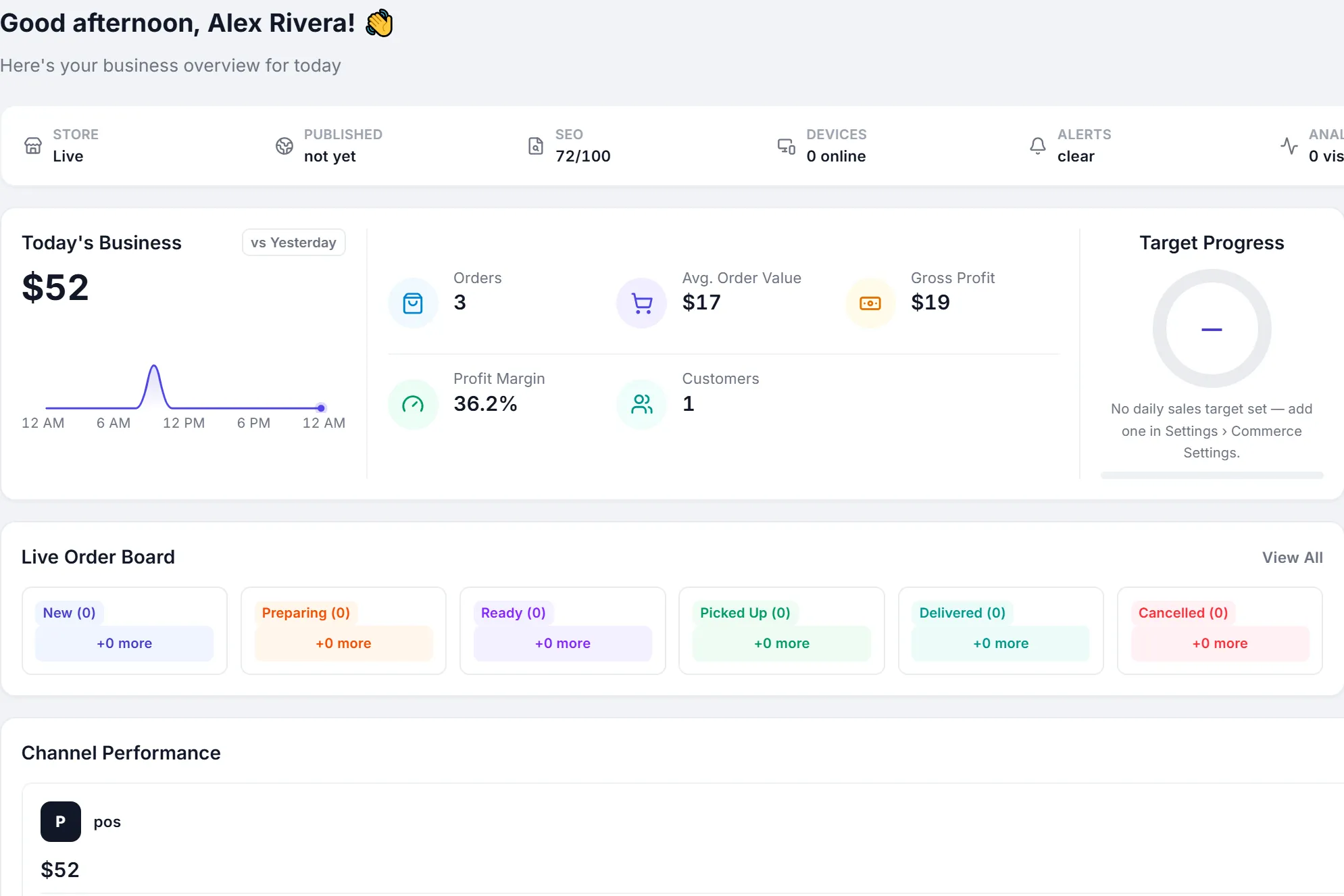
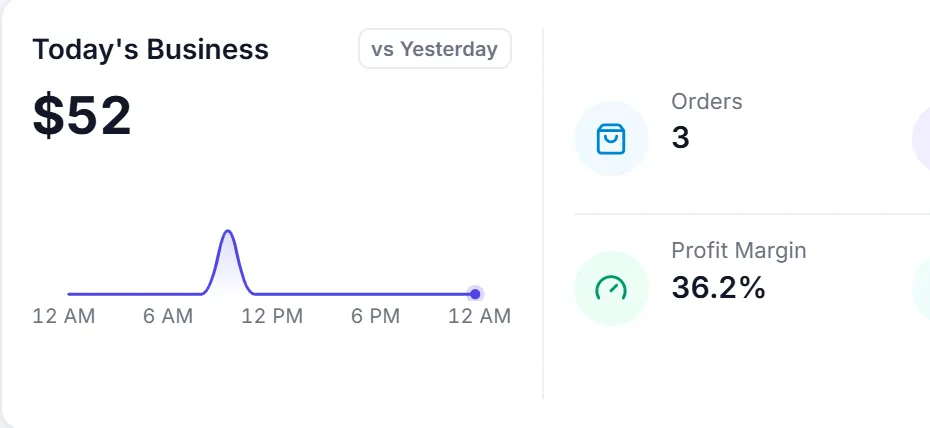
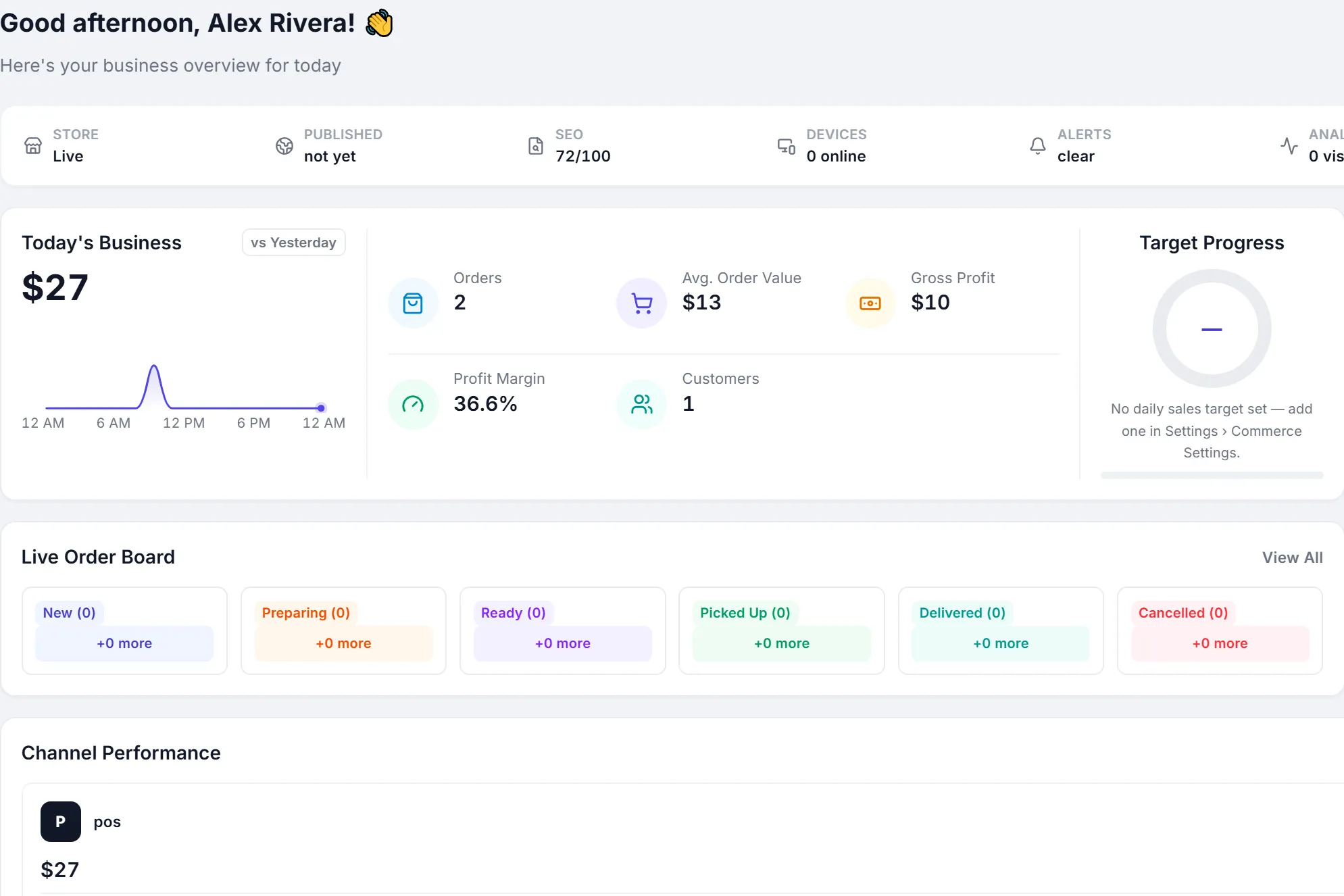
    Today's business · Revenue $27 $52
    The dashboard: today's business $52, 3 orders, cash $52, one customer. The dashboard: today's business $52, 3 orders, cash $52, one customer.
    Dashboard · app.peppybooks.com

You make the sale. PeppyBooks keeps the rest in sync.

Common questions

Before you start

How quickly does stock update after a sale?
Immediately. Stock is checked when the sale is created and reduced when it is paid, so two counters cannot sell the same last unit.
Can I stop sales when stock is zero?
Yes. Stock control is a setting per company: block sales below zero, or allow them and correct stock later.
Do you track batches and expiry?
Yes. Products flagged as batch-wise ask for the batch at the counter, with earliest-expiry first, and the batch prints on the receipt.
Is there a free trial?
Yes. Start for free with sample data and try billing, stock and accounting with your own products. No credit card is needed.

Simple pricing that grows with your business.

Pay per user. Start with accounting and inventory; add POS, CRM and online commerce as you grow.

Compare plans
  1. Essential Accounting + Inventory $10 per user / month Billed annually Start free
  2. Most popular Business Advanced Inventory + CRM + POS $20 per user / month Billed annually Start free
  3. Commerce Online Store + Omnichannel $30 per user / month Billed annually Start free
  4. Enterprise Chains + Franchise + Distribution Custom Pricing for your operation Talk to sales

See your stock move with your first sale.

Start free, add your products and watch stock, customers and accounts update from the very first sale. No credit card required.