
Restaurant POS software from the counter to the kitchen
Bill fast at the counter, send orders to the kitchen, take orders online for pickup, delivery or dine-in, and keep stock and accounts right from the same system.
- Bill
- KOT printed
- Kitchen prepares
- Served
- Ordered online
- Accepted
- Kitchen prepares
- Picked up or delivered
- Stock
- Sales and tax
- Accounts
Every order follows one path
Counter and online orders land in the same queue, so the kitchen works from one list.
Counter orders
-
Bill at the counter
Take payment in cash, card, UPI or mobile money, split if needed.
- Sales
- Stock
-
KOT prints with the bill
The kitchen copy prints straight after the customer’s bill, without prices.
- Kitchen ticket
-
Kitchen display
Tickets appear by station with timers, from preparing to ready.
- Order status
Online orders
-
Customer orders online
From your own online store: pickup, delivery, or dine-in with a table number.
- Order queue
-
Accept and prepare
Staff accept the order and the kitchen sees it on the display.
- Order status
-
Hand over or dispatch
Hand it over at the counter, or assign a rider and track the delivery.
- Stock
- Accounts
Built for a busy kitchen
Fast billing
Quick search, hold and recall, and a one-tap cash bill at rush hour.
KOT with the bill
Kitchen order tickets print with the customer’s bill.
Kitchen display
Orders by station, with item status and preparation timers.
Your own online ordering
Pickup, delivery and dine-in orders from your PeppyBooks online store.
Delivery riders
Assign riders and follow each delivery to completion.
Every way to pay
Cash, card, UPI and mobile money, split across one bill.
Stock and purchases
The items you sell are stock-tracked, and purchases add stock back.
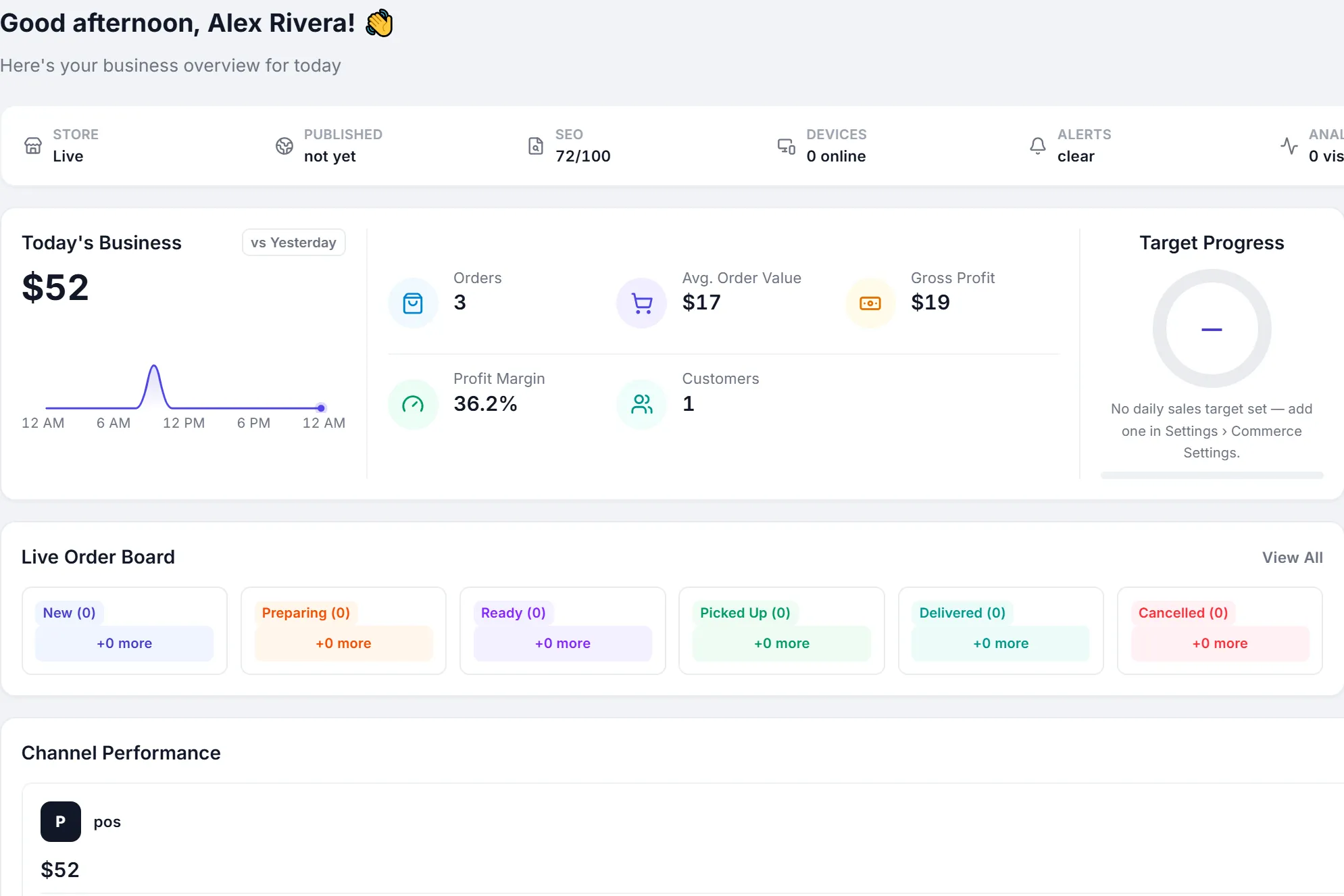
Live order board
See new, preparing, ready and completed orders on the dashboard.
Accounts built in
Sales, GST or VAT and payments post to the books as they happen.
See every order and the day’s sales
- Today’s sales, bills and average bill
- Live board of new, preparing and ready orders
- Sales by hour, payment method and channel
- Shift close with counted cash
Built for food service
- Quick-service restaurants
- Cafés and coffee shops
- Bakeries and sweet shops
- Cloud kitchens
- Food courts
- Juice and dessert bars
One system for the counter, the kitchen and the books.
- Cloud-basedSign in from any browser. Nothing to install at the counter.
- Multi-userRoles and permissions for owners, managers and cashiers.
- Multi-location readyAdd outlets, registers and shifts as you grow.
- Connected accounting and inventoryOne record from the sale to the ledger.
- Built for growing SMBsStart on one plan and move up when you need more.
- 14-day free trialThe full product, with sample data. No credit card.
Common questions
Short, factual answers before you start.
Can the KOT print automatically with the bill?
Yes. Turn on KOT printing in settings and the kitchen copy prints straight after the customer’s bill, without prices.
Is there a kitchen display?
Yes. The kitchen display shows orders by station with timers, and staff move each order from preparing to ready.
Can customers order online?
Yes. Your PeppyBooks online store takes orders for pickup, delivery or dine-in with a table number, and they arrive in the same order queue as counter sales.
Does it work with Swiggy or Zomato?
Not yet. Orders come from your own counter and your own PeppyBooks online store today.
Does it manage tables and item modifiers?
Not at the counter today. Dine-in online orders carry a table number. Table layouts and item modifiers are not part of the POS yet.
Does it work without internet?
No. PeppyBooks is cloud software, so completing a bill needs an internet connection.
Run the counter and the kitchen from one system
Start free with sample data and send your first order to the kitchen.