
Supermarket billing software built for long queues
Scan, bill and take payment in seconds at every counter. Offers apply by themselves, every shift closes against the cash drawer, and stock and accounts update with each bill.
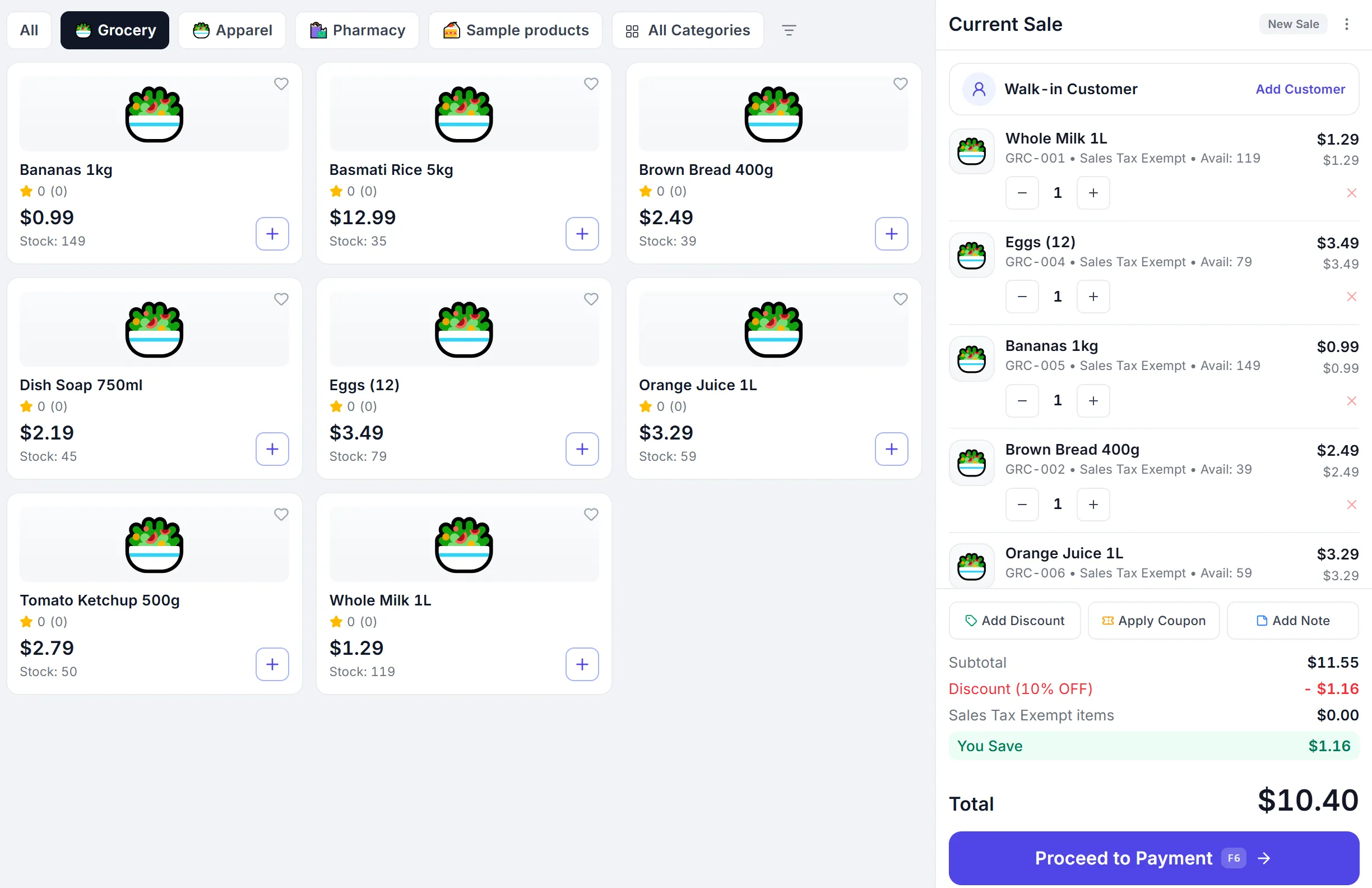
- Bill
- Stock
- Accounts
Where supermarkets lose time and money
Queues at peak hours
Every second at the counter is multiplied by every customer in the line.
Offers applied by hand
Cashiers forget a promotion, or give it when it should not apply.
Thousands of products to track
Stock goes wrong when billing and inventory live apart.
Many counters, one cash total
A short drawer is hard to trace without a counted close for each counter.
Everything a supermarket counter needs
Barcode billing
Scan to add items, or search by name, code or barcode.
One-tap cash bill
Complete a cash sale and print without opening the payment screen.
Offers and coupons
Percentage and flat offers, buy-x-get-y and coupon codes, applied automatically.
Split payments
Cash with change, card, UPI and mobile money on one bill.
Hold and recall
Park a bill and serve the next customer, then pick it up again.
Batch and expiry
Track batches for perishables and pick the earliest expiry first.
Discount approvals
Discounts above a cashier’s limit need a manager’s PIN.
Import from Excel
Bring in thousands of products and your opening stock from a spreadsheet.
GST and VAT
Tax on every bill and receipts on WhatsApp or email.
Every counter accounted for
Many counters
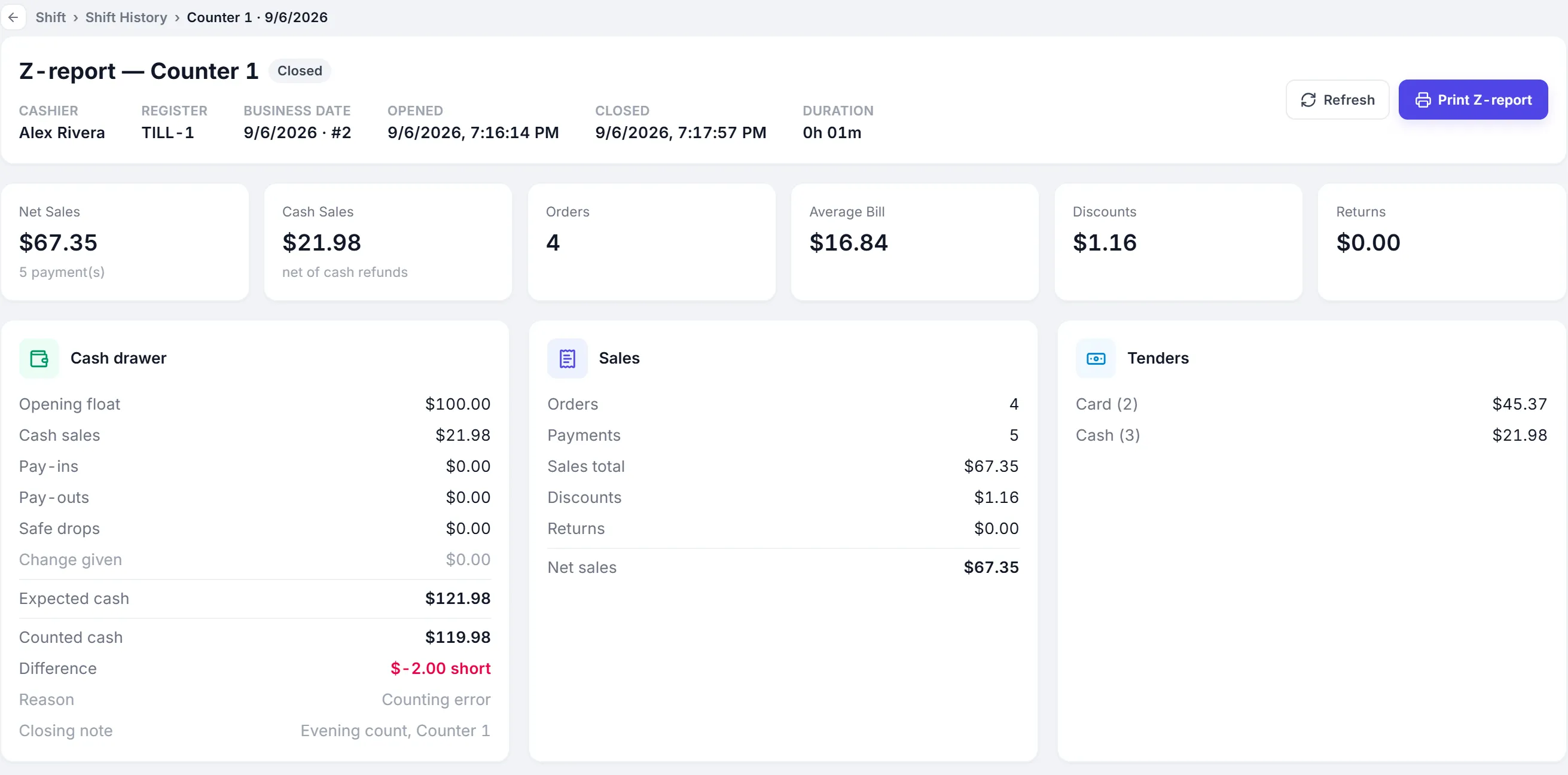
Each counter has its own register and cashier shifts.
Opening float
Shifts open with the cash in the drawer.
Counted close
Expected cash against counted cash, with a reason for any difference.
Z-report
Print the summary for every shift.
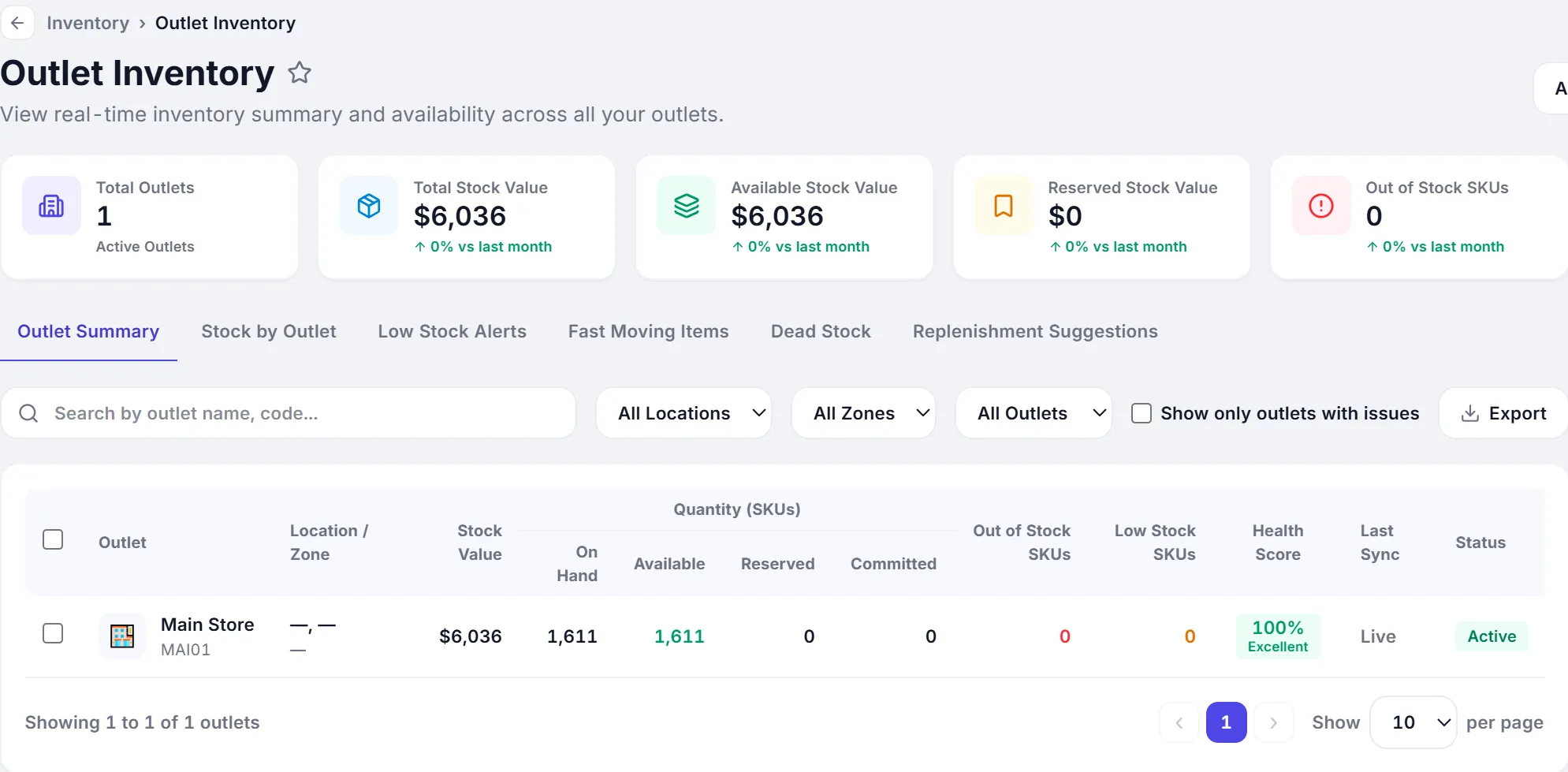
Stock that matches the shelves
- Stock goes down with every bill, by outlet
- Low-stock lists from your reorder levels
- Purchases and goods receipts add stock back
- Transfers between stores and the warehouse
Built for grocery retail
- Supermarkets
- Grocery and kirana stores
- Hypermarkets
- Convenience stores
- Mini marts
- Organic and specialty food
From one counter to many stores.
- Cloud-basedSign in from any browser. Nothing to install at the counter.
- Multi-userRoles and permissions for owners, managers and cashiers.
- Multi-location readyAdd outlets, registers and shifts as you grow.
- Connected accounting and inventoryOne record from the sale to the ledger.
- Built for growing SMBsStart on one plan and move up when you need more.
- 14-day free trialThe full product, with sample data. No credit card.
Common questions
Short, factual answers before you start.
Does it work with barcode scanners?
Yes. USB and Bluetooth barcode scanners work at the billing screen, and the Android app can scan with the camera.
Can I run several billing counters?
Yes. Each counter has its own register and shifts, and every shift closes against its own cash drawer.
Can offers like buy two get one free apply automatically?
Yes. Buy-x-get-y, percentage and flat offers and coupon codes apply on the bill by themselves when the items qualify.
How do I add thousands of products?
Import products and opening stock from Excel. PeppyBooks checks the sheet before anything is saved.
Does it work without internet?
No. PeppyBooks is cloud software, so completing a bill needs an internet connection. That keeps stock and accounts exact across every counter.
Is there a free trial?
Yes. The 14-day trial includes the full product with sample data, and no credit card is needed.
Shorter queues, right stock, cash that adds up
Start free with sample grocery products and try your first bill.