
Looking beyond POS alone?
PeppyBooks connects point of sale with inventory, customers and accounting so growing retailers can manage more of their business in one system.
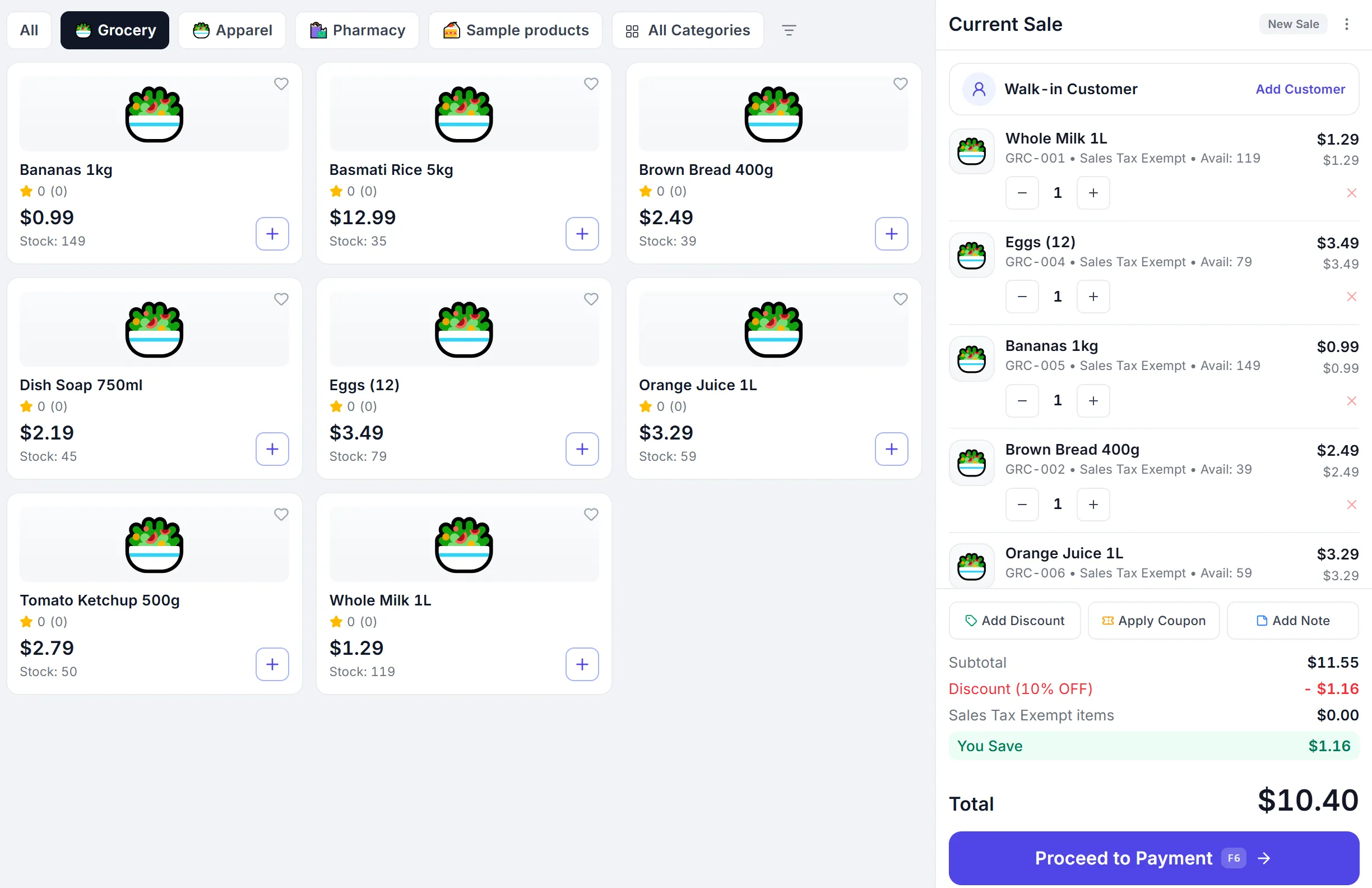
- POS
- Inventory
- Customers
- Accounting
When businesses start looking for a Square alternative
Square is a capable point of sale. Some businesses reach a point where they need more of the business in one system.
Inventory and accounting, closer together
They want stock and the books to move with every sale, not after an export.
Deeper multi-location operations
They need stock, registers and shifts per outlet with one company view.
Broader back-office workflows
Purchase orders, supplier bills, quotations and sales orders alongside the counter.
One system across more of the business
They prefer fewer tools to connect, reconcile and pay for.
Choose the model that fits how your business operates.
A factual look at scope. The right choice depends on the workflows your business needs.
| Capability | PeppyBooks | Square |
|---|---|---|
| Point of sale | Included from the Business plan | Core Square product |
| Inventory management | Included: stock by product and outlet, transfers, batches and expiry | Available depending on Square product and setup |
| Accounting | Included in every plan: ledger, receivables, payables, tax and financial statements | May require additional Square products or integrations |
| Customer management | Included: customer records, credit, price levels and history | Available depending on Square product and setup |
| Multi-location support | Included: stock, registers and shifts per outlet, one company view | Available depending on Square product and setup |
| Business invoicing | Included: quotations, sales orders and invoices | Available depending on Square product and setup |
| Purchase workflows | Included: purchase orders, goods receipts and supplier bills | May require additional Square products or integrations |
| Distribution and broader ERP-style operations | Warehouses, transfers and pricing from Business; distribution on Enterprise | May require additional Square products or integrations |
Designed for businesses that want front office and back office connected.
POS and inventory together
A paid sale moves stock the moment it completes.
Accounting in the same business system
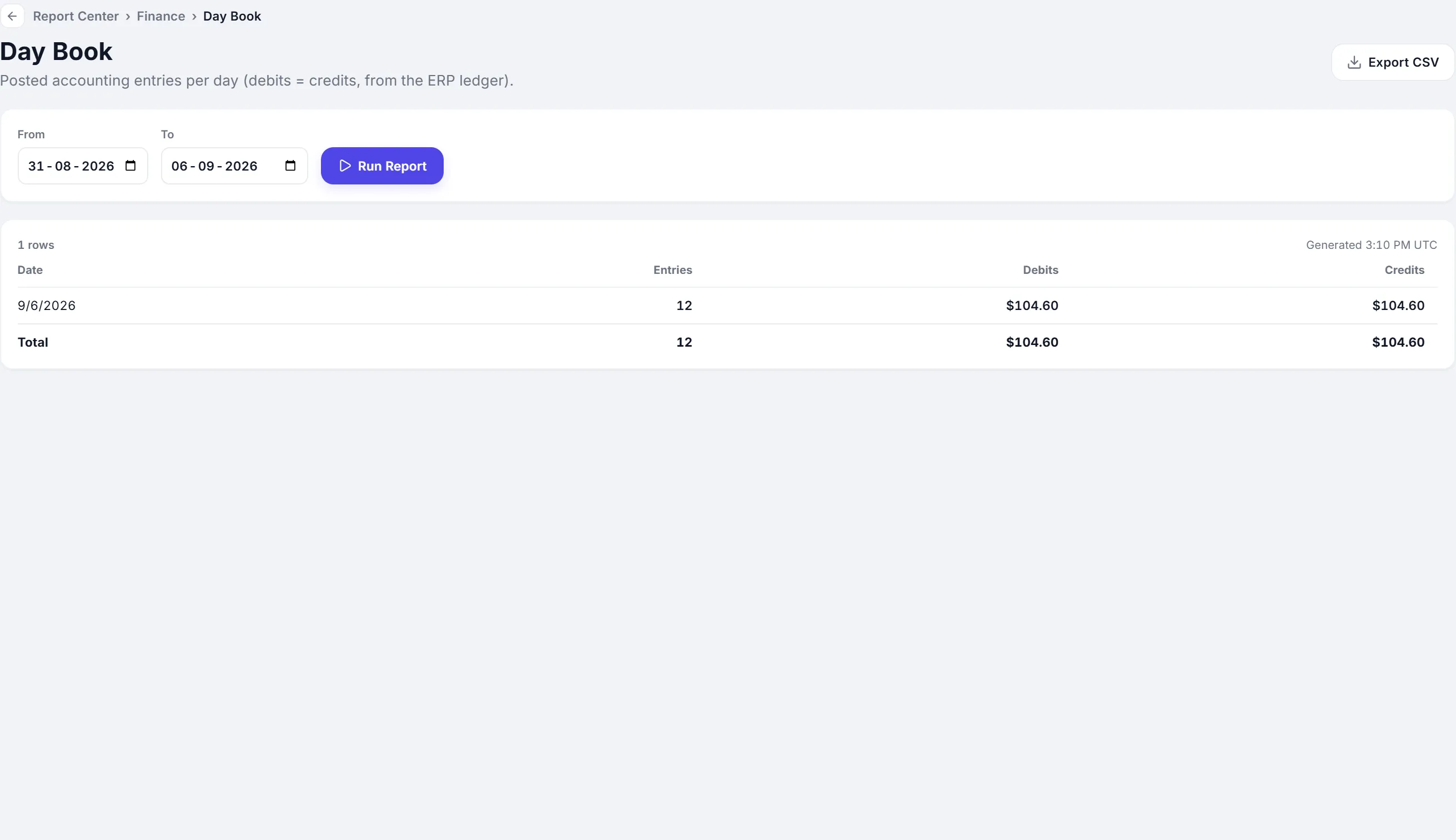
Sales, taxes and payments post to the ledger as they happen.
Multi-location operations
Stock, registers and shifts per outlet, and one company view.
Sales beyond the counter
Quotations, sales orders and invoices from the same records.
From counter sale to business records
-
Customer purchase
-
POS transaction
-
Inventory update
-
Payment and customer balance
-
Accounting
PeppyBooks may be a better fit if you need more than checkout.
Growing retailers
More products, more customers, more to keep in sync.
Multi-location businesses
Several outlets that should read as one business.
POS and regular invoicing
Counter sales and business invoices from one system.
Inventory and accounting together
Stock and the books that always agree.
Retail plus distribution
Counter sales alongside orders, warehouses and receivables.
You do not need to change everything at once.
Evaluate PeppyBooks through the free trial and test your key workflows, such as billing, stock and accounting, before making a wider change. Import your products and customers when you are ready.
Start small. Grow without replacing your system.
- Cloud-basedSign in from any browser. Nothing to install at the counter.
- Multi-userRoles and permissions for owners, managers and cashiers.
- Multi-location readyAdd outlets, registers and shifts as you grow.
- Connected accounting and inventoryOne record from the sale to the ledger.
- Built for growing SMBsStart on one plan and move up when you need more.
- 14-day free trialThe full product, with sample data. No credit card.
Common questions
Short, factual answers before you start.
Is PeppyBooks a Square replacement?
PeppyBooks is an alternative for businesses evaluating a broader connected system for POS, inventory, accounting and operations. The right choice depends on the workflows your business needs.
Does PeppyBooks include accounting?
Yes. Accounting is included in every plan: ledger, receivables, payables, tax, bank reconciliation and financial statements.
Can PeppyBooks handle multiple retail locations?
Yes. Stock, registers and shifts are tracked per outlet, with one consolidated view of the whole business.
Can PeppyBooks manage inventory?
Yes. Stock by product and outlet, purchases, transfers, adjustments, and batch and expiry tracking, updated by every sale.
Can I try PeppyBooks before switching?
Yes. The free trial gives you the full product for 14 days with sample data and no credit card, so you can test your own workflows first.
See if a more connected system fits your business.
Start for free and test billing, stock and accounting with your own products.