🎉 Free 14-day trial on every plan — no credit card, no sales call, cancel anytime. Start now →
💊 Pharmacy

Software to run your pharmacy

Bill fast at the counter, never sell an expired batch, claim expiry returns from suppliers on time, and keep your accounts in order — from one platform.

  • No credit card required
  • Set up in under 10 minutes
  • Cancel anytime, keep your data
Pharmacy · Live
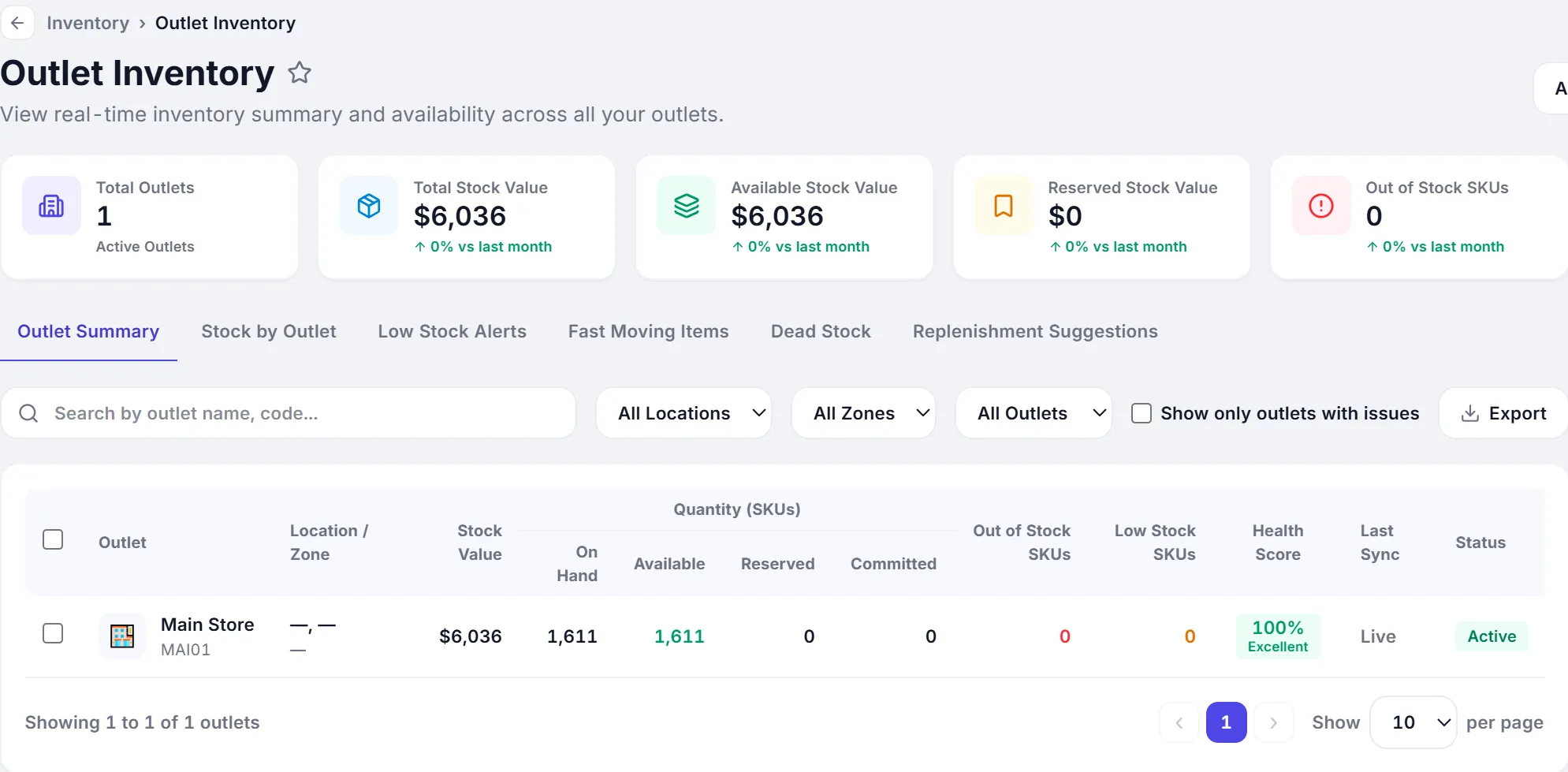
Batches tracked3,106
Expiring in 60 days48 items
Expired blocked0 sold ✓
Sales today$2,410
Nothing expired leaves the counter
Start here

What is pharmacy business software?

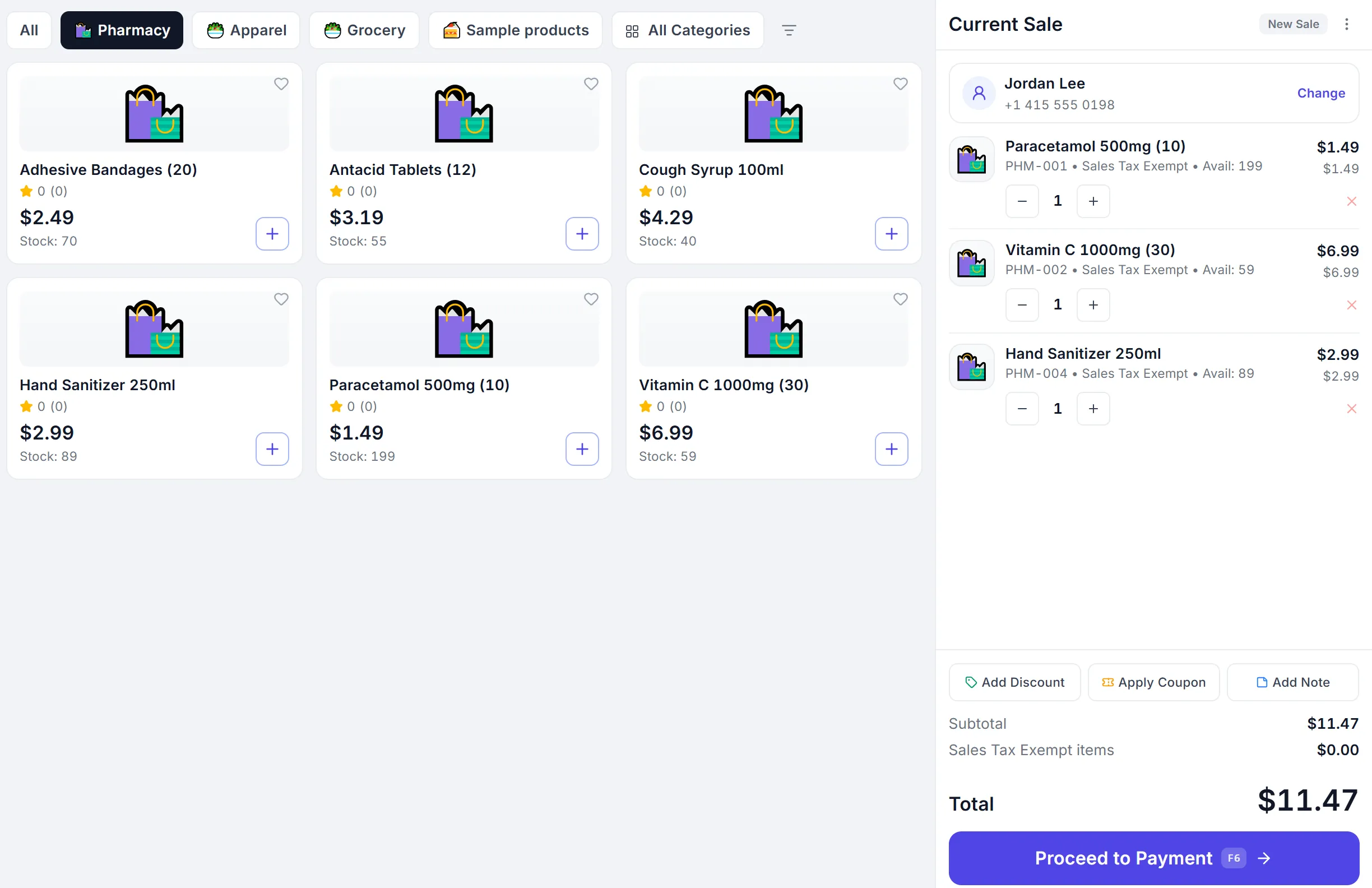
Software for a pharmacy is what you use to bill at the counter while making sure the batch you sell is not expired — and that you claim expiry back from your supplier in time.

In a pharmacy the batch is the product. Selling the wrong one is not a small mistake, and missing the supplier's return window is money gone. PeppyBooks tracks batch and expiry on every item, suggests the oldest batch first, and blocks expired stock.

Who it's for

Who uses it in your business

Pharmacy owners

Control expiry loss and see your real margin.

Counter staff

Find the medicine and bill it correctly, fast.

Purchase staff

Know exactly what to return, and to which supplier.

The problems this solves

What goes wrong today — and what changes

Expired stock discovered at the counter
Batch and expiry tracked on every item, flagged before it's sold
Money lost on expiry you didn't return in time
Near-expiry list so you claim from suppliers while you still can
Staff hunting for a medicine on the shelf
Search by name, salt or barcode and see the exact rack
Registers, bills and accounts kept separately
One record — the bill is already the accounting entry
How it works

How it works, day to day

1

Stock in

Batch and expiry captured as medicines arrive.

2

Bill safely

Oldest batch first; expired stock can't be sold by mistake.

3

Claim in time

The near-expiry list tells you what to return, and to whom.

01

Batch and expiry, tracked properly

In a pharmacy, the batch is the product. Selling the wrong one isn't a small mistake.

Batch number and expiry on every item

Oldest batch suggested first at billing

Expired batches blocked from sale

Near-expiry list, well before the date

Full trace from supplier to customer

02

Get your money back on returns

Expiry is a normal cost in pharmacy. Losing the supplier claim window is not.

Near-expiry list by supplier

Return notes raised against the original purchase

Credit from suppliers tracked to settlement

Damage and breakage recorded with a reason

Value of expiry loss, visible monthly

03

A fast, correct counter

Customers wait with a prescription in hand. Billing has to be quick, and the tax and rate have to be right.

Search by product name, salt or barcode

Rack and shelf location on screen

Correct tax on every line, automatically

Repeat customers and their history

Every sale posted to your accounts

What you get

What changes for you

Never sell an expired batch

The system checks so your staff don't have to.

Recover expiry money

Claim from suppliers while the window is still open.

Books that are always ready

Bills and accounts are the same record.

Included in plans from $17/user/month — every plan starts with a full-featured trial. See pricing Start for free
Compare

PeppyBooks compared with what pharmacy businesses usually use

An honest look. Each of these is good at what it was built for — the question is whether your billing, your stock and your accounts end up as one thing or several.

PeppyBooks compared with the options most pharmacy businesses weigh up
What mattersPeppyBooksTallyZoho BooksQuickBooksYour current setup
Batch and expiry tracked, expired stock blockedYesDepends on your setupDepends on planDepends on planA dedicated pharmacy package is a genuine strength here
Accounts update from the billYes — the bill is the entryYes — accounting is its coreYes — accounting is its coreYes — accounting is its coreNo — added up separately
Stock goes down as you sellYesYes — stock is includedDepends on plan; may require Zoho InventoryDepends on planA separate register
Works with no internetYes — sends everything laterYes — a genuine strength, runs on your computerBest suited for working onlineBest suited for working onlineDepends what you use
Reach it from anywhere, on a phoneYes — built for the webBest suited for a computer in the office; remote access is availableYesYesUsually not
More than one location on one loginYes, on every planDepends on how your companies are set upDepends on planOften a subscription per companyEach place on its own
Customers, purchases & staff pay togetherIncluded by planStock included; CRM and payroll may require another applicationMay require other Zoho applicationsMay require another applicationSeparate people and files
Country e-invoicing (India, Kenya, Zambia, Ghana, UAE & more)9 countries built inStrong in India (GST & e-invoicing)Depends on the country editionNot available in India since 2023Handled by hand
How it is pricedFrom $17 per user per monthMainly a one-time licence, plus yearly supportMonthly subscription, by planMonthly subscription, by planFree, until something is missed

Where each is strong: Tally is a genuine strength if you want your books on your own computer and your accountant already knows it. Zoho Books and QuickBooks are strong cloud accounting products, particularly for service businesses. A dedicated package for your trade may fit that trade's specific needs very well. PeppyBooks is best suited for pharmacy businesses that want the bill, the stock and the accounts to be one record, across more than one location. Compiled from each vendor's published information — last verified 17 July 2026. Features and pricing change and vary by country and plan; please check the vendor's current terms before deciding.

Switching

Moving from what you use now

Most pharmacy businesses we talk to are on a dedicated pharmacy billing package. You do not have to stop working to change.

  1. 1
    Keep working as you are

    Nothing switches off. Set PeppyBooks up alongside what you use today.

  2. 2
    Send us your lists

    Your items, customers and opening stock in a spreadsheet — we load them for you.

  3. 3
    Try it for real, once

    Run one real day, or one real cycle, and compare it with your own numbers.

  4. 4
    Move across when it matches

    Only then. Guided migration is free on annual plans.

“What about my old data?”

Your items, customers and opening stock come across, and we check your opening balances against your existing books before you go live. Old records stay where they are for your reference.

“Can my staff learn it?”

The day-to-day screens are simple enough for staff who use a phone. Train on a quiet day, not your busiest one.

“Do I need new machines?”

Usually not. It runs on an ordinary tablet or computer, and works with most printers and barcode scanners you already own.

“What if I don't like it?”

The trial is 14 days and takes no card. Whatever you put in stays yours, and you can export it at any time.

What you use in PeppyBooks

Native to the PeppyBooks platform, open where it counts.

Reports you get from day one

  • Near-expiry by supplier
  • Batch-wise stock
  • Daily sales and margin
  • Expiry and damage loss
  • Fast and slow movers
1platform for billing, stock & accounts
0re-typing between tools
14 daysfree on every plan
FAQ

Common questions

Does it track batch numbers and expiry dates?

Yes. Every item carries its batch and expiry. The oldest batch is suggested first at billing, and expired batches are blocked from sale.

Can it help me claim expiry returns from suppliers?

Yes. The near-expiry list is grouped by supplier so you can raise return notes and claim credit before the window closes.

Can staff find a medicine quickly?

Yes. Search by product name, salt or barcode, and the screen shows the rack location and the batch to pick.

Is PeppyBooks a good fit for a pharmacy business?

Yes. Pharmacy businesses use PeppyBooks for billing, stock, accounts, tax and customers in one platform — instead of separate tools that never agree with each other. Start with a free 14-day trial and see it with your own data.

Do I need to buy separate software for accounts and stock?

No. Accounting, stock, billing, POS and customer management are all in the same platform, on one subscription. When you make a sale, your stock and your accounts both update — automatically.

How long does it take to get started?

Most businesses are billing on day one. If you're moving from another system, we bring across your customers, suppliers, products and opening balances — guided migration is free on annual plans.

Start for free — 14 days, no card