🎉 Free 14-day trial on every plan — no credit card, no sales call, cancel anytime. Start now →
🔄 POS to Accounts

POS to accounts, with no day-end data entry

The counter and the books should never disagree. In PeppyBooks every sale decrements live stock, clears tax compliance and posts to your books — so the day's takings match themselves at close.

  • No credit card required
  • Set up in under 10 minutes
  • Cancel anytime, keep your data
The workflow

From counter sale to posted accounts

Every step below happens in PeppyBooks, on one database. Data entered once carries all the way through.

  1. 1 Sale Scanned at POS
  2. 2 Tax Send to the tax departmentd receipt
  3. 3 Stock Decremented live
  4. 4 Cash-up Shift matched
  5. 5 Books Takings posted
Who it's for

Built for teams like yours

Retailers

Counter sales that book themselves.

Multi-store chains

Every till posting to one books.

Franchise outlets

Standard books across every location.

The problems this solves

Before PeppyBooks → after PeppyBooks

Day-end tallies re-keyed into accounting
Each shift's cash-up posts to your books automatically
Till sales and stock counts drift apart
Every sale decrements live stock in real time
Receipts that fail tax inspection
Send to the tax departmentd, compliant receipts on every sale
01

The counter and your books, always in sync

PeppyBooks POS isn't a separate system bolted onto accounting — it is accounting, at the point of sale.

Barcode-fast billing, online or offline

Live stock decrement per sale

Send to the tax departmentd receipts (eTIMS, ZRA, e-VAT, GST)

Shift open/close with cash-up reports
02

Every store, one set of books

Multi-store and franchise operators get consolidated books without collecting spreadsheets from each till.

Daily takings posted per store

Consolidated and per-store P&L

Tax collected summaries for filing

Inter-store transfers and returns

Inside the product

What you'll actually see

erp.peppybooks.com/pos/bills
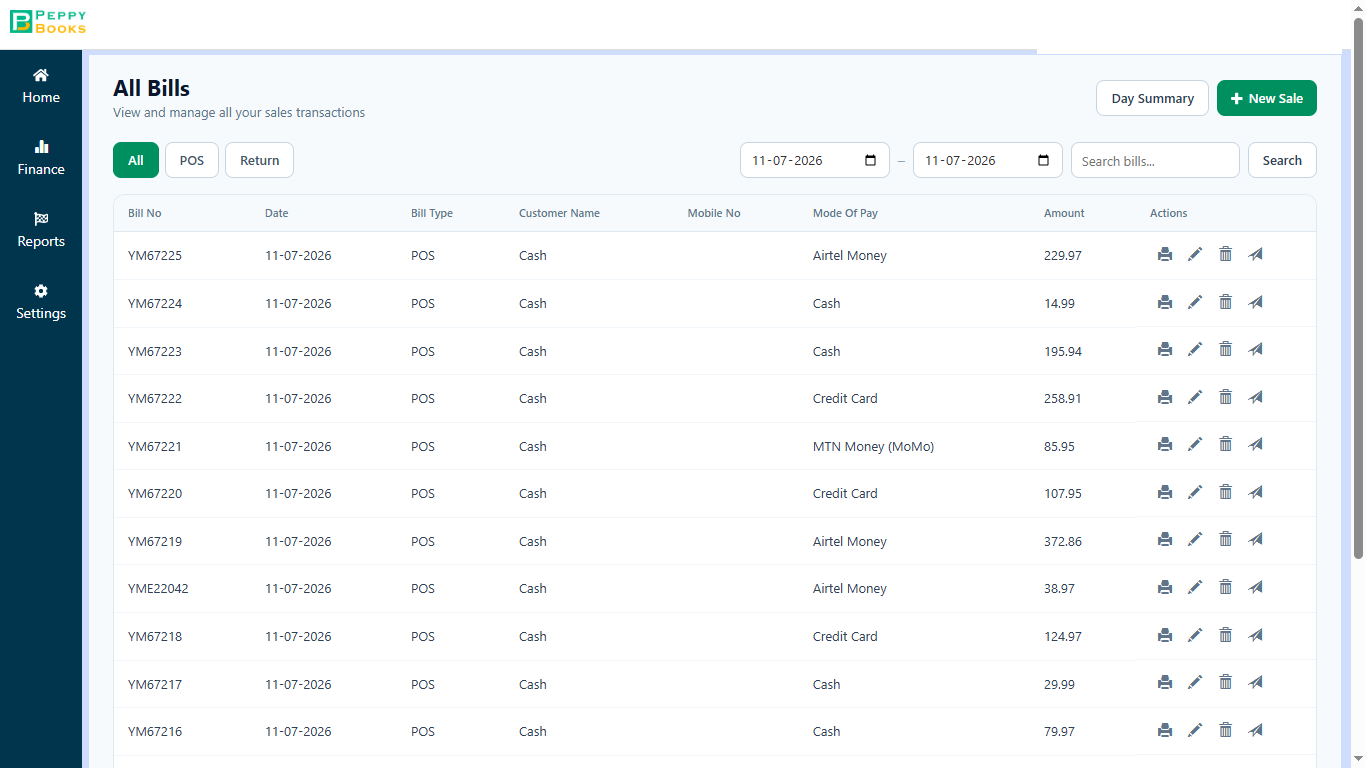
PeppyBooks POS All Bills — every sales transaction with bill number, type, customer and payment mode (Airtel Money, MTN MoMo, Cash, Card).

Every bill your shop has made, in one list. Search any bill by number or customer when someone comes back to return something or asks for a copy. Each line shows how the customer paid — cash, card or mobile money.

Notice Because this list is the same record as your accounts, you never have to match your bill book against your books at month-end.

erp.peppybooks.com/pos/day-summary
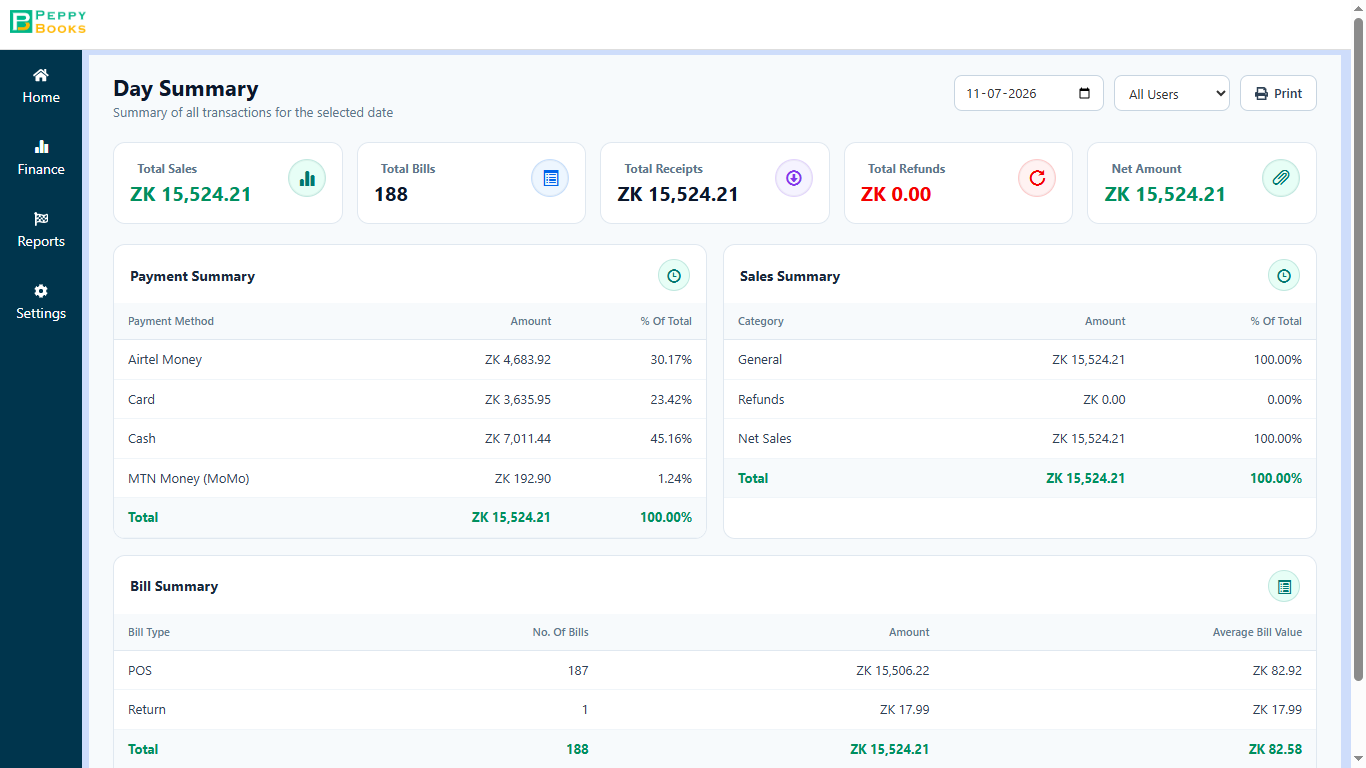
PeppyBooks POS Day Summary — total sales, bill count and receipts, broken down by payment method and bill type.

This is what you check before you lock up. The day's total sales, how many bills, and how much came in by cash, card and mobile money — so the money in the drawer can be checked against the screen in a minute.

Notice This is the screen that replaces adding up the day by hand. It is ready the moment the last customer leaves.

What you get

The outcomes that matter

No day-end data entry

Shifts match to the books without spreadsheets.

Stock that stays accurate

Sales and inventory move together.

Compliance at the till

Fiscal receipts issued automatically.

Included in plans from $17/user/month — every plan starts with a full-featured trial. See pricing Start for free

Works with what you already have

Native to the PeppyBooks platform, open where it counts.

Reports that come standard

  • Daily sales & cash-up per counter
  • Tax collected summary
  • Sales by product & store
  • Margin by store
  • Shift bank matching log
1database, end to end
0re-typing between steps
14 daysfree on every plan
FAQ

Common questions

Does POS post to accounting automatically?

Yes — each sale updates stock and your books, and shift cash-ups post at close. There is nothing to re-enter.

Does it work offline?

Yes — billing continues offline and syncs, including tax-department reporting, when connectivity returns.

Can I run multiple stores?

Yes — every store posts to one books with consolidated and per-store reporting.

Start for free — 14 days, no card